Managing Order Level Promo Codes
 Note:Promo Codes can also be activated through the Applova Marketplace aswell. Once activated, Promo Codes will be enabled as a plugin in the Merchant Portal, where they can be configured and managed.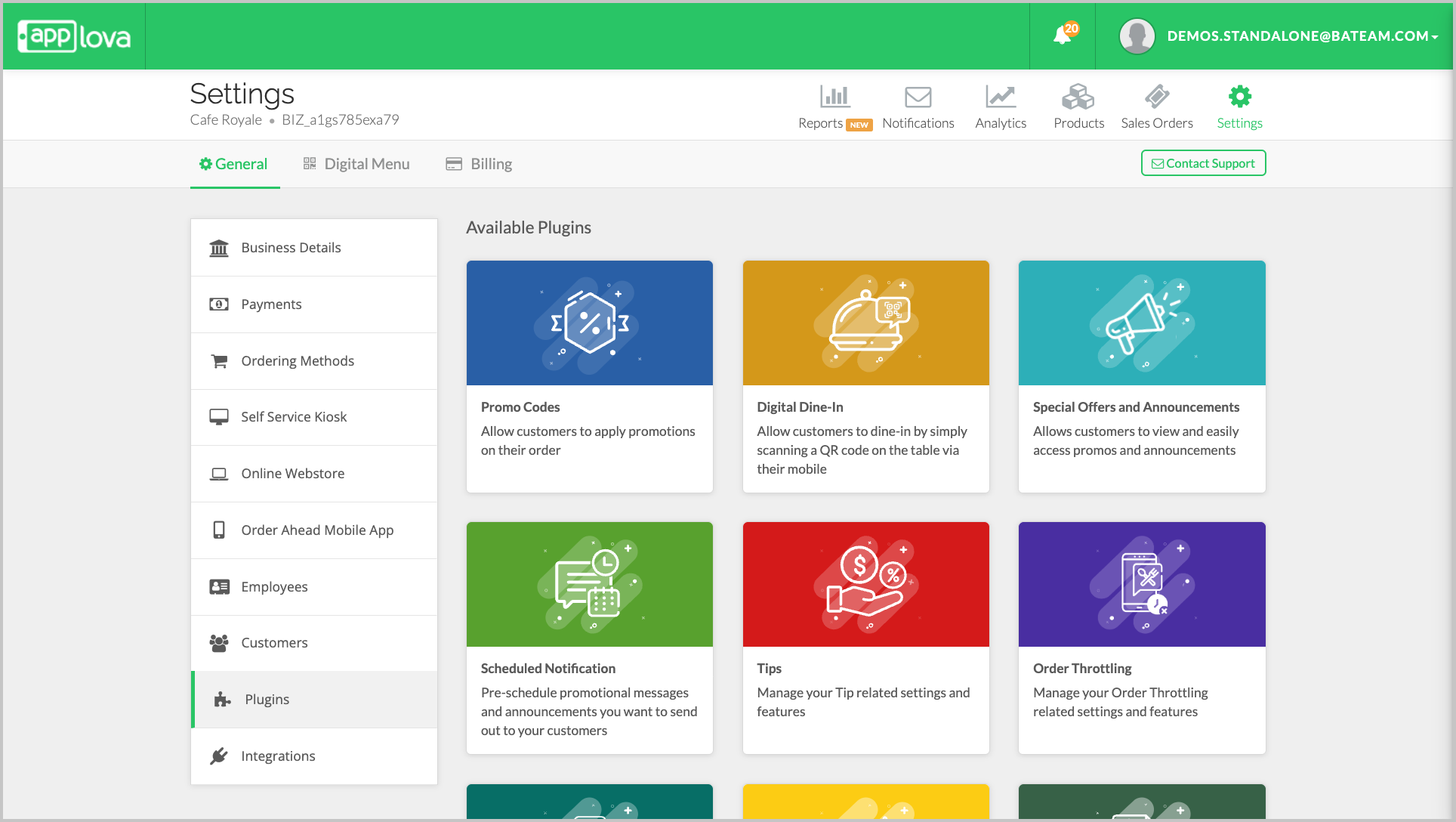
 Note: A master toggle is available at the top of the Promo Codes page.
Promo Codes as a feature will only work if the master toggle is turned ON

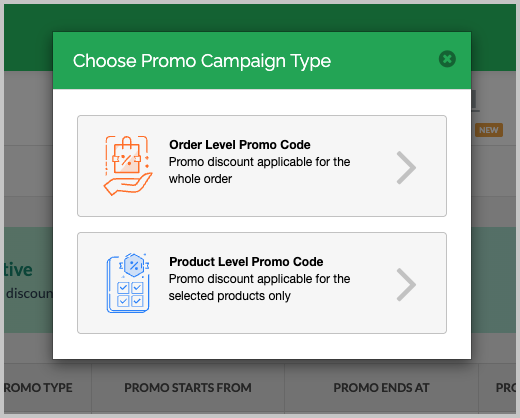
The Promo creation modal will be divided into two sections: Basic and Advanced for ease of use.
Basic Section
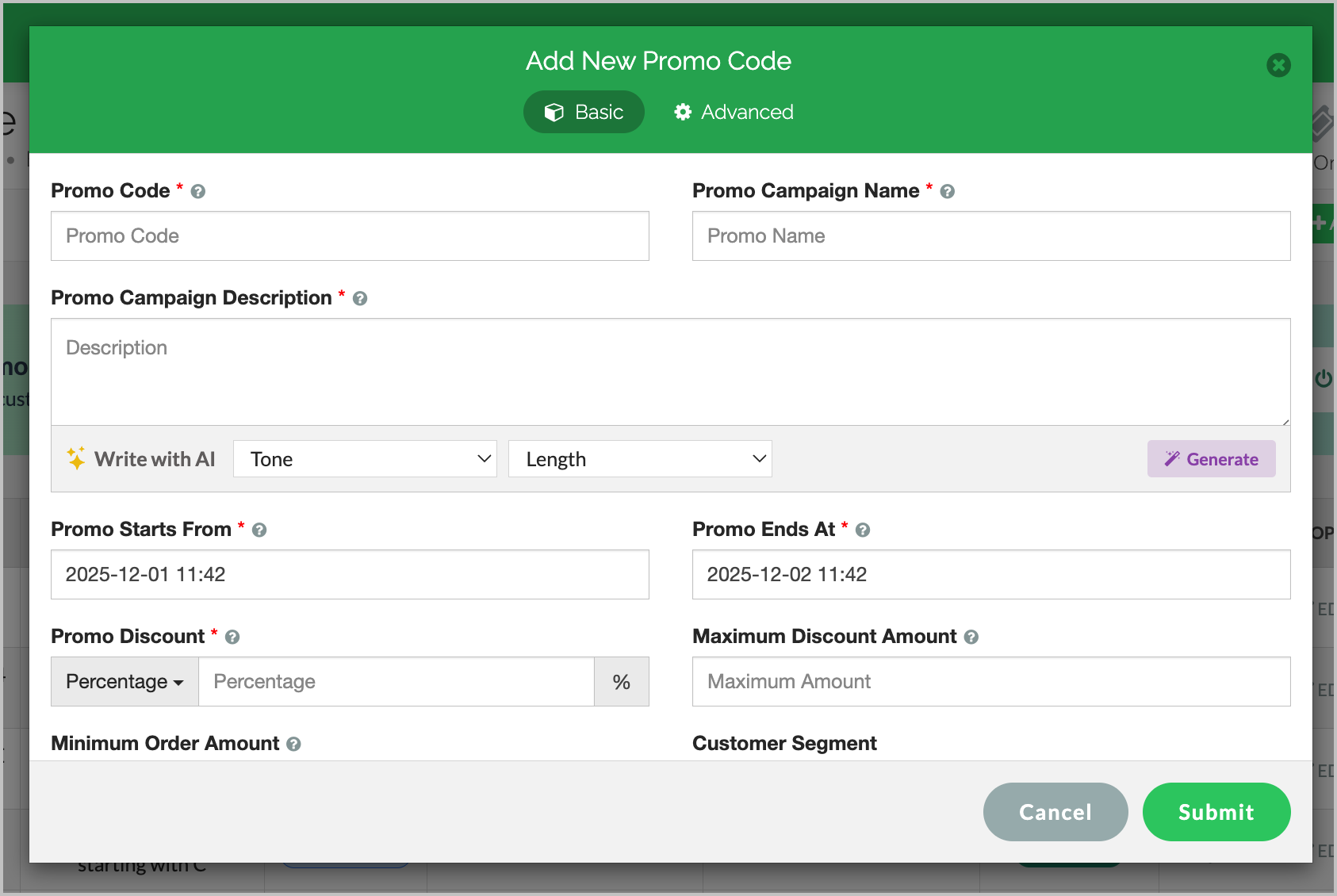
Image Link
Fill in the following required fields:Promo Code: A unique code that is used to redeem the promotion campaign.
Promo Campaign Name: A name that identifies the promotion campaign.
Promo Campaign Description: A brief description of the promotion campaign.
(AI can be used to quickly generate a suitable campaign description with the preferred tone and length.)Promo Starts From: The starting date and time of the promotion campaign.
Promo Ends At: The ending date and time of the promotion campaign.
Promo Discount: Applicable promo discount percentage or flat amount.
Maximum Discount Amount: Maximum promo discount amount applicable
Minimum Order Amount: Minimum order amount required for the promotion to apply.
Customer Segment: Select a customer segment to restrict the promo code to a specific group of customers. When no segment is selected, the promo code will be available to all customers.
Click “Confirm” to proceed or move to the Advanced section for more settings.
Advanced Section
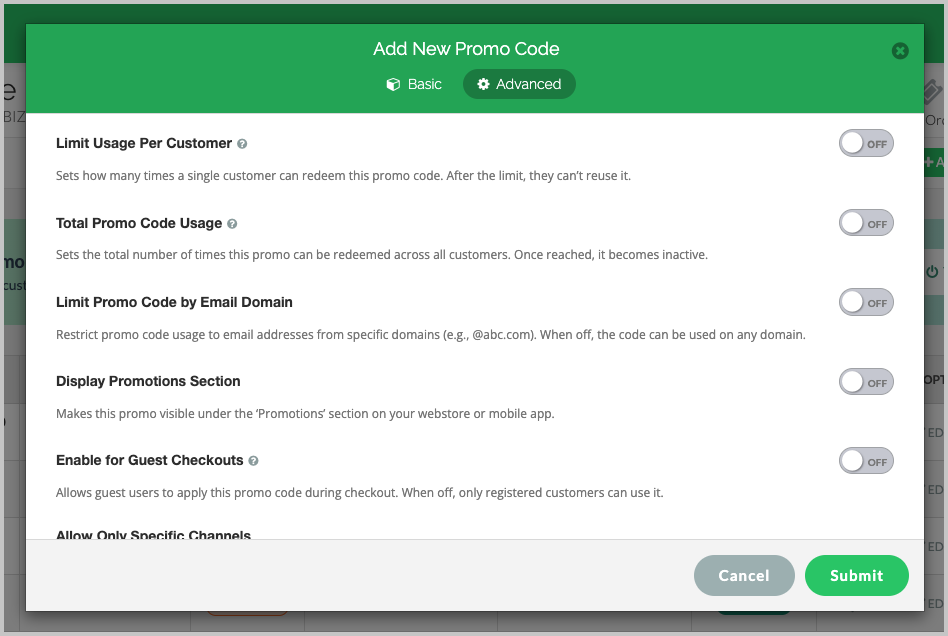
Image Link
Total Promo Code Usage
Sets the total number of times the promo can be redeemed across all customers.Limit Promo Code by Email Domain
Restrict usage to specific email domains (e.g., @abc.com).Display Promotions Section
When enabled, this promo will appear in the “Promotions” section on your Webstore and Mobile App.Enable for Guest Checkouts
Allows guest users to apply this promo code; when OFF, only registered customers can use it.Allow Only Specific Channels
Enables restrictions so the promo can be used only on selected sales channels. All channels are enabled by default
(such as Web Store, Mobile App, Self-Service Kiosk, Digital Dine-In, POS Register).
Finally, click on “Submit" to save changes.
Related Articles
Related Articles
Managing Product Level Promo Codes
This feature allows the merchant to add promo discount for a selected product. Promo code feature is enabled by default Note: Promo Codes can also be activated through the Applova Marketplace aswell. Once activated, Promo Codes will be enabled as a ...Managing Promo Codes for Guest Users of a Business
You can use this plugin to let your guest users apply promo codes for their orders. Please check with Applova Support team to ensure that the promo code and guest checkout features are enabled for your business. Step 1 Login to "Applova Merchant ...How to Configure Promo Codes for Specific Channels via Merchant Portal?
This feature allows merchants to control which sales channels (POS/ Kiosk/ Webstore/ Mobile App/ Digital Dining) accept specific promo codes. By enabling or disabling channels, merchants can tailor promotions to the platforms that best fit their ...How to Manage Allowed Time Ranges for Promo Codes?
This feature will allow the merchant to enable the promotion within the specified time ranges. There are 2 promocode time range types to select from. They are, Specific Day Range - allows to select a specific day in the week along with the time ...Restricting Promo Codes to Specific Customer Email Addresses
This feature allows merchants to restrict a promotion so that only selected email addresses are eligible to receive the discount. By specifying exact email addresses, merchants can prevent unauthorized users from redeeming the promotion. Usecase ...