Product Recommendations on Webstore V3
This feature allows the merchants to suggest products to customers when they place orders for specific items.
Types of Product Recommendations
There are two types of product recommendations.
1. Cross-Sell
2. Upsell
What is Cross-Sell?
Cross-sell is recommending a product that is usually purchased together with the product that the customer ordered.
E.g.: If the customer wants to purchase a Chicken Burger, the system will suggest purchasing French Fries along with it.
How it Reflects on the Webstore V3?
When the Cart Button is Clicked
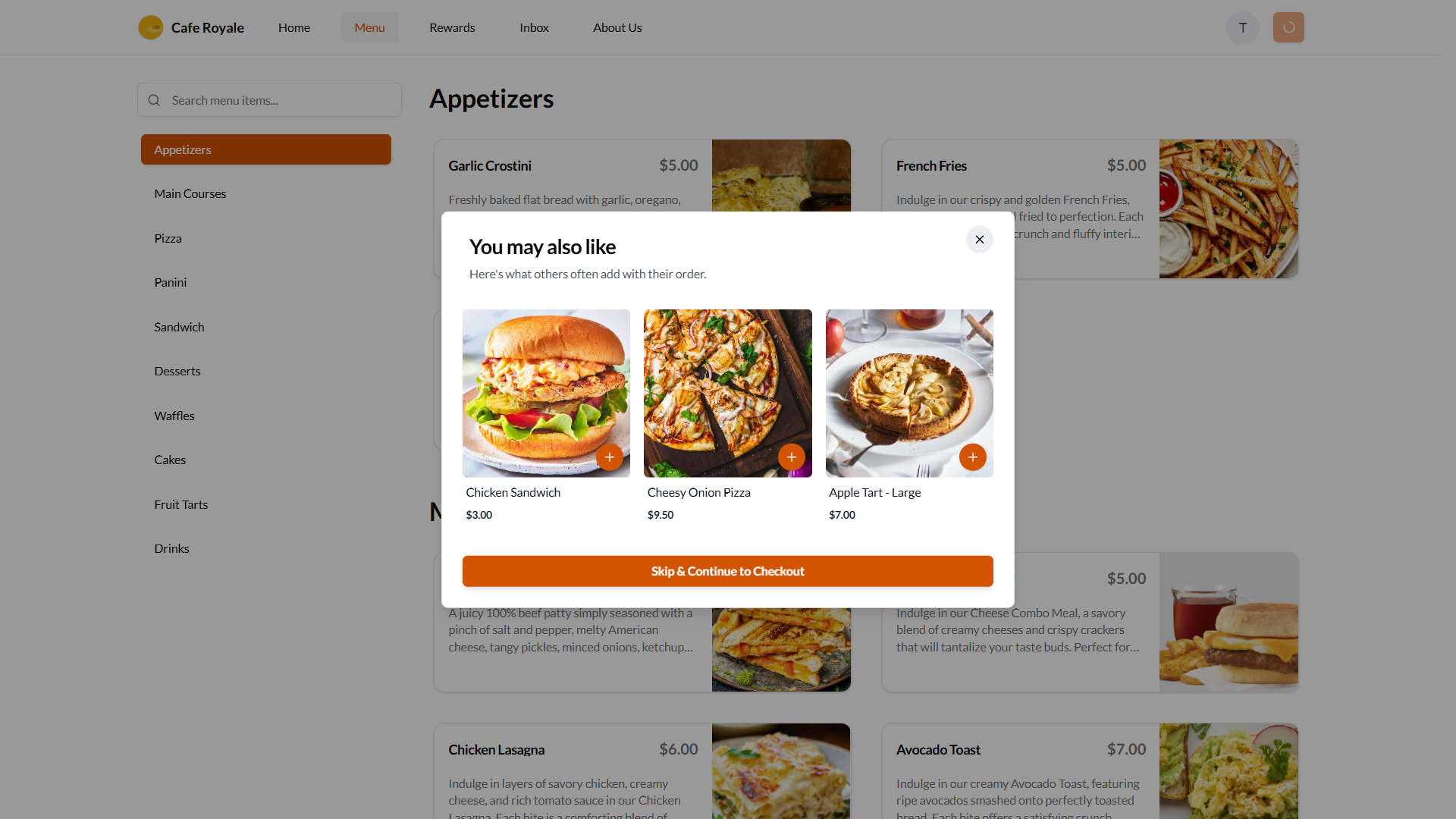
After Adding to the Cart
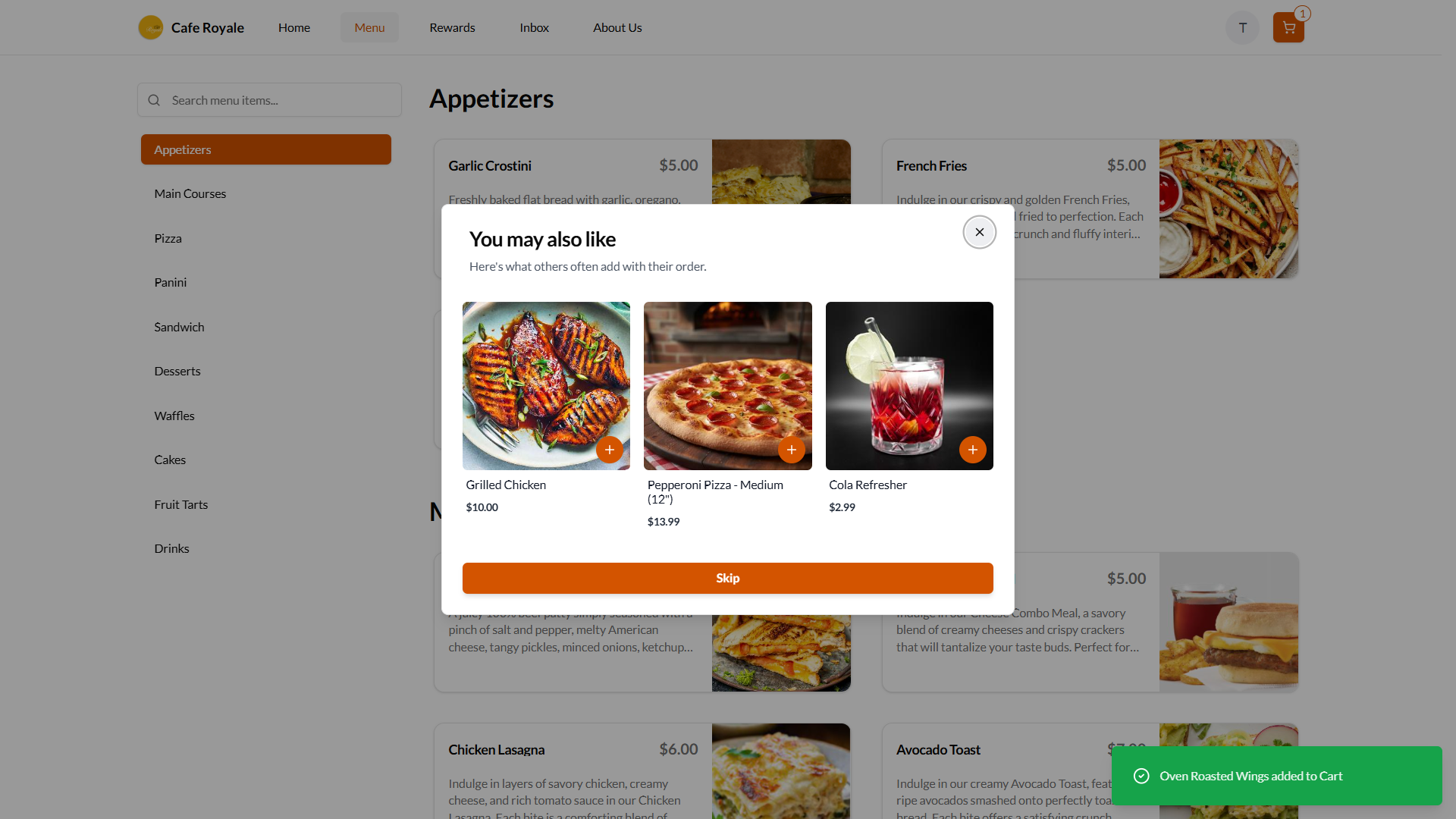
What is Upsell?
Upsell is recommending a product with a higher price instead of the product that the customer ordered.
E.g.: If the customer wants to purchase a Regular Chicken Burger, the system will suggest purchasing a Chicken Burger Meal instead.
How it Reflects on the Webstore V3?
On the Product Detail Page
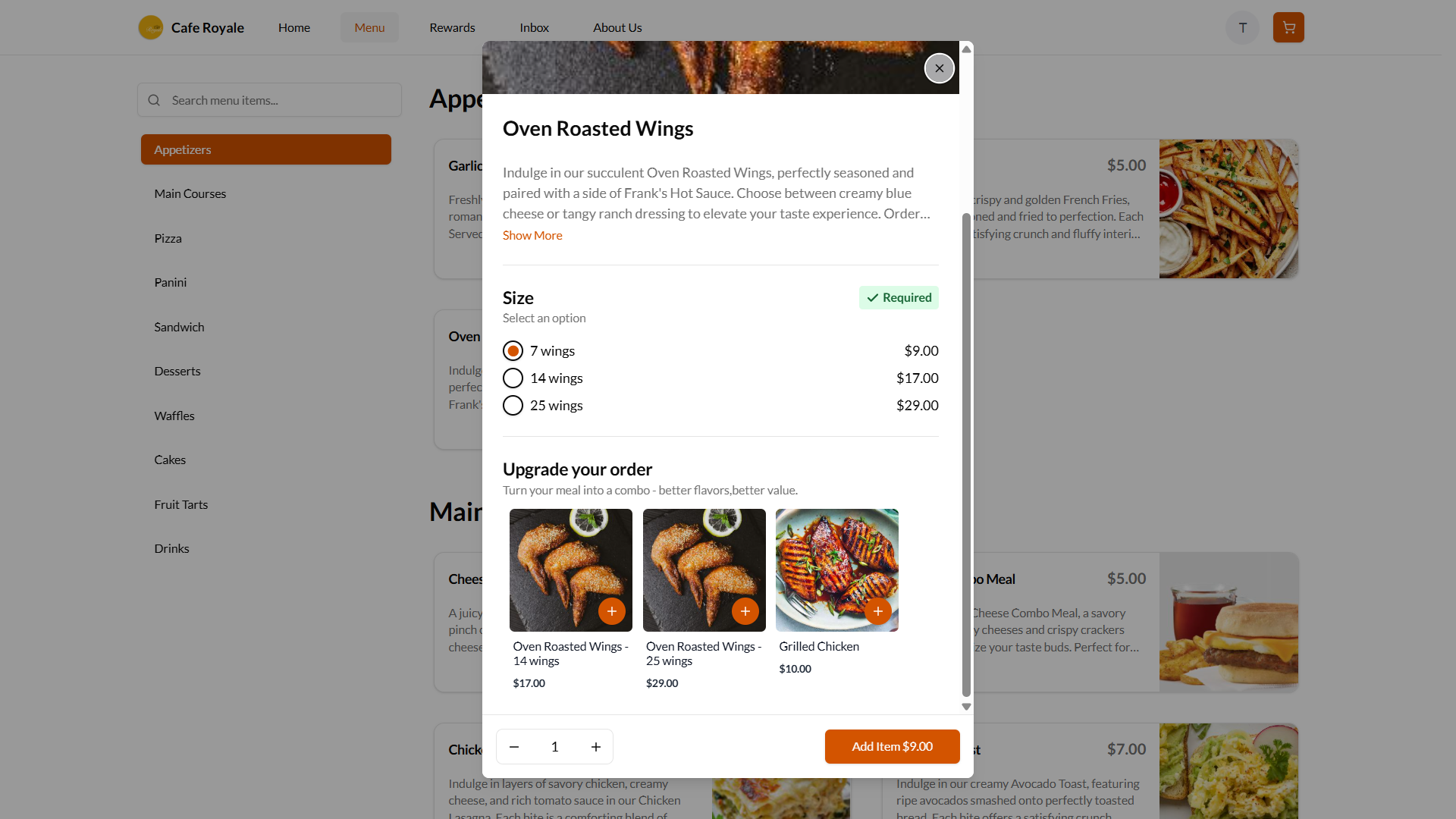
After Adding to Cart
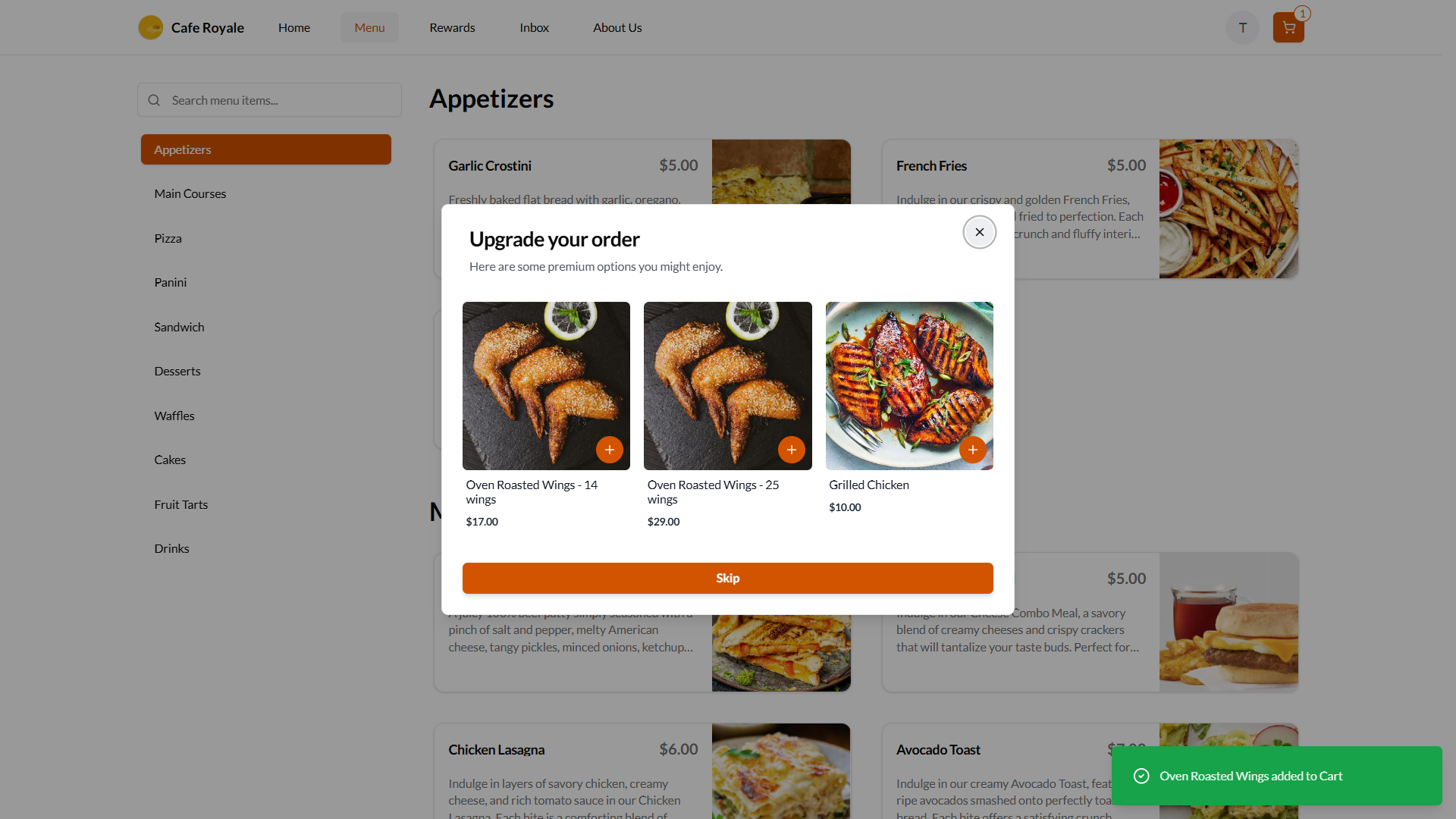
Related Articles
Related Articles
Smart Product Recommendations on Webstore V3
This is a default feature available only for registered customers. Smart Picks brings a personalized ordering experience by using AI to highlight products they’re most likely to enjoy based on their past purchase history. This feature helps repeat ...How to Display Calories on the Product List Page of the Webstore V3?
By using this feature, merchants can display a product’s calorie count directly on the product card as a clear label. This helps customers quickly view calorie information while browsing the menu and make more informed ordering decisions. The calorie ...Displaying Add-On Groups on Webstore V3
Add-on groups are now supported on the Webstore V3, providing a structured way to present available add-ons and allowing customers to easily review and select the options that best fit their needs. With Image and quantity selector support for product ...How to use Guest Checkout on Webstore V3?
This feature allows customers to place orders quickly without signing in or creating an account, improving checkout speed and convenience. Step 1 Log in to the Webstore and add your desired products to the cart. Step 2 After clicking on the cart, a ...Top Sellers on Webstore V3
The Top Sellers feature on the Webstore highlights a restaurant’s most frequently purchased items. This allows customers to quickly identify and order trending products without needing to browse through the entire menu. By automatically showcasing ...