Top Sellers on Webstore V3
The Top Sellers feature on the Webstore highlights a restaurant’s most frequently purchased items. This allows customers to quickly identify and order trending products without needing to browse through the entire menu. By automatically showcasing popular choices, restaurants can guide new or indecisive customers towards items that are tried, tested, and well-loved.

This feature is enabled by default
How it Works?
Step 1
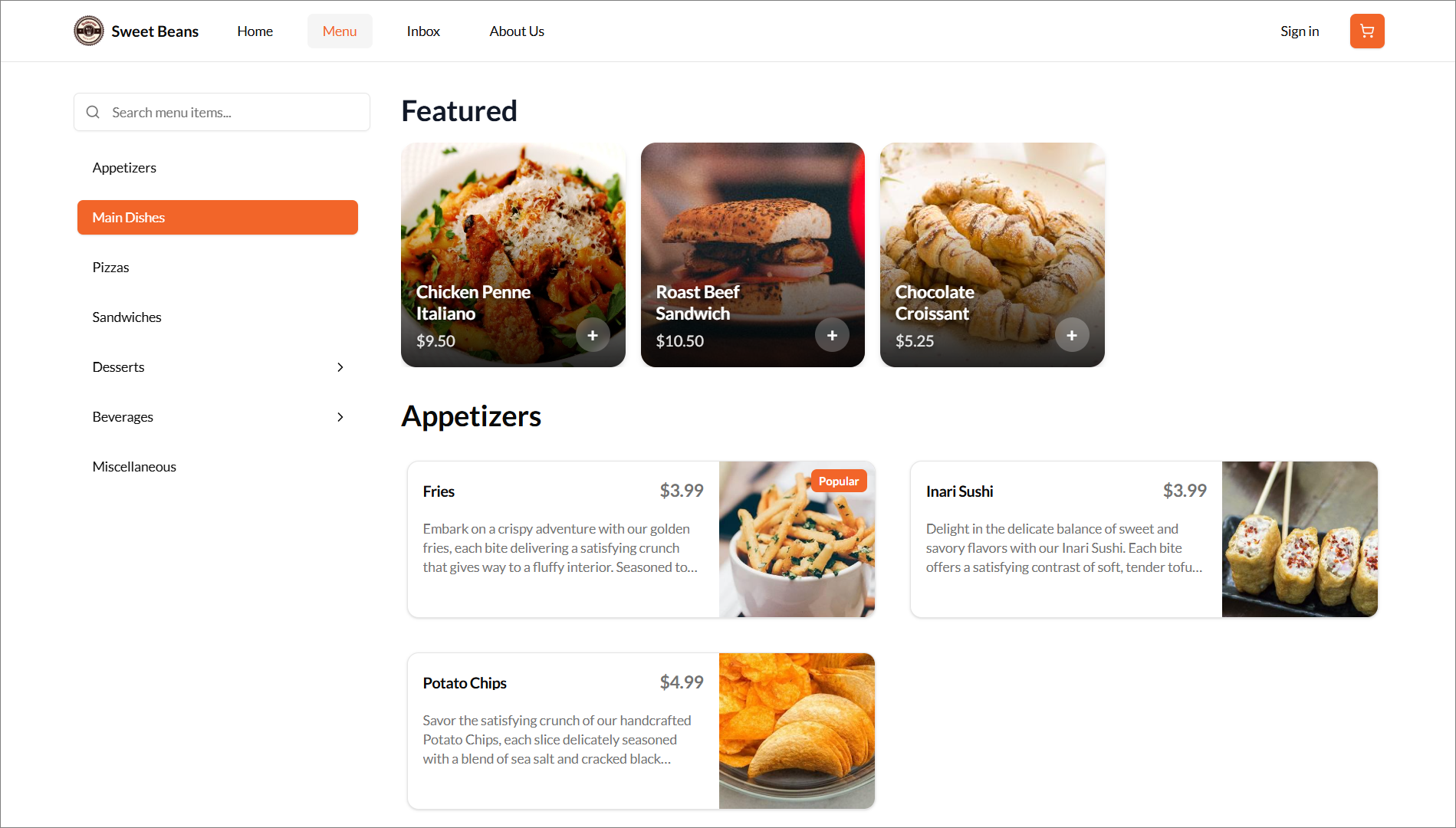
Login to the Webstore and navigate to the "Menu Page", then scroll through the product list. You will notice certain items highlighted with a "Top Sellers" tag, making them easier to identify.
The term "Top Sellers" can be customized based on the business need.
Step 2
The customer can tap on any of the labelled products to instantly add it to their cart, eliminating the need to search or scroll through the menu.
The customer can tap on any of the labelled products to instantly add it to their cart, eliminating the need to search or scroll through the menu.
Step 3
The customer can then proceed to checkout and complete payment using their preferred payment method.
The customer can then proceed to checkout and complete payment using their preferred payment method.
Related Articles
Building an Effective Webstore: Webstore V3 Layout Options
Webstore V3 provides restaurants with a modern, flexible online storefront. Each section is designed to highlight food, share the brand story, and guide customers toward placing orders. The following overview presents all available layout options and ...French Language Support on Webstore V1
Supported On: Webstore V1 When the default language of the device/web is set to French, the webstore will adjust and support that language. The product and the category names will remain unchanged. Only Canadian-French supported. How it Reflects on ...Search Products via Webstore
This allows to search a product typing a product name on the search bar in the taskbar instead of browsing through all the products. Step 1 Go to "Webstore". Step 2 Click on the "Search" button on the top right corner of the taskbar. Image Link Step ...How to Display Calories on the Product List Page of the Webstore V3?
By using this feature, merchants can display a product’s calorie count directly on the product card as a clear label. This helps customers quickly view calorie information while browsing the menu and make more informed ordering decisions. The calorie ...Smart Product Recommendations on Webstore V3
This is a default feature available only for registered customers. Smart Picks brings a personalized ordering experience by using AI to highlight products they’re most likely to enjoy based on their past purchase history. This feature helps repeat ...