Handling Tax Exemption Via Register

Supported Domains: Standalone, Clover and Poynt Businesses
Please request the Applova Support team to enable tax exemption configuration for your business.
With this feature, the merchant can eliminate any applicable taxes from an order.
Step 1
Sign into "Applova POS" with the credentials of your business.
Step 2
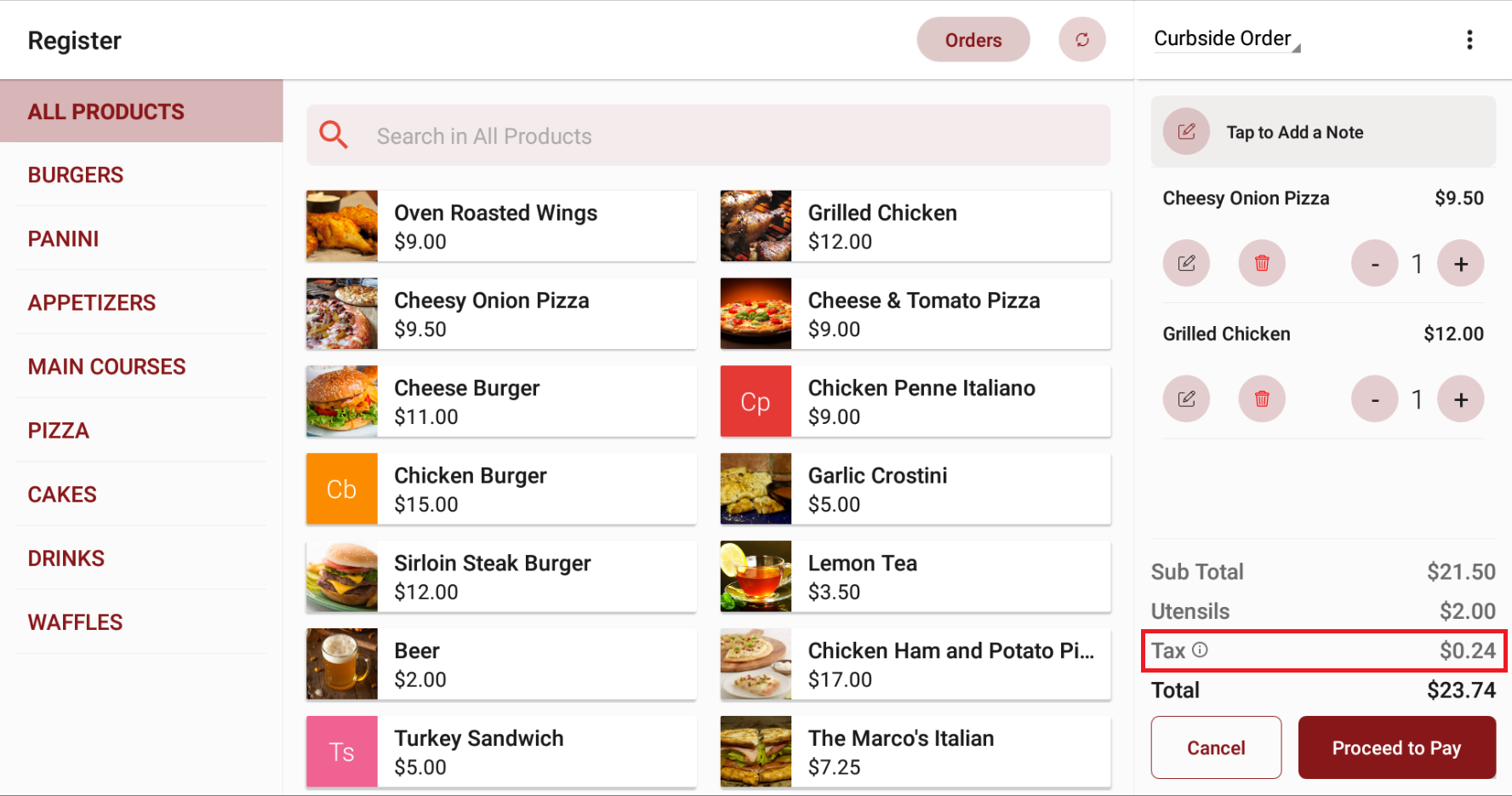
Then go to "Applova POS Register", and add items to the order. Once added, Sub Total will be shown along with Taxes (if added to the business).
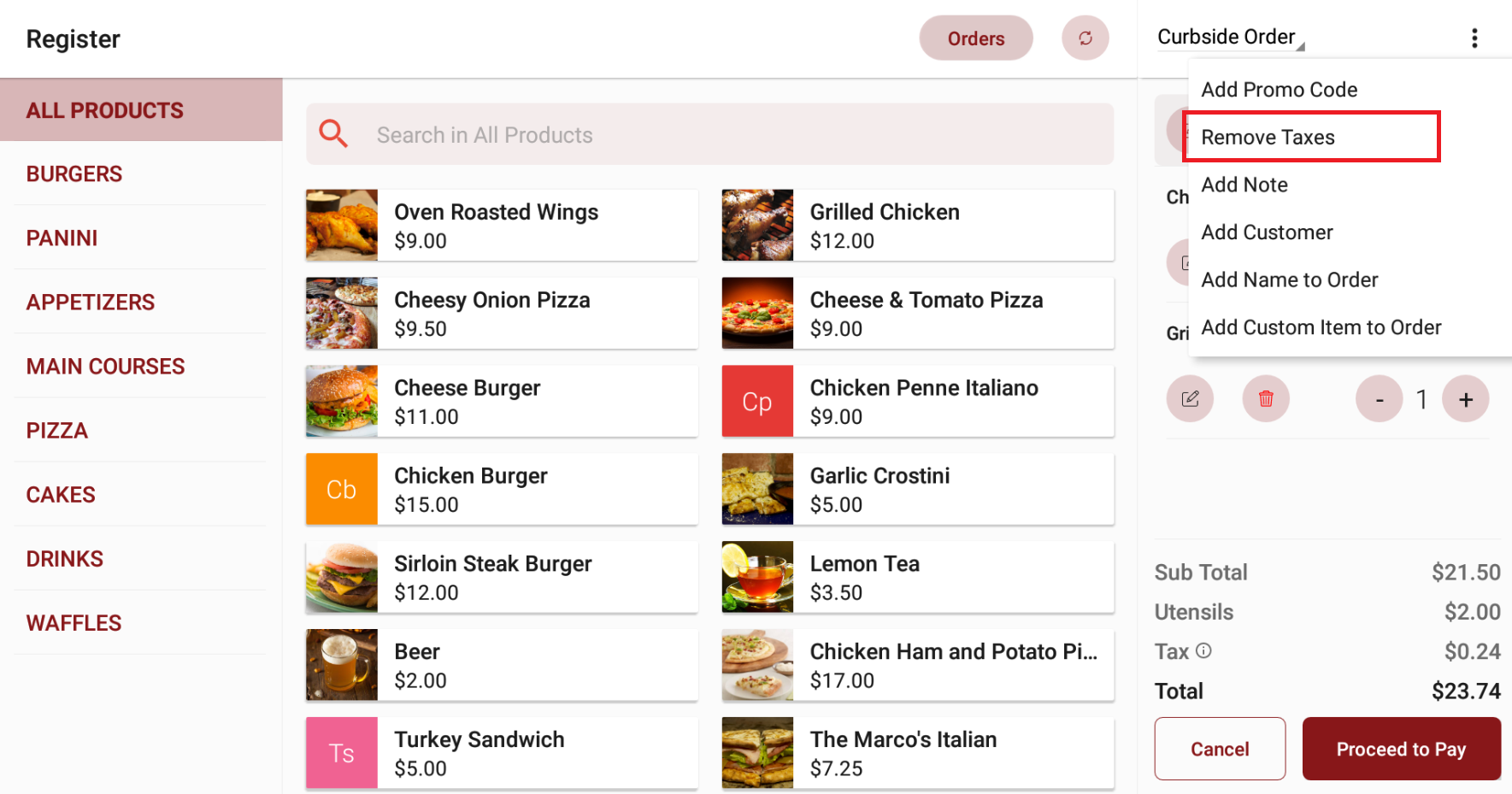
Step 4
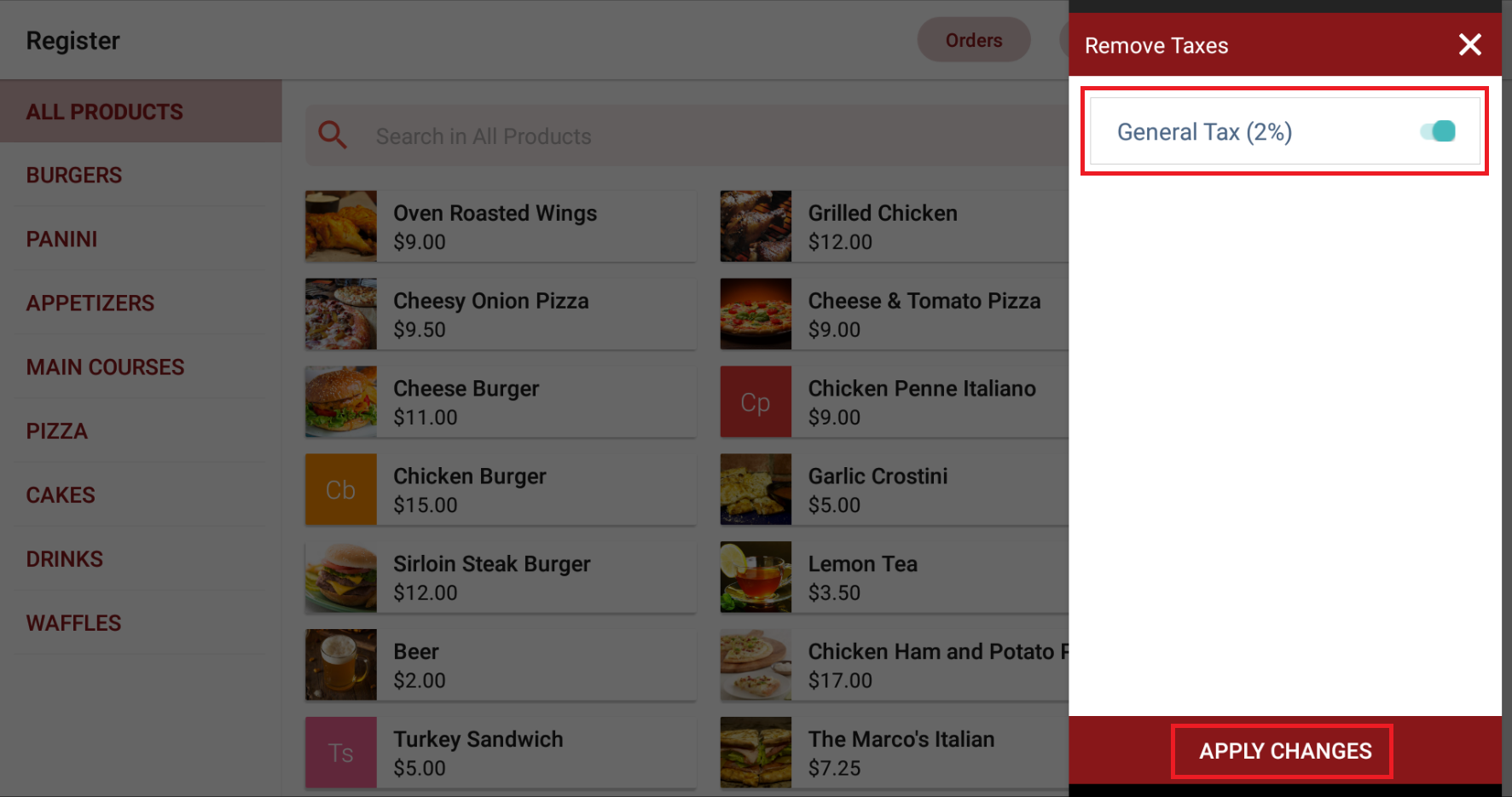
Then it will display the type of the tax that has been added. Disable the toggle to eliminate the applicable tax and tap on "Apply Changes" to proceed to pay without taxes.
How to Remove Tax Exemption Feature?
This configuration will disable the option to remove taxes from a new order that is placed via Register or for an unpaid order that gets edited via Register.
Step 1
Login to the "Admin Web Portal" and search for the business with the business ID or business name.
Step 2
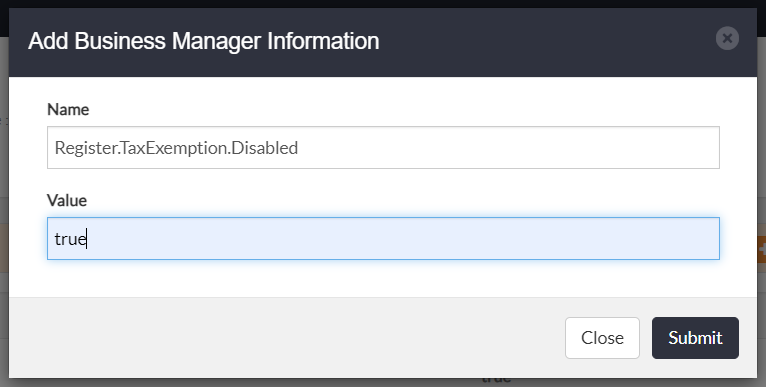
Under Business Manager Configurations, click on the "Add Additional Info" button.
Step 3
Select the following configuration from the dropdown and set the value as "true".

Related Articles
Related Articles
Adding Customer Delivery Address via POS Register
Supported Domains: Standalone Supported From: Applova POS (1.65.4.RELEASE) With this feature, Scenario 1: When adding an existing customer to a delivery order, the address fields will get automatically filled in. Scenario 2: The address fields can be ...Quick Actions on Applova POS
The Quick Actions panel is a customizable set of buttons that gives staff faster access to frequently used functions during the order-taking process. It replaces the previous More Options menu, making key actions more accessible with fewer taps. This ...How to Control Stocks on Register?
Supported On: Standalone Supported From: 1.76.2.RELEASE Please request the Applova Support team to configure Stock Management plugin for your business. Out of Stock Indication Scenario: A merchant has set the available stock for Beer at 1 unit. When ...Cash Management on Applova POS
Supported On: Standalone Businesses Supported From: Applova POS (1.75.0.RELEASE) What is Cash Management? Cash management involves tracking and managing cash transactions in a business which includes handling cash sales, managing the initial cash ...How To Enable a Default Tax Rate on POS
By enabling this feature, a default tax rate can be applied automatically to newly created products on the POS. This also ensures that the same default tax configuration defined in the Merchant Portal is accurately reflected on the POS interface. Use ...