How to Reset Password via Merchant Portal?
This feature allows merchants to reset their passwords from the Merchant portal. When a merchant forgets their login credentials or can no longer access their account, they can create a new password instantly, without requiring the existing one.
How to Reset via Merchant Portal?
Step 1
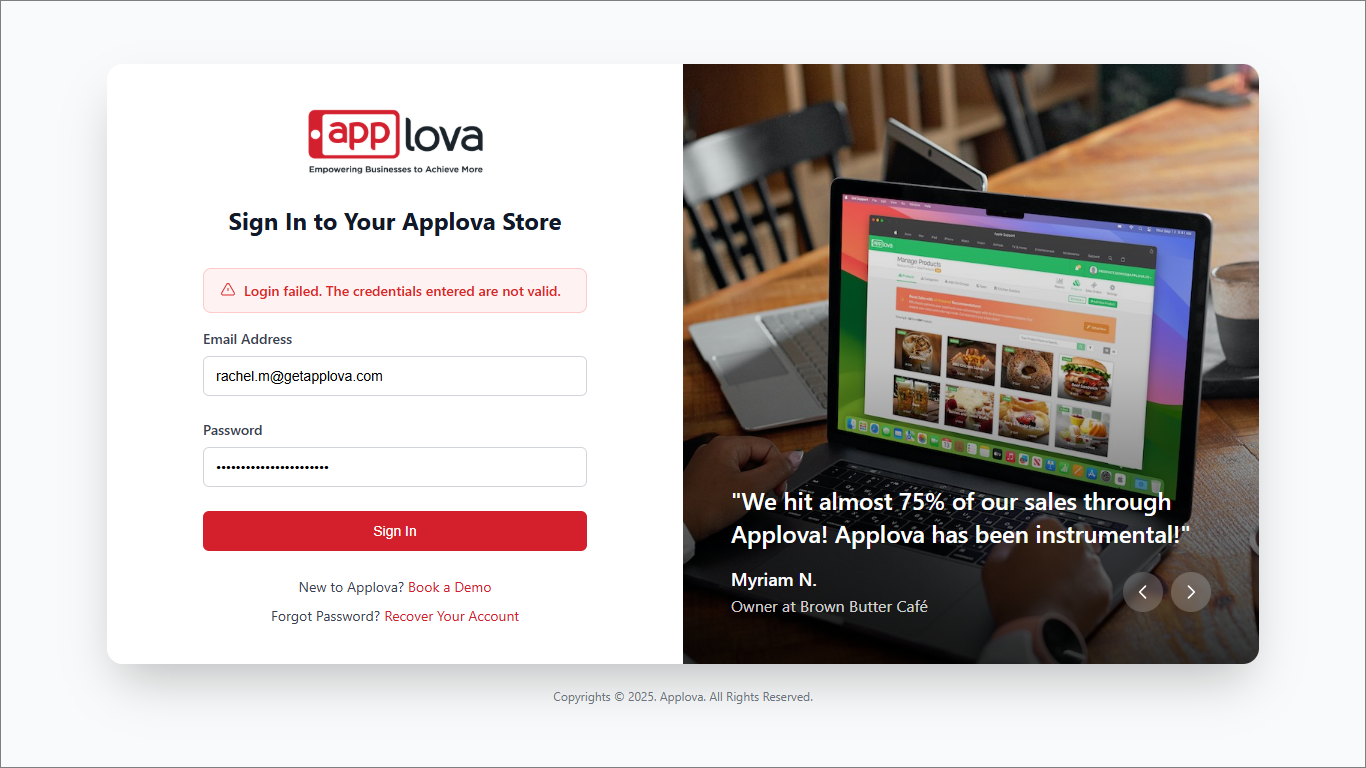
Login to “Applova Merchant Web” and click the “Forgot Password” button located at the bottom of the login page.
Step 2
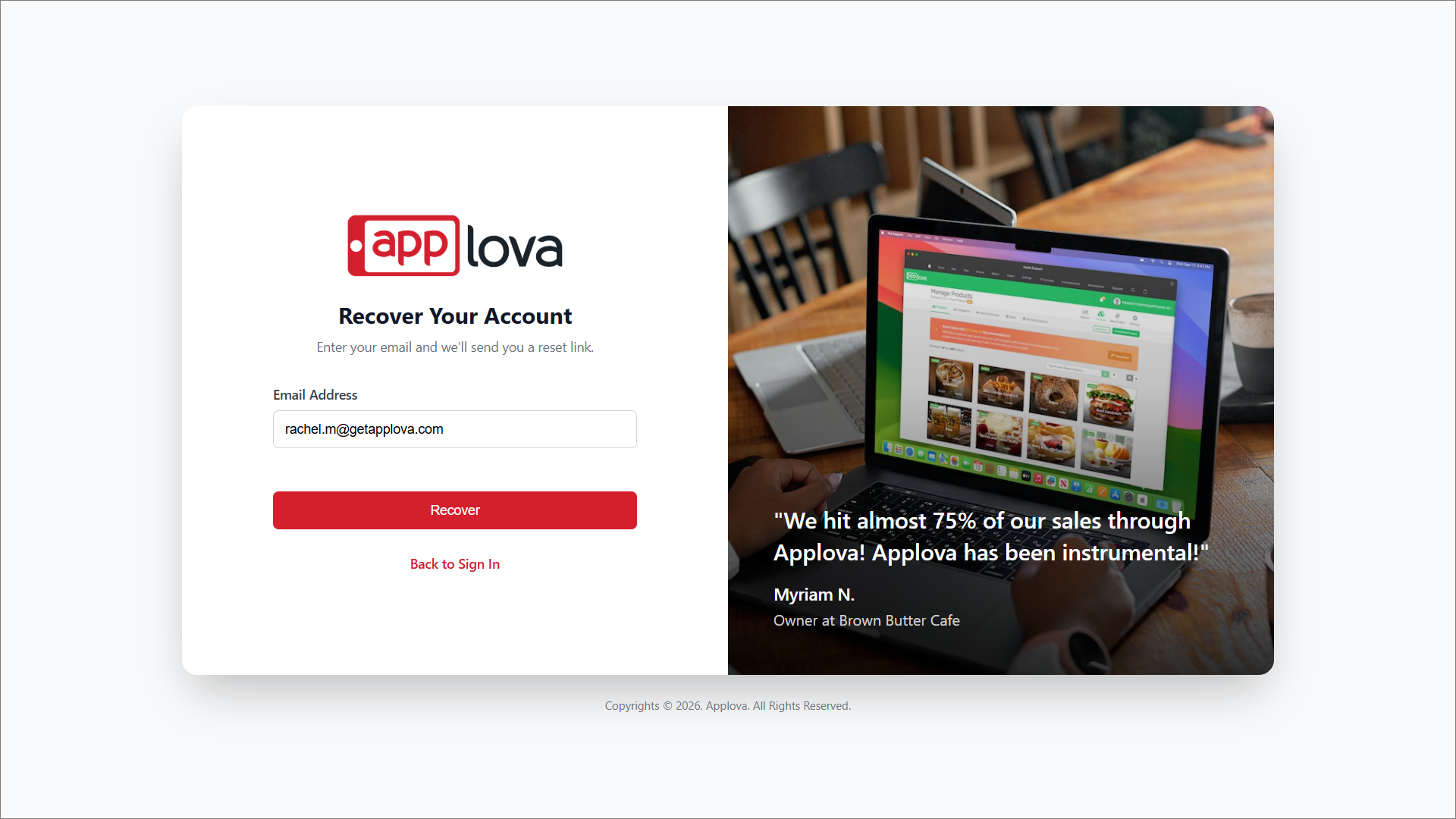
You will be redirected to the password recovery page. Enter the email address linked to the merchant account and click “Recover”.
Step 3
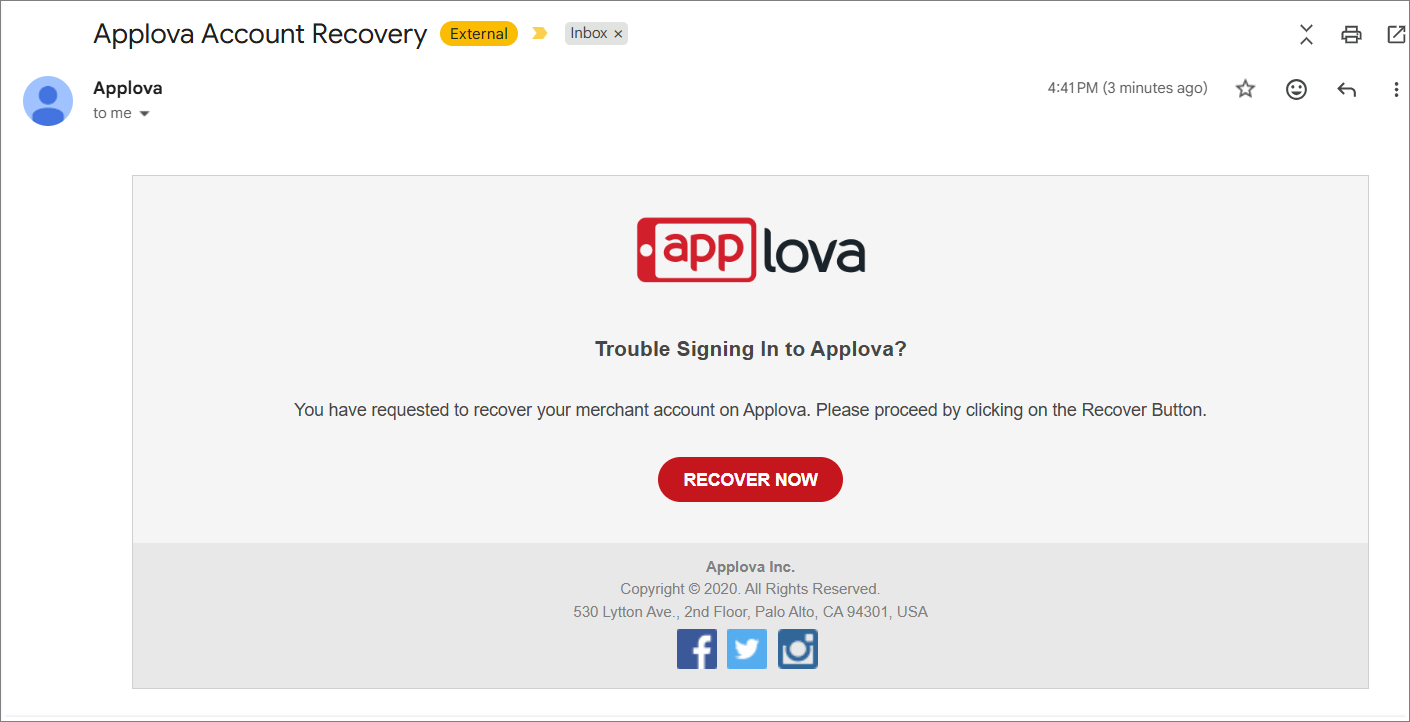
A password recovery email will be sent to the email address. Open the email and click “Recover” to continue.
Step 4
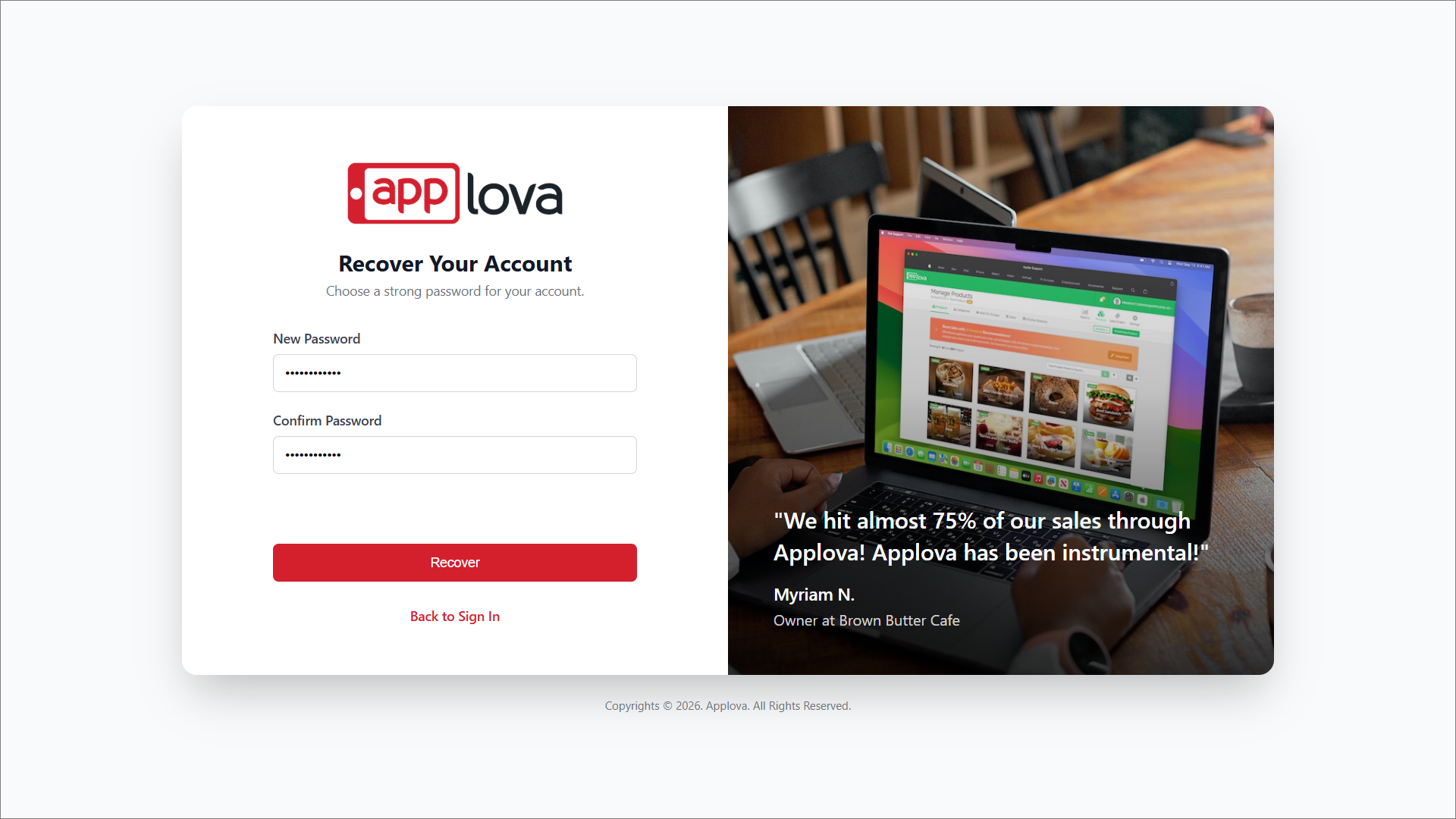
You will be redirected to a new page where you can create a new password for the account.
Step 5
Enter the new password and click “Recover” to complete the password reset process.
Step 6
Once the password is successfully reset, the merchant can use the new password to log in to Applova Merchant Web.
Related Articles
How to Manage Customers via Merchant Portal
This feature allows merchants to quickly search for specific customers, filter customer records by a selected date range and delete inactive, duplicate, or invalid customer records from their Customer List. How to Search for a Customer? Step 1 ...How to Configure Alcohol Warning Message via Merchant Portal?
Supported on: Clover & Standalone Kiosks This capability enables the display of an alcohol warning message on the cart screen when alcoholic products are added to the cart. You can customize both the message's content and the text on the associated ...How to Manage Self-Service Kiosk via Merchant Portal?
With this feature merchants can manage their Self-Service Kiosk settings through the Merchant Portal. These settings help merchants configure kiosk-related options and control how the kiosk is displayed or used by customers. How to View Activated ...Altering Business Details via Merchant Portal
This guide explains how to update your business information and manage the terms and conditions displayed to customers through Applova Merchant Portal. How to Update Business Details? Step 1 Login to "Applova Merchant Web". Step 2 Click "Settings" ...How to Change Order Statuses via Merchant Portal?
This feature allows merchants to update an order’s status throughout the order lifecycle, such as New, Accepted, Ready, Completed, Void, or Rejected. This helps merchants clearly track order progress and manage each order based on its current stage. ...