How to Manage Employees?
This feature allows merchants to add new employees, update existing employee details, change login PINs, and suspend employees when needed. This helps merchants keep employee access accurate, secure, and up to date based on each staff member’s role and employment status.
How to Add Employees?
With this feature merchants can add new employees to the system and provide them with the required access.
Step 1
Login to "Applova Merchant Web".
Step 2
Click "Settings" and go to "General" tab.
Step 3
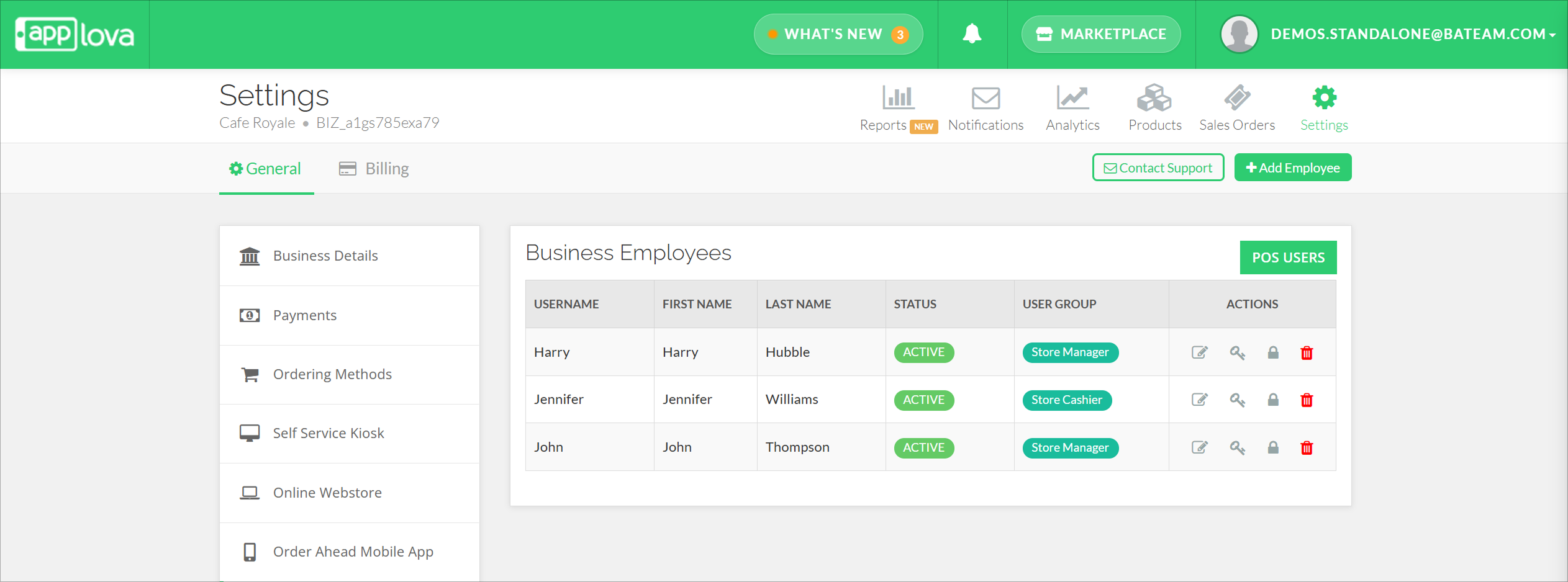
Click "Employees" and then click on the "Add Employee" button.
Step 4
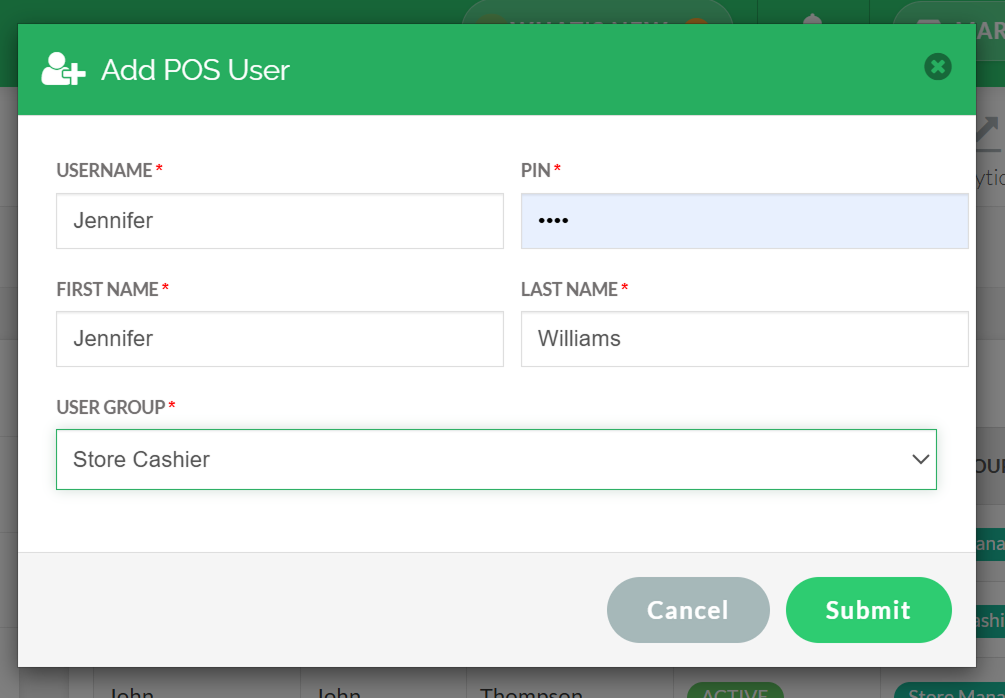
Fill in the required fields, select the user group from the drop down and click "Submit".
How to Edit Employees?
With this feature merchants can update existing employee details when changes are required.
Step 1
Login to "Applova Merchant Web".
Step 2
Click "Settings" and go to "General" tab.
Step 3
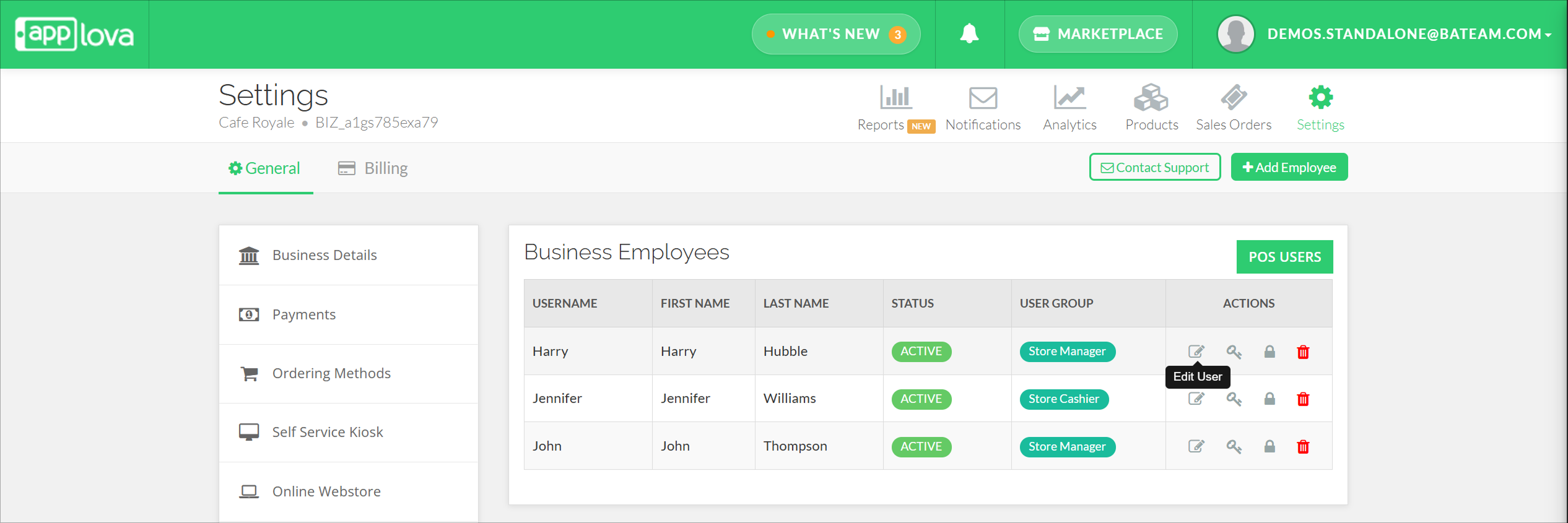
Click "Employees" and click "Edit User" icon under the "Actions" column.
Step 4
Edit the required fields.
 Username will remain uneditable.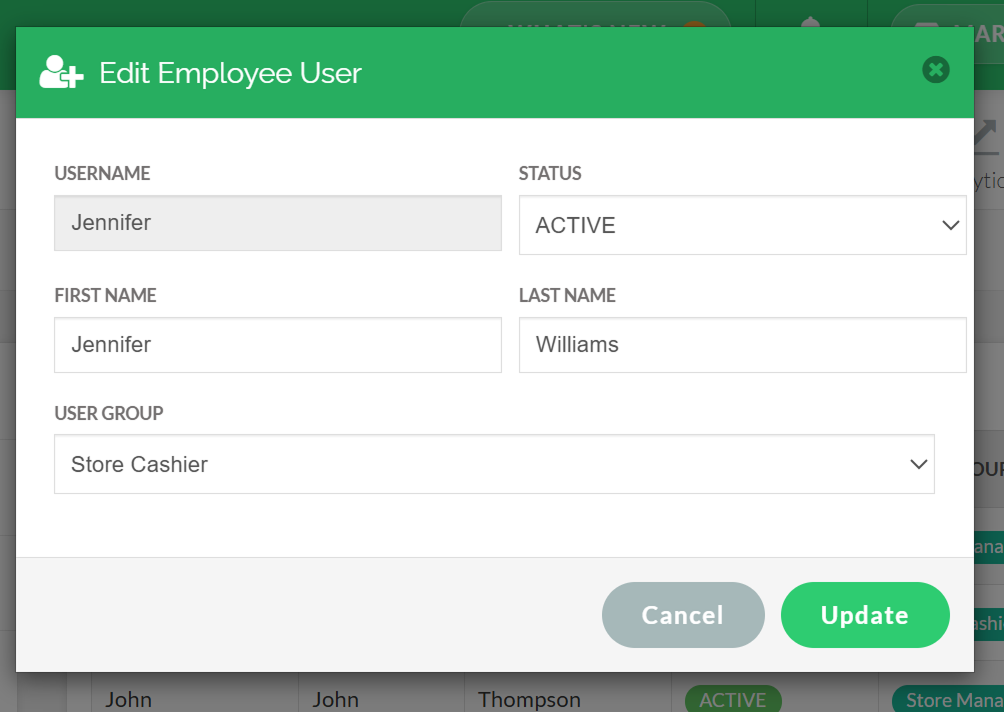
Step 5
Click "Update".
How to Change Employee Login PIN?
This section explains how merchants can update an employee’s login PIN to maintain secure access.
Step 1
Login to "Applova Merchant Web".
Step 2
Click "Settings" and go to "General" tab.
Step 3
Click "Employees" and click "Change PIN" icon under the "Actions" column.
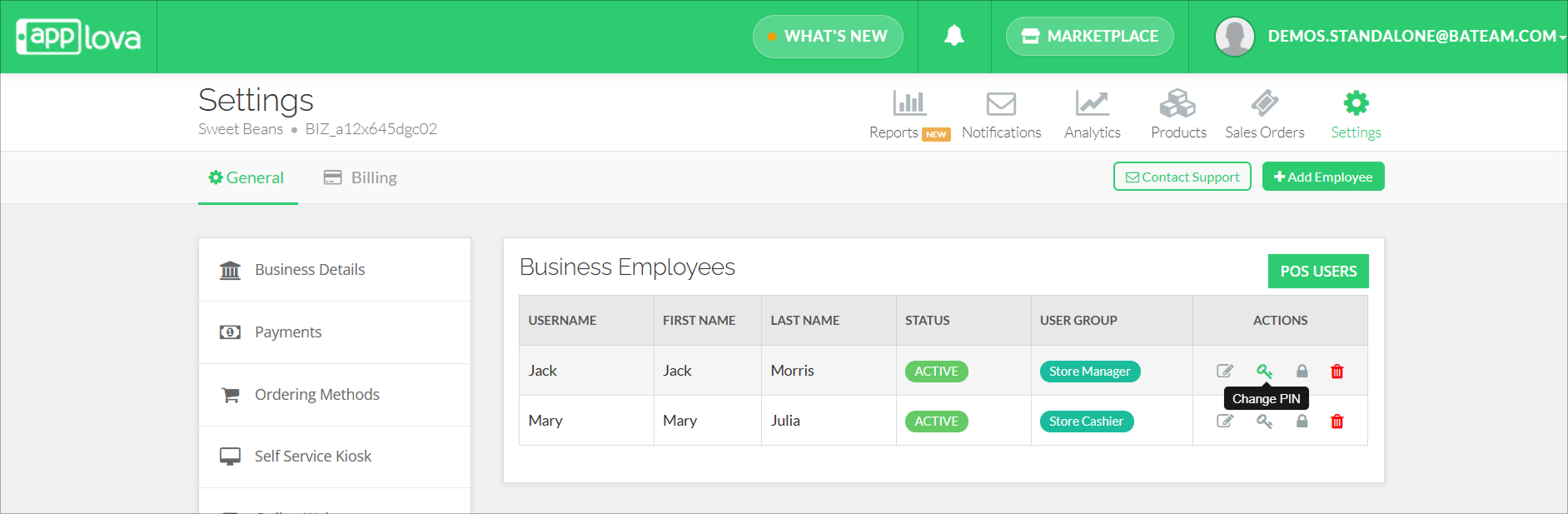
Step 4
Enter the new PIN and click "Update".
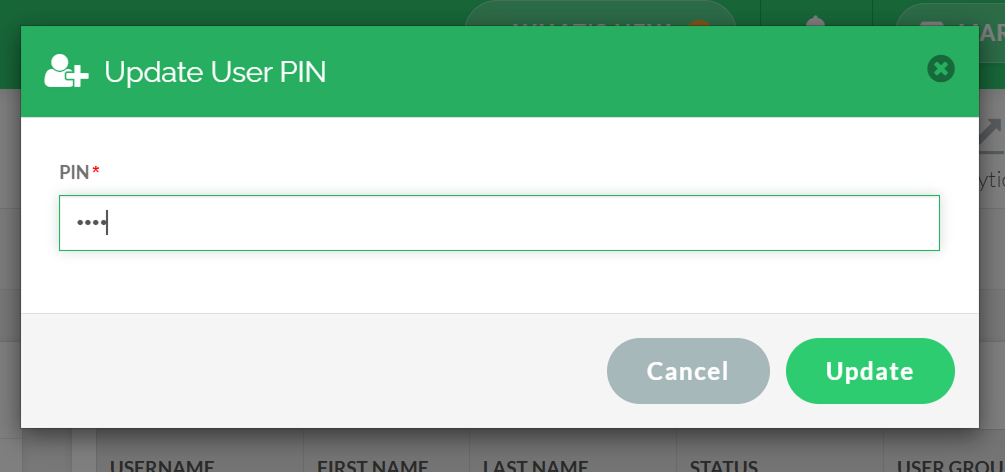
How to Suspend an Employee?
This feature shows how merchants can temporarily disable an employee’s access without deleting their profile.
Step 1
Login to "Applova Merchant Web".
Step 2
Click "Settings" and go to "General" tab.
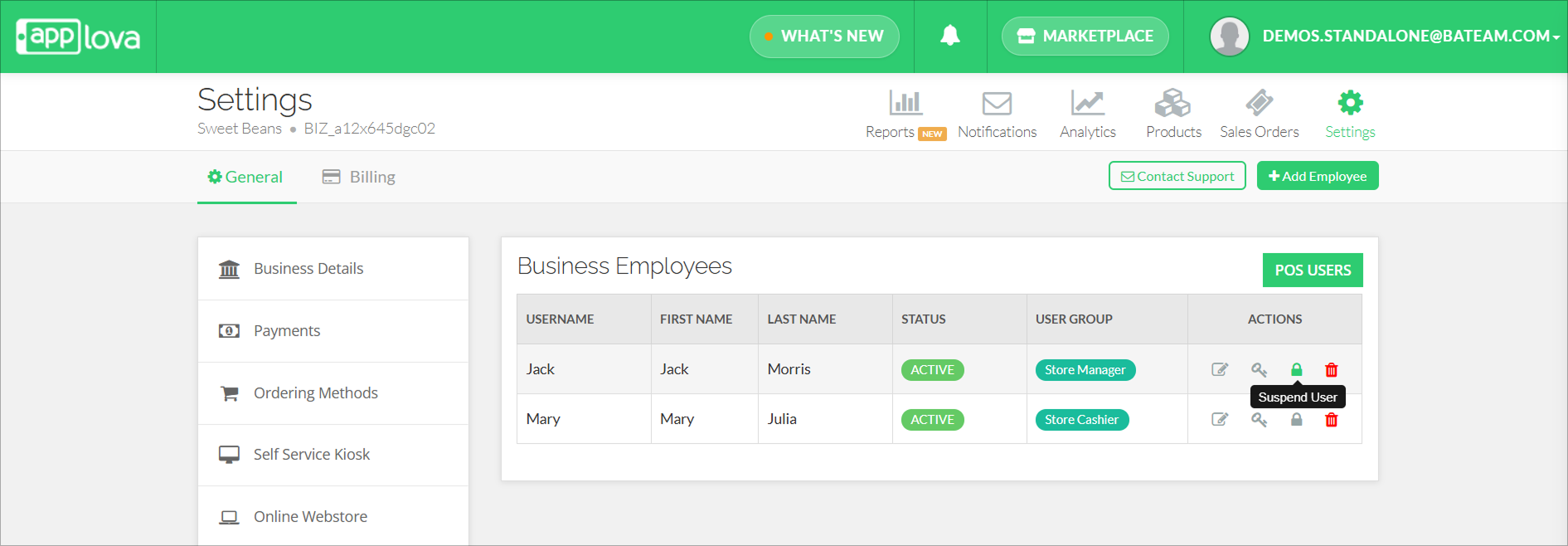
Click "Confirm".
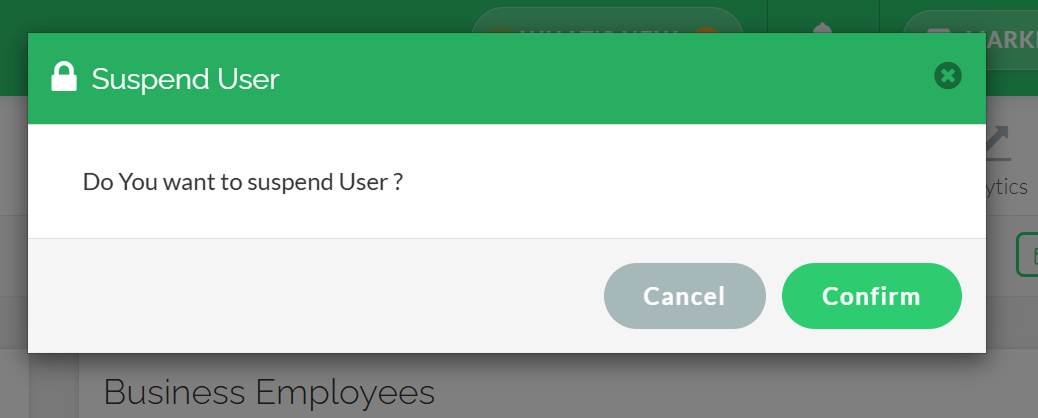
How to Delete an Employee?
Step 1
Navigate to the Settings section on the Merchant Portal.
Step 2
Click on "Employees".
Step 3
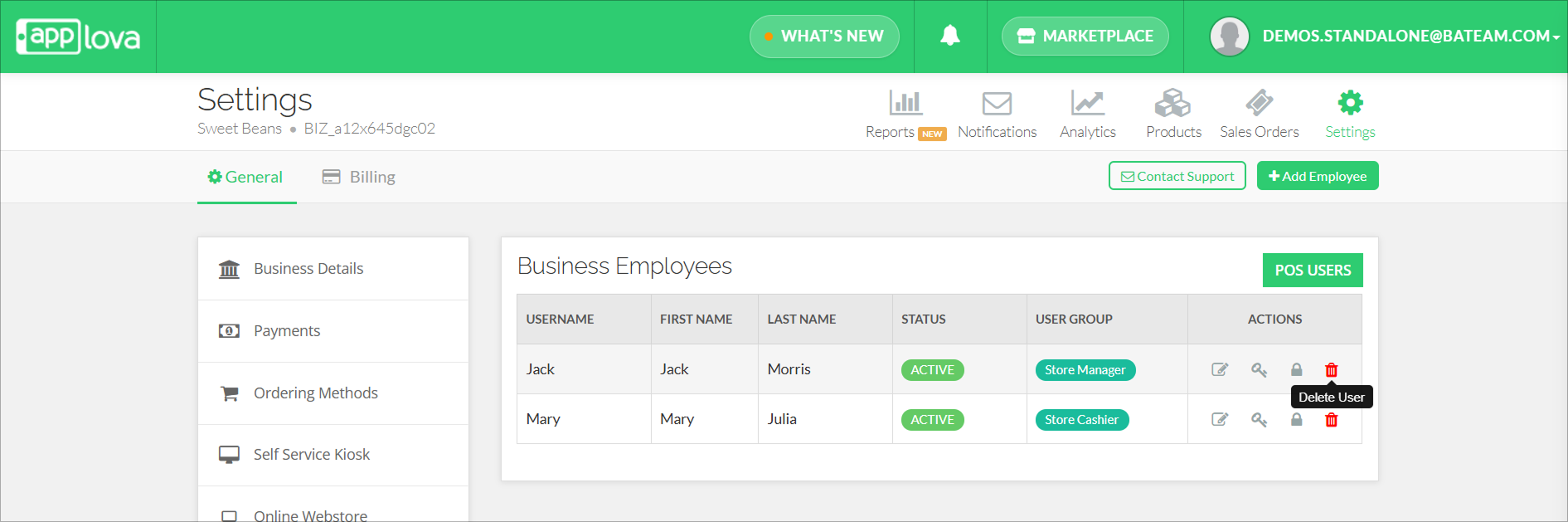
Click on "Delete" in the Actions column of the employee you want to delete.
Step 4
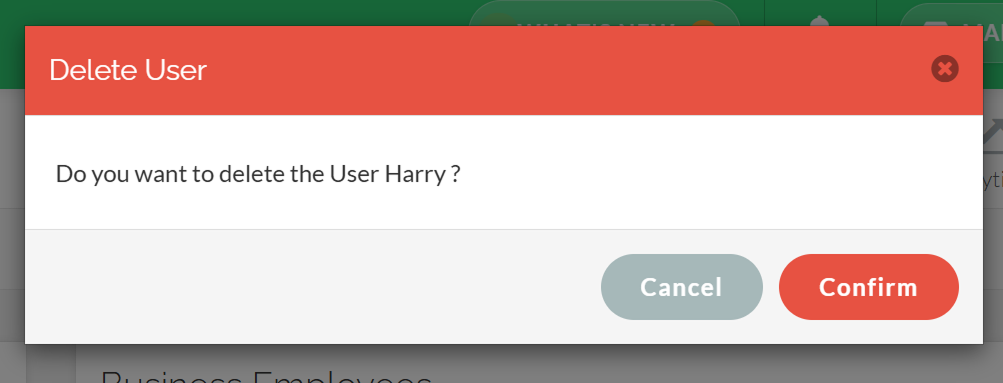
A confirmation prompt will appear. Click on "Confirm" to delete.
How to Add an Alternative User ID for an Employee?
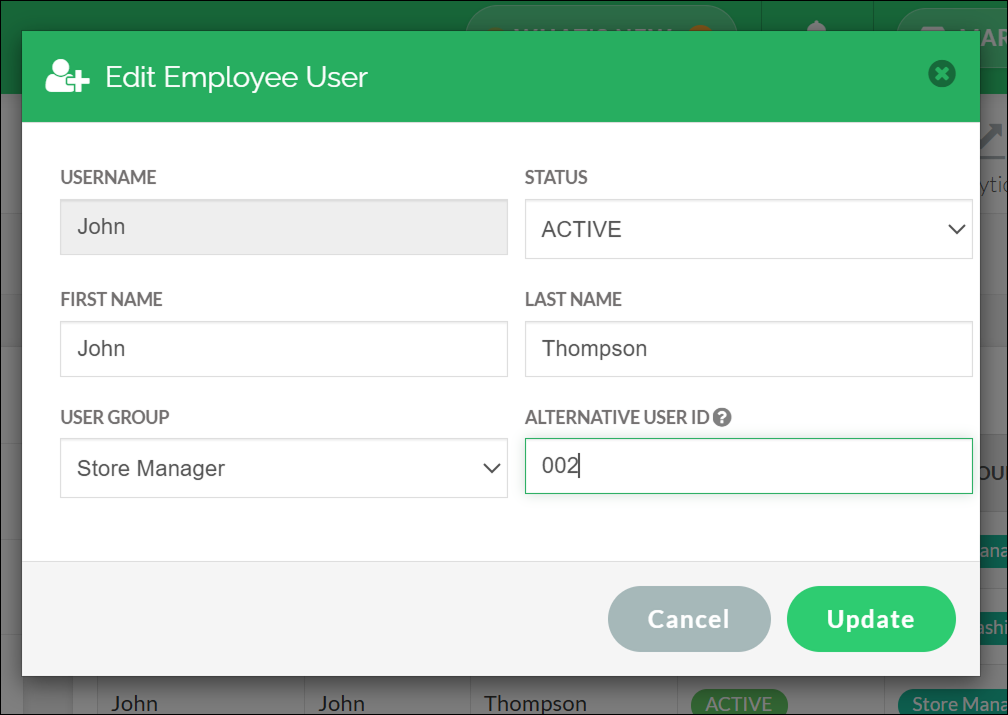
With this feature, an alternative user ID can be set to an employee defined via Merchant Web. If the merchant uses a third party software such as a human resource management software, the ID used in that software can be used as the alternative user ID.
Step 1
Login to "Applova Merchant Web".
Step 2
Click "Settings" and go to "Employees".
Step 3
Click "Edit User" or "Add Employee".
Related Articles
How to Manage Product Add-On(s) via Merchant Web?
What are Product Add-On(s)? Product Add-Ons are extra customizations that can be added to a product to suit the customers' needs. (i.e., Sugar levels for Coffee, Toppings for a Pizza, Colors for a Shirt). The price of an Add-On product will be an ...How to Manage Product Specific Add-Ons as a Stock Controller User on Merchant Web?
The Stock Controller User, a merchant role with limited privileges solely for stock management, now has the capability to enable or disable the display of product add-ons via the Merchant Web. Step 1 Login to the "Merchant Web Portal" and click on ...How to Manage Categories on Merchant Portal?
In this article, you will learn how to manage category-related settings in the Merchant Portal to keep products clearly organized and displayed correctly. How to Add Category? This feature allows the merchant to add a new product category. Step 1 ...How to Manage Products via Merchant Web?
This article explains how merchants can add, edit, duplicate, and delete products by following the steps provided. How to Add a Product? Step 1 Login to "Applova Merchant Web". Step 2 Go to "Products" and click on "Add New Product". Step 3 Fill in ...How to Manage Add-On Groups?
Supported Domains: Standalone Available Channels: Webstore v1, Mobile Order Ahead App (iOS & Android) By enabling this feature, merchants are allowed to add additional options or complementary items to a main product item that can be added to a core ...