How to Change the Ordering Location from the Menu Page on Webstore V3
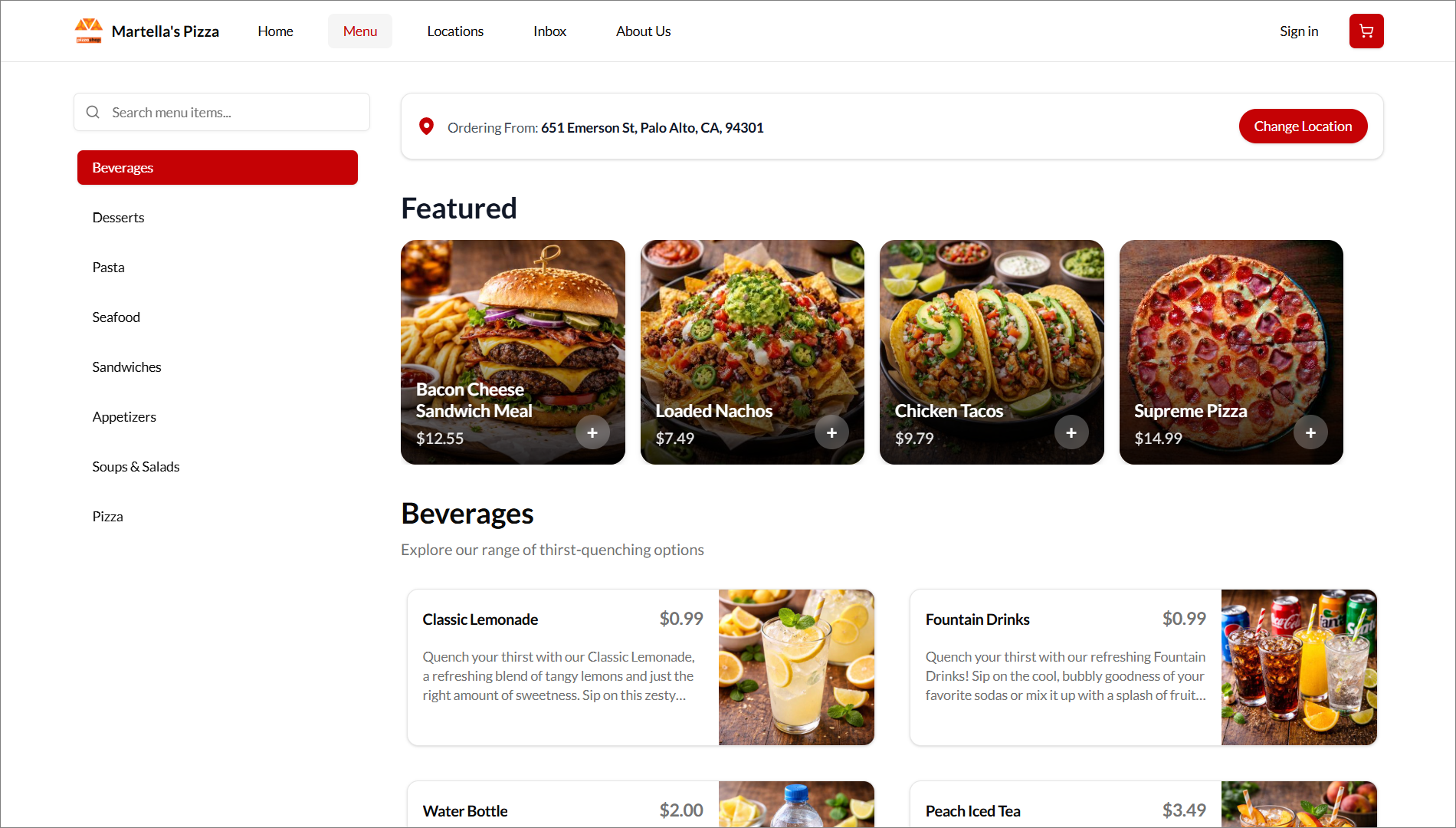
This feature improves location visibility by displaying the active ordering location directly on the Menu Page Banner on Webstore V3. The banner shows "Ordering From" followed by the selected store address, allowing customers to confirm the current ordering location without leaving the menu page.
If the displayed location is not the location the customer wants to order from, the customer can click "Change Location" from the banner. This redirects the customer to the "Locations" page, where they can select another available ordering location.

This feature is available by default for multi-store businesses.
How it Reflects?
Related Articles
Building an Effective Webstore: Webstore V3 Layout Options
Webstore V3 provides restaurants with a modern, flexible online storefront. Each section is designed to highlight food, share the brand story, and guide customers toward placing orders. The following overview presents all available layout options and ...How to Display Calories on the Product List Page of the Webstore V3?
By using this feature, merchants can display a product’s calorie count directly on the product card as a clear label. This helps customers quickly view calorie information while browsing the menu and make more informed ordering decisions. The calorie ...How to Use Promo Codes on Webstore V3?
With Webstore V3, customers can easily apply promo codes during checkout to receive discounts or special offers on their purchases. By entering a valid promo code in the “Have a Promo Code?” field and clicking Apply, eligible discounts are ...Age Confirmation Banner on Webstore V3
This feature was introduced to ensure that only users who meet the required age (e.g., 21 or older) can access and interact with the Webstore. It does this by displaying an age confirmation banner as soon as the site is opened and requiring users to ...Smart Product Recommendations on Webstore V3
This is a default feature available only for registered customers. Smart Picks brings a personalized ordering experience by using AI to highlight products they’re most likely to enjoy based on their past purchase history. This feature helps repeat ...