How to Add Applova User as an Admin for Merchant's Google Analytics Property?
Step 1
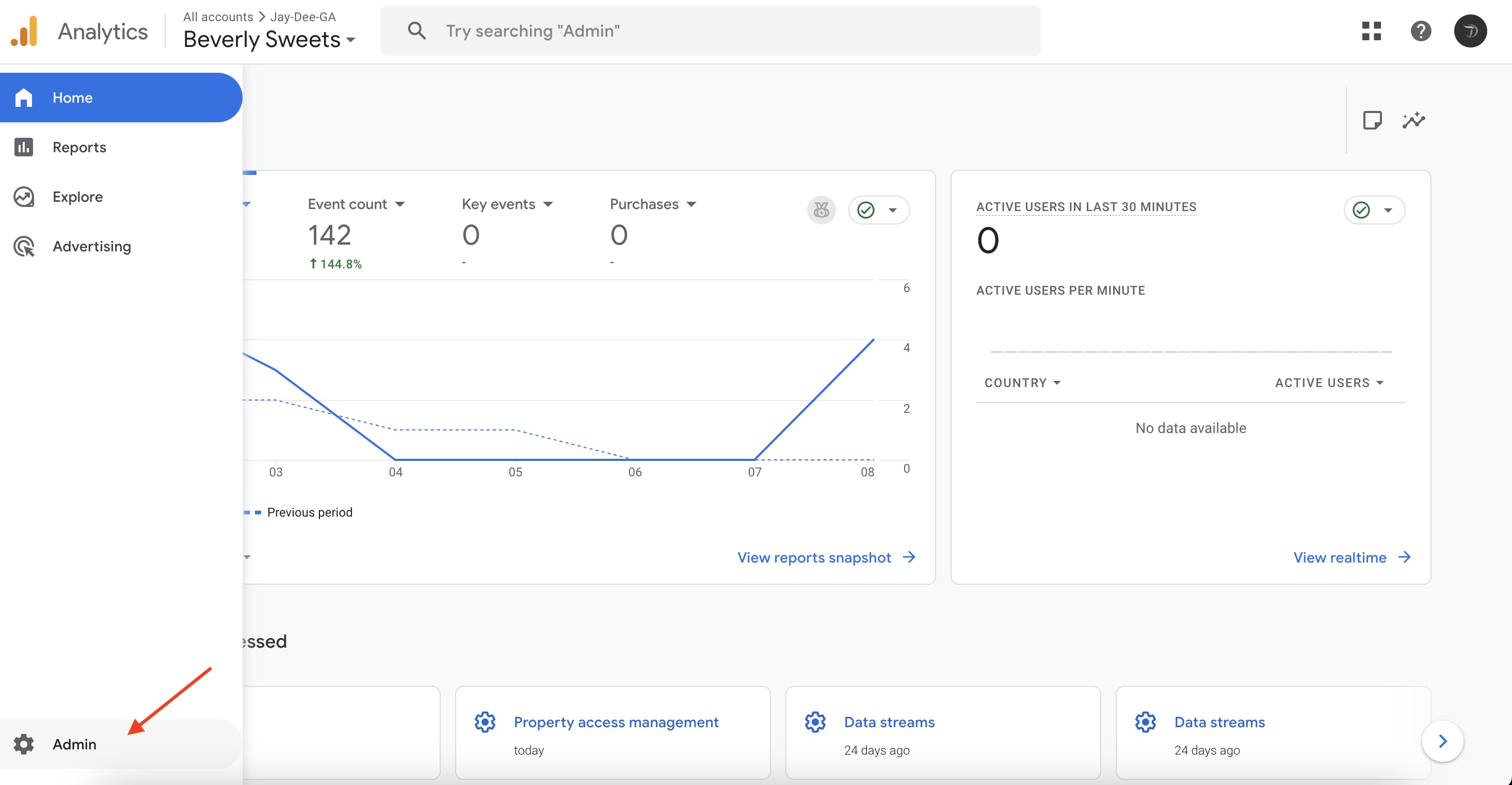
Log into the Google Analytics Account and click on the "Settings" icon.

Step 2
Then click on "Admin".
Step 3
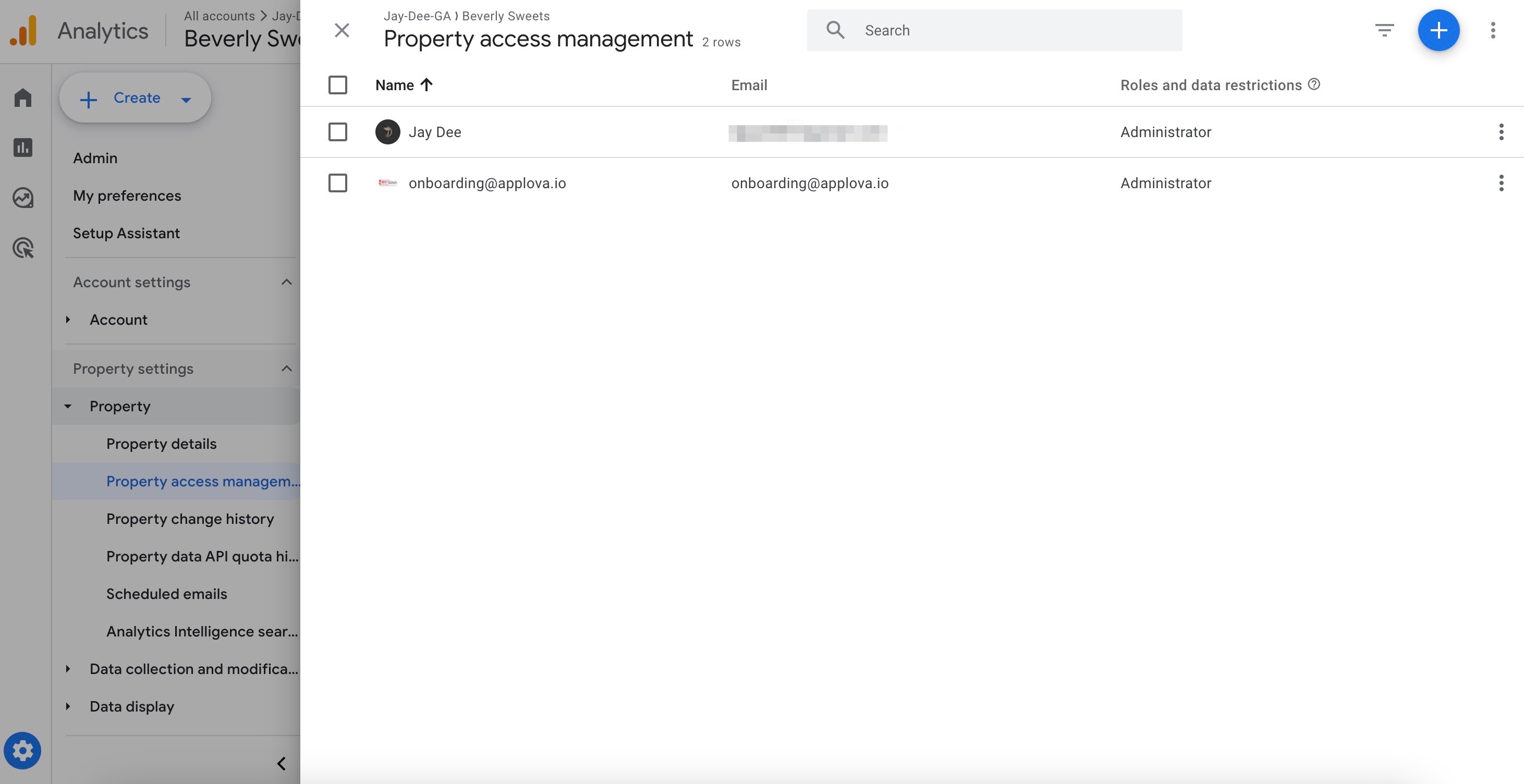
Under "Property Settings" click on "Property Access Management".
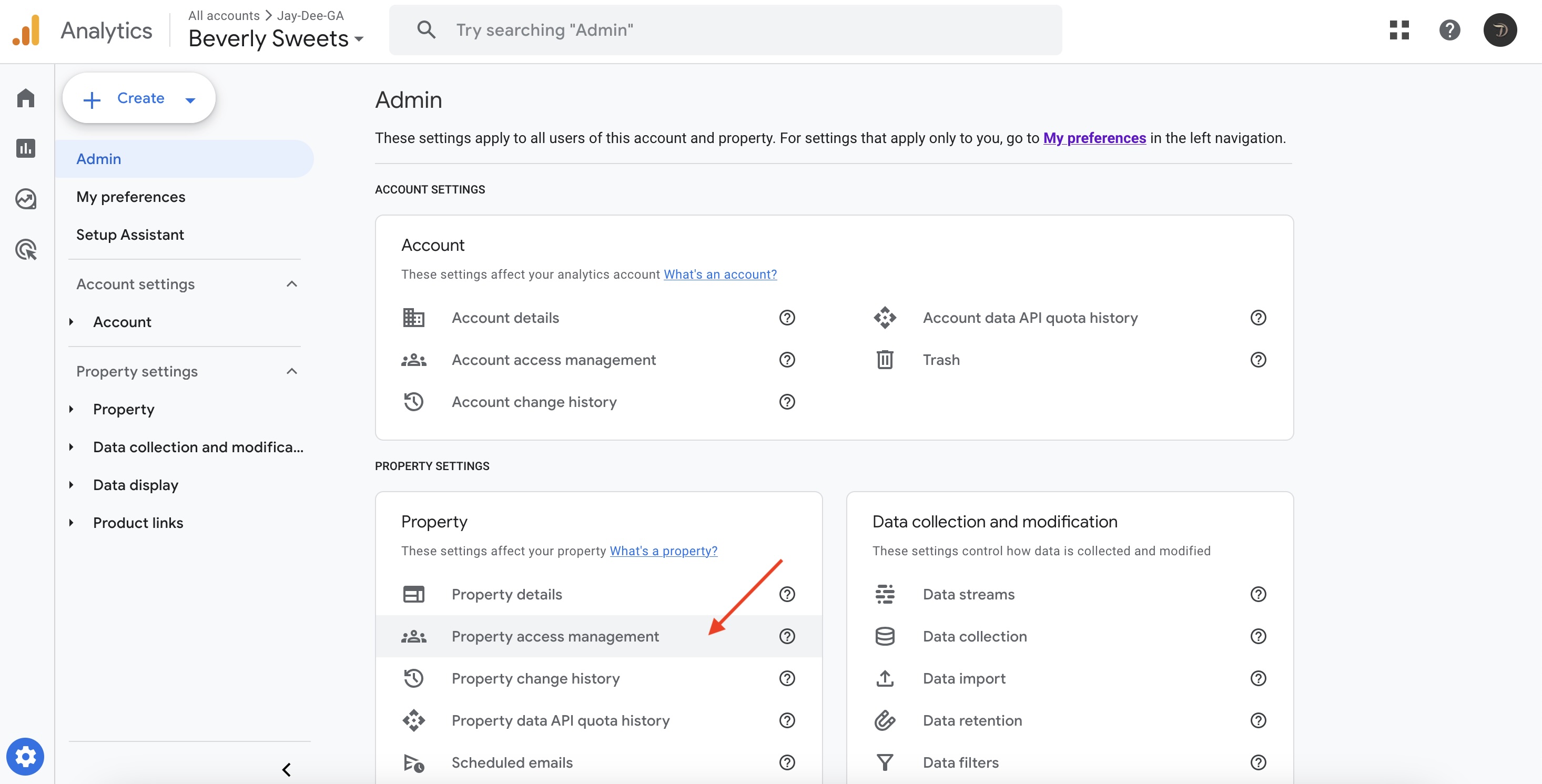
Image Link
Image Link
Step 4
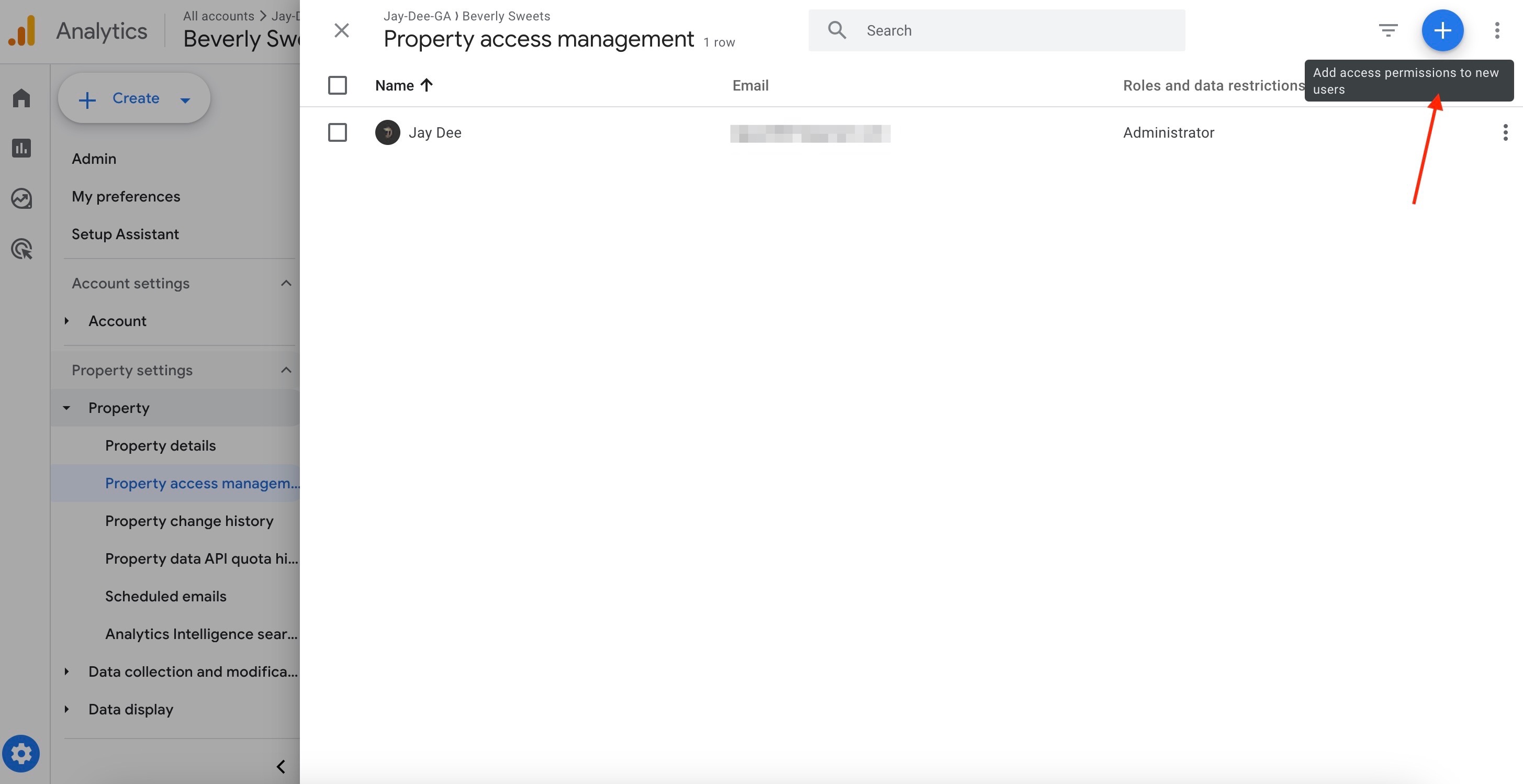
Then click on the "+" icon to add access permissions to new users.
Step 5
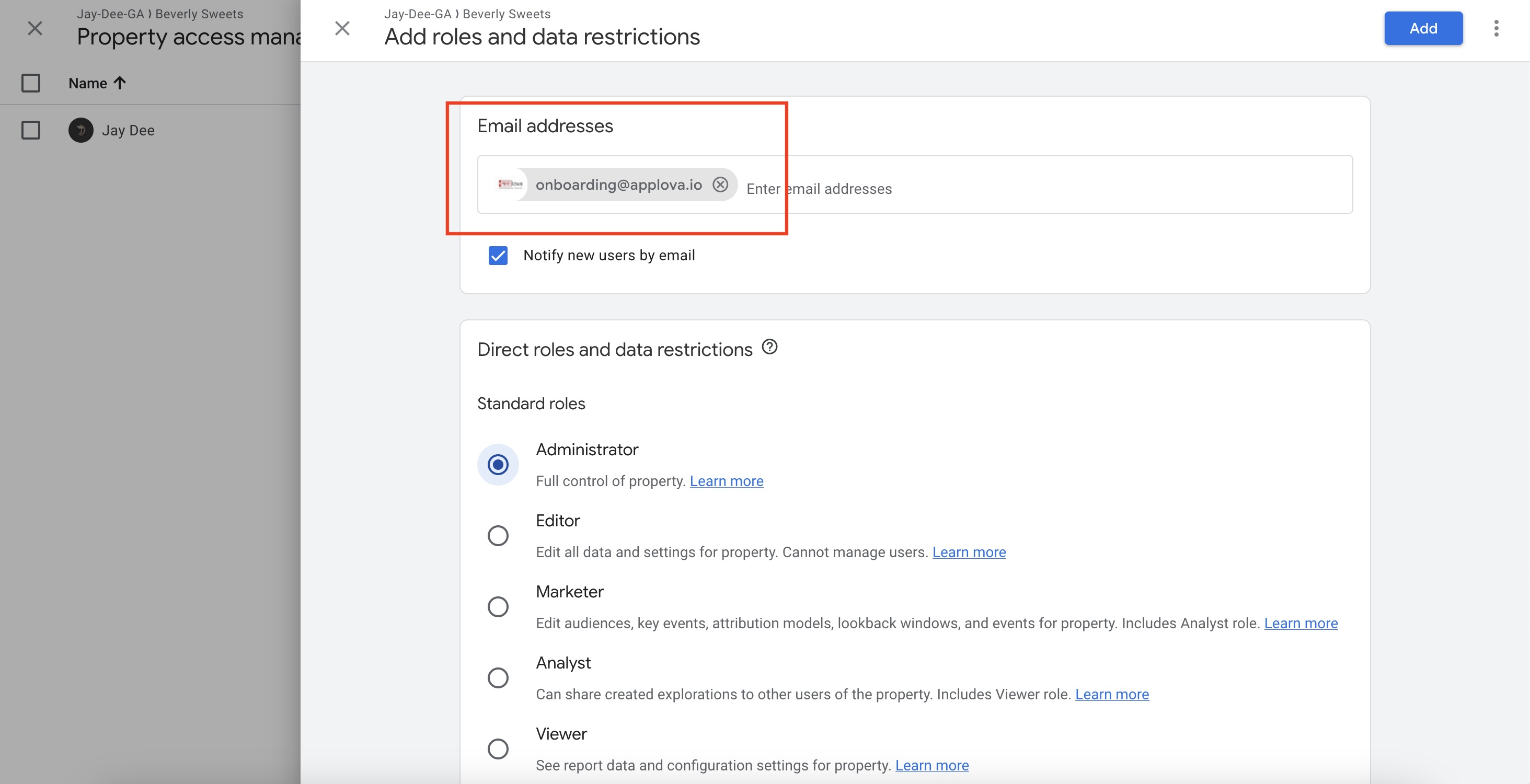
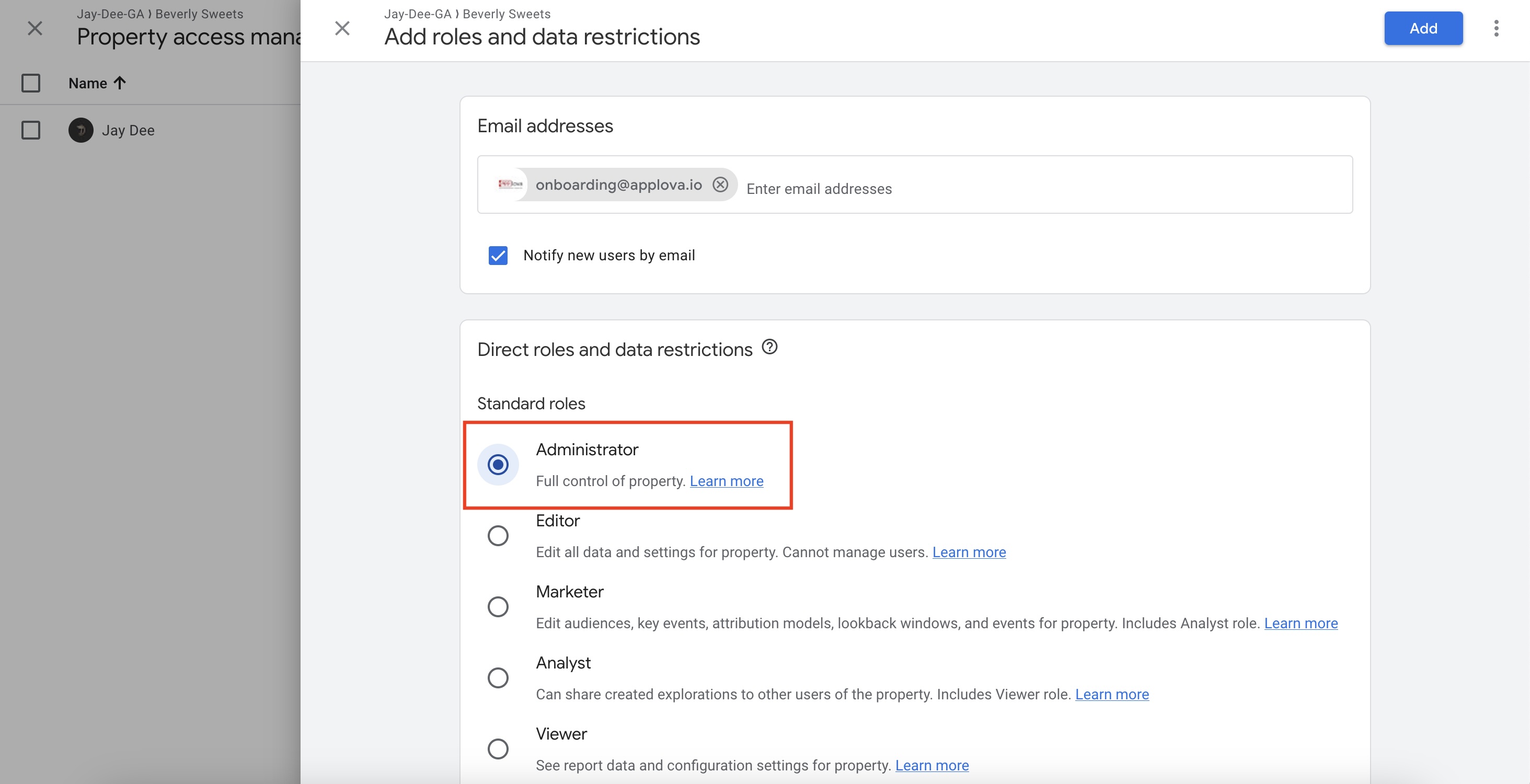
Enter the email address.
Step 6
Under "Direct roles and data restrictions" select "Administrator" as the Standard roles.
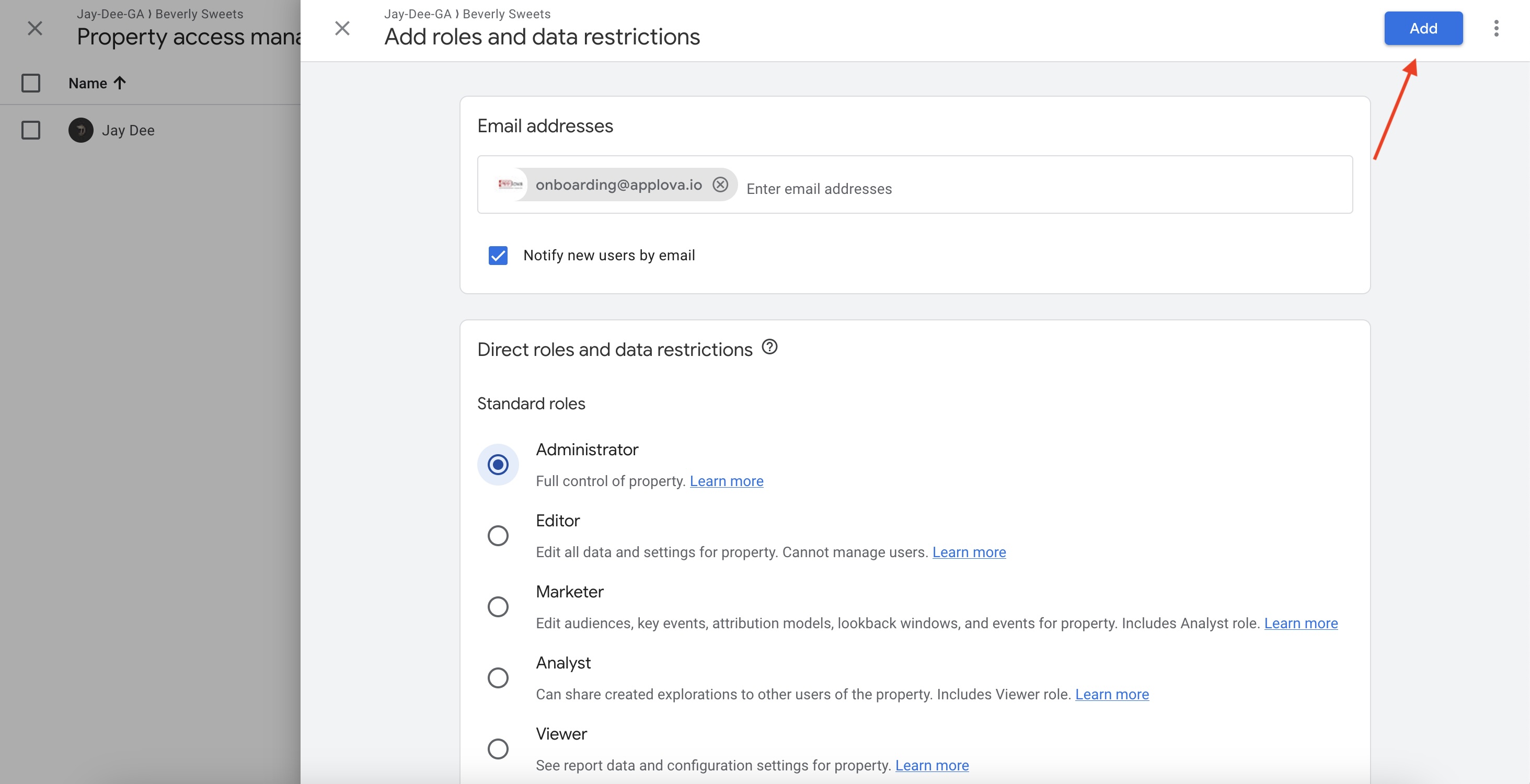
Step 7
Related Articles
How to Create a Google Analytics Property and Get the Measurement ID?
Step 1 Log into Google Analytics (https://analytics.google.com/) account and click on "Start measuring". Image Link Step 2 Then add the business name as the account name under "Account details". Image Link Step 3 Then add the business name suffixed ...How to Add a Manager User to Google My Business Profile?
Do not share this guide with merchants How to Add a Manager User to Google My Business Profile via the Desktop Browser? Step 1 Go to the http://business.google.com/ Image Link Step 2 Click on "⋮" and then select "Business Profile Settings". Image ...Onboarding to DoorDash Drive via Merchant Portal
Supported Domains: Standalone, Clover and Square This allows merchants to connect with DoorDash and begin the sign-up process for enabling on-demand delivery through their Applova platform. After onboarding to DoorDash Drive, the delivery service ...How to Get the "Ask for Review" Link on Google Business Listing?
Step 1 Go to http://business.google.com/ and "Sign In" with the Google account that owns the Google Business Listing. Image Link Step 2 Click on "Ask for Review" button. Image Link Step 3 Copy the "Review Link". Image LinkHow to Integrate Mailchimp for Marketing Automation?
What is Mailchimp? Mailchimp is a marketing platform that helps businesses send emails, run campaigns, and connect with customers. With the Mailchimp Integration, Applova merchants can link their business to their Mailchimp account. Once connected, ...