Getting Started with the Website Builder

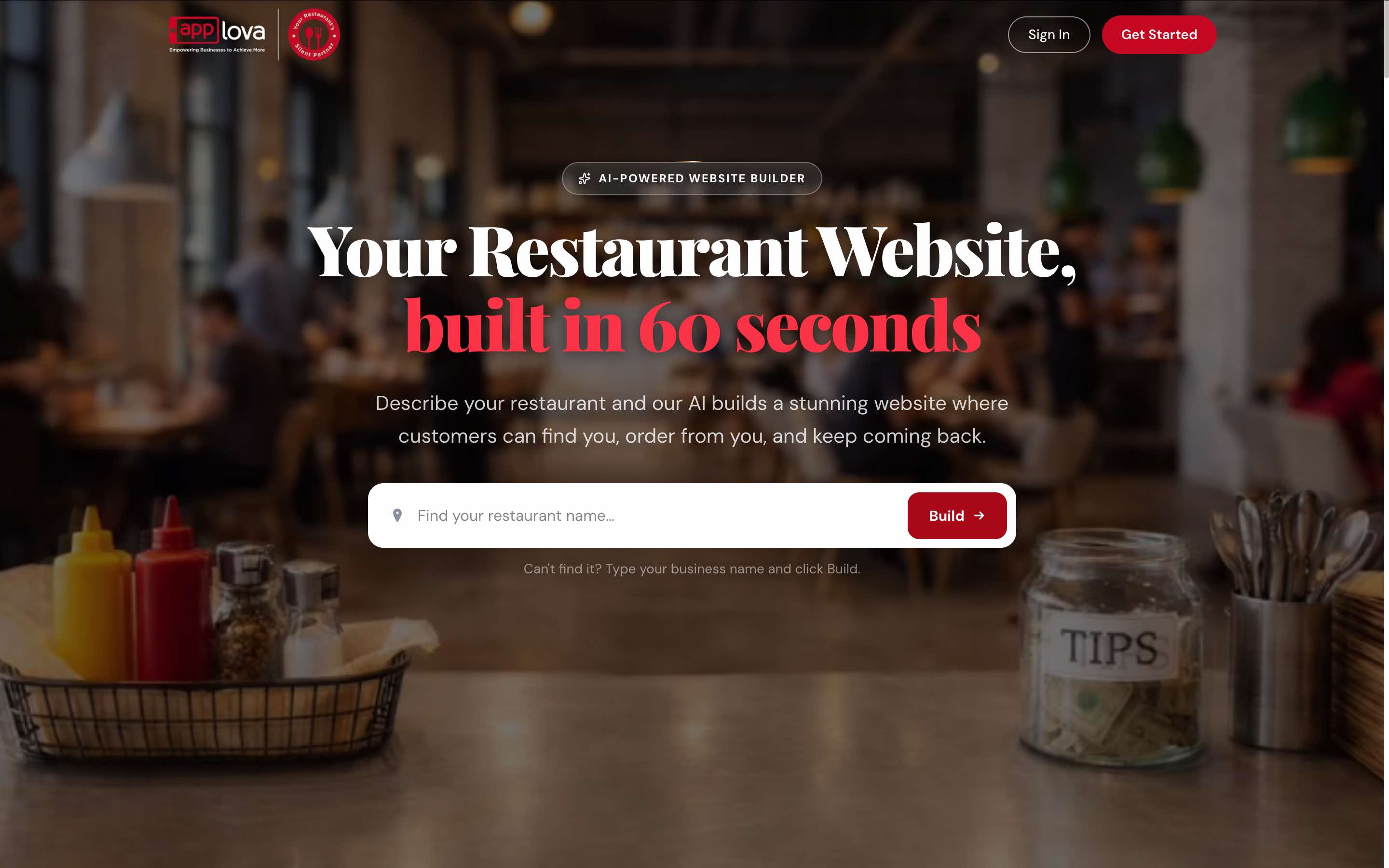

HarborGrill, a newly opened restaurant, wants to establish an online presence before opening to customers. Rather than building a website from scratch, the owner uses the Applova Website Builder to quickly generate a professional website using the restaurant's branding and business information.
Using the Website Builder, HarborGrill is able to:
- Generate a complete website in minutes using AI.
- Import business information or enter it manually during setup.
- Review and customize the generated content, images, and branding.
- Preview the website before making it available to customers.
- Publish the website and begin accepting online orders.
This allows HarborGrill to launch a professional website quickly while spending less time on design and setup.
Merchants can use the AI Website Builder to:
- Generate website content using AI.
- Create a sample online ordering menu.
- Select brand colors and fonts.
- Add or update website images.
- Edit homepage and About Us content.
- Manage reviews, FAQs, footer details, and social links.
- Preview the website before publishing.
- Publish the website using the available plan options.
Once the website is published, orders placed through the website can be managed from the Applova Merchant Portal.
Merchants can also use the Applova Business Manager App to monitor and manage orders using the same login credentials.
Once the website is ready, merchants can publish the website by selecting one of the available plans.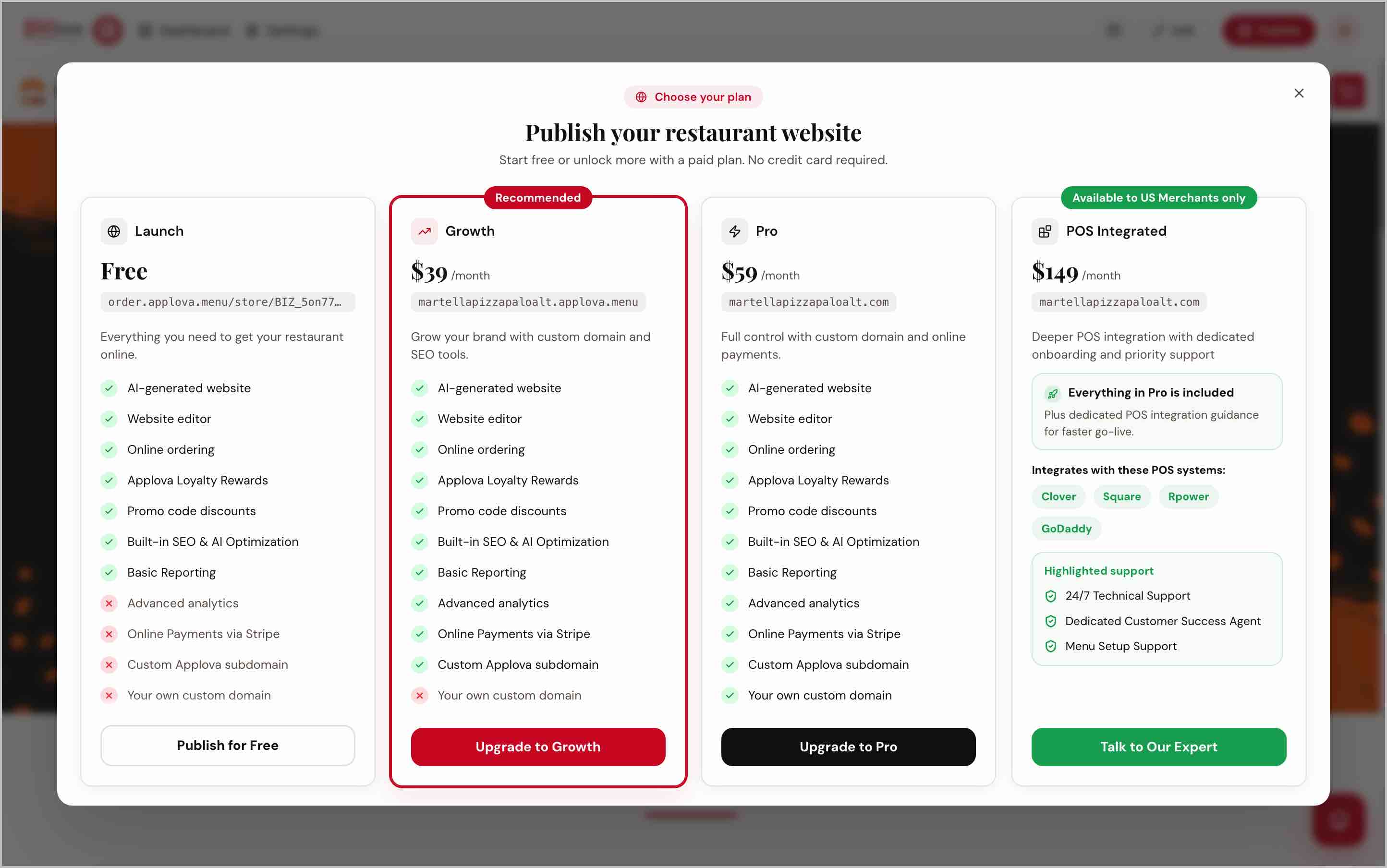
Image Link
Free Plan
The Free Plan allows merchants to publish their website and start accepting online orders using the Pay at Store payment option.
Growth Plan
The Growth Plan is ideal for merchants who want to accept online card payments through Stripe and grow their online presence with additional business features.
After upgrading to the Growth Plan, merchants can complete the Stripe onboarding process from the Merchant Portal to start accepting online card payments.
Pro Plan
The Pro Plan is designed for merchants who want a fully branded online presence by using their own custom domain along with advanced website capabilities.
POS Integrated Plan
The POS Integrated Plan is designed for merchants who want to integrate their online ordering website with a supported POS system.
Merchants interested in this plan can submit an inquiry to the Applova team to begin the onboarding process.
Plan Comparison
| Feature | Free | Growth | Pro | POS Integrated |
| Website Builder | ✓ | ✓ | ✓ | ✓ |
| Website Publishing | ✓ | ✓ | ✓ | ✓ |
| Online Ordering | ✓ | ✓ | ✓ | ✓ |
| Pay at Store | ✓ | ✓ | ✓ | ✓ |
| Online Card Payments through Stripe | — | ✓ | ✓ | ✓ |
| Analytics | — | ✓ | ✓ | ✓ |
| Applova Subdomain | — | ✓ | ✓ | ✓ |
| Custom Domain | — | — | ✓ | ✓ |
| POS Integration | — | — | — | ✓ |
Important Notes- Generated content can be edited before publishing.
- Sample menu items may be created during setup.
- Product images may be pulled from third-party image sources and may need to be reviewed or replaced.
- Google Business Profile details are only used during the initial website generation.
- Custom domain setup may require additional guidance or assistance depending on the merchant’s plan.
Related Articles
How to Create Your Website Using the Website Builder?
Supported Domains: Standalone, Clover, Square, RPower, GoDaddy The Applova Website Builder makes it easy to create a professional website, whether you're opening a new restaurant, already have an existing business, or are an existing Applova ...How to Customize a Website Using the Website Builder?
Supported Domains: Standalone, Clover, Square, RPower, GoDaddy The Applova Website Builder allows merchants to personalize their generated website using simple editing tools. Merchants can update the website content, images, colors, menu showcase, ...How to Enable or Disable Website Pages in the Website Builder?
Supported Domains: Standalone, Clover, Square, RPower, GoDaddy The Website Builder allows merchants to choose which pages appear on their website. Pages can be enabled or disabled at any time based on the information and services the business wants ...How to add a button with an External Link to Your Website Page Content?
Supported Domains: Standalone, Clover, Square, RPower, GoDaddy The Website Builder allows merchants to add a button to an Image and Text section and direct customers to an external webpage or form. This can be used for actions such as submitting a ...How to Configure Announcement Popups Using Website Builder?
Supported Domains: Standalone, Clover, Square, RPower, GoDaddy Announcement Popups allow merchants to display promotions, important notices, seasonal offers, and other updates in the center of their website. Merchants can customize the popup content, ...