Accumulating Rewards on Applova POS

Supported Domains : Standalone
Supported From : Applova POS (1.55.0.RELEASE)
Please request the Applova Support team to enable accumulating rewards feature for your business.
This allows the customers to be enrolled and start earning Applova rewards with product purchases.
Step 1
Sign into "Applova POS" with the credentials of your business.
Step 2
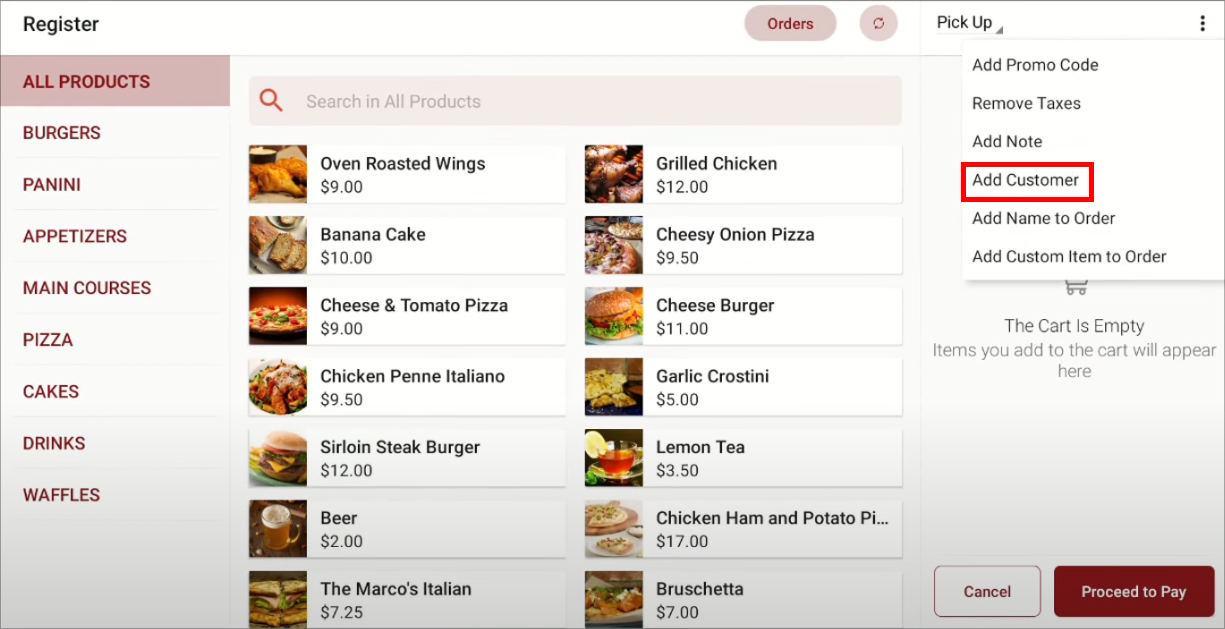
Then go to "Applova POS Register", tap on the "⋮" icon and select “Add Customer”.
Step 3
Select the customer. If the customer doesn’t exist, you can add the details by tapping on “Add New Customer”.
Step 4
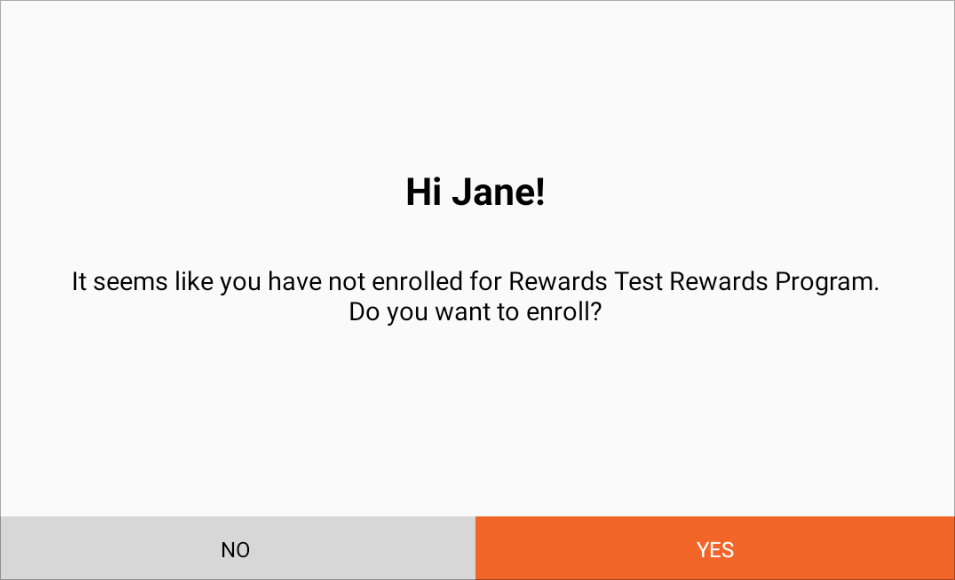
Confirm the enrollment of the customer.
Step 5
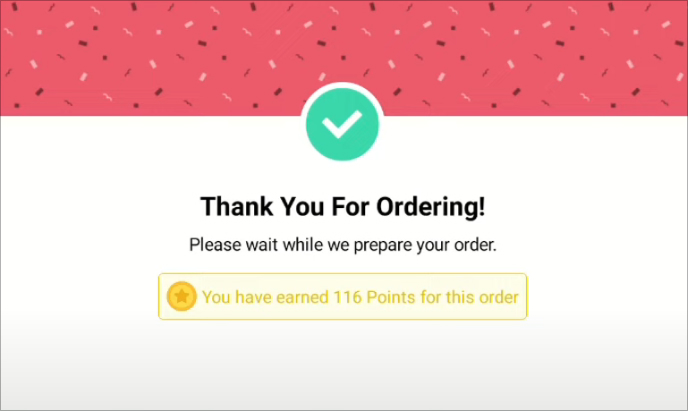
Once the payment is done, earned points will be displayed on the customer screen.
Feature In Action (Watch Video):
Related Articles
Related Articles
Redeeming Rewards on Applova POS
This allows the customers to redeem the points they earned with previous purchases against their current purchase. Prerequisite : Rewards have to be configured on the backend. Step 1 Then go to Applova POS Register, click the "⋮" icon and select “Add ...Migrating Customer and Rewards Data from Third-Party Loyalty Platforms to Applova Rewards
Follow the instructions given below to import customer profiles and loyalty points from a previous or third-party rewards platform into Applova Rewards. Step 1 Export data from the current or previous third-party loyalty platform in CSV or Excel ...How to Manage Applova Rewards on Merchant Web Portal?
This feature is available by default Customers are enrolled in Applova Rewards by default, even if the Rewards program is not currently enabled. This ensures merchants already have an enrolled customer base when they decide to enable Rewards or ...Redeeming Item Based Rewards on the Order Ahead App
This feature allows registered customers to redeem eligible menu items using the reward points they have earned through previous purchases. Customers can view their available points, browse eligible rewards, and redeem them directly within the Order ...Redeeming Item-Based Rewards on the Kiosk
Supported Domains: Square Kiosk This feature allows registered customers to log in at the self-service kiosk and redeem menu items using their earned reward points. Customers can view their available points, select eligible rewards, and redeem them ...