How to Manage Time Based Product and Category Visibility?
 Supported Domains: Standalone, Clover & Square businesses
What is Time-Based Product and Category Visibility?
Time-Based Product and Category Visibility allows merchants to control when specific products or categories are visible to customers across ordering channels.
Use Case Scenarios:
Products and categories can also be kept visible outside their configured time ranges. However, customers will not be able to add those products to the order, and an unavailable message will be displayed when they attempt to order them. Contact Applova Support if you would like to enable this behavior for your business.
Example: If a Breakfast category is configured to be available from 8:00 AM to 11:00 AM, the category and its products can remain visible after 11:00 AM. However, customers who attempt to order a product from the category will see an unavailable message and will not be able to add it to their order.
Example: If a Breakfast category is configured to be available from 8:00 AM to 11:00 AM, the category and its products can remain visible after 11:00 AM. However, customers who attempt to order a product from the category will see an unavailable message and will not be able to add it to their order.
How to Configure via Merchant Portal?
How to Add Product Special Visibility
Step 1
Login to the "Applova Merchant Web".
Step 2
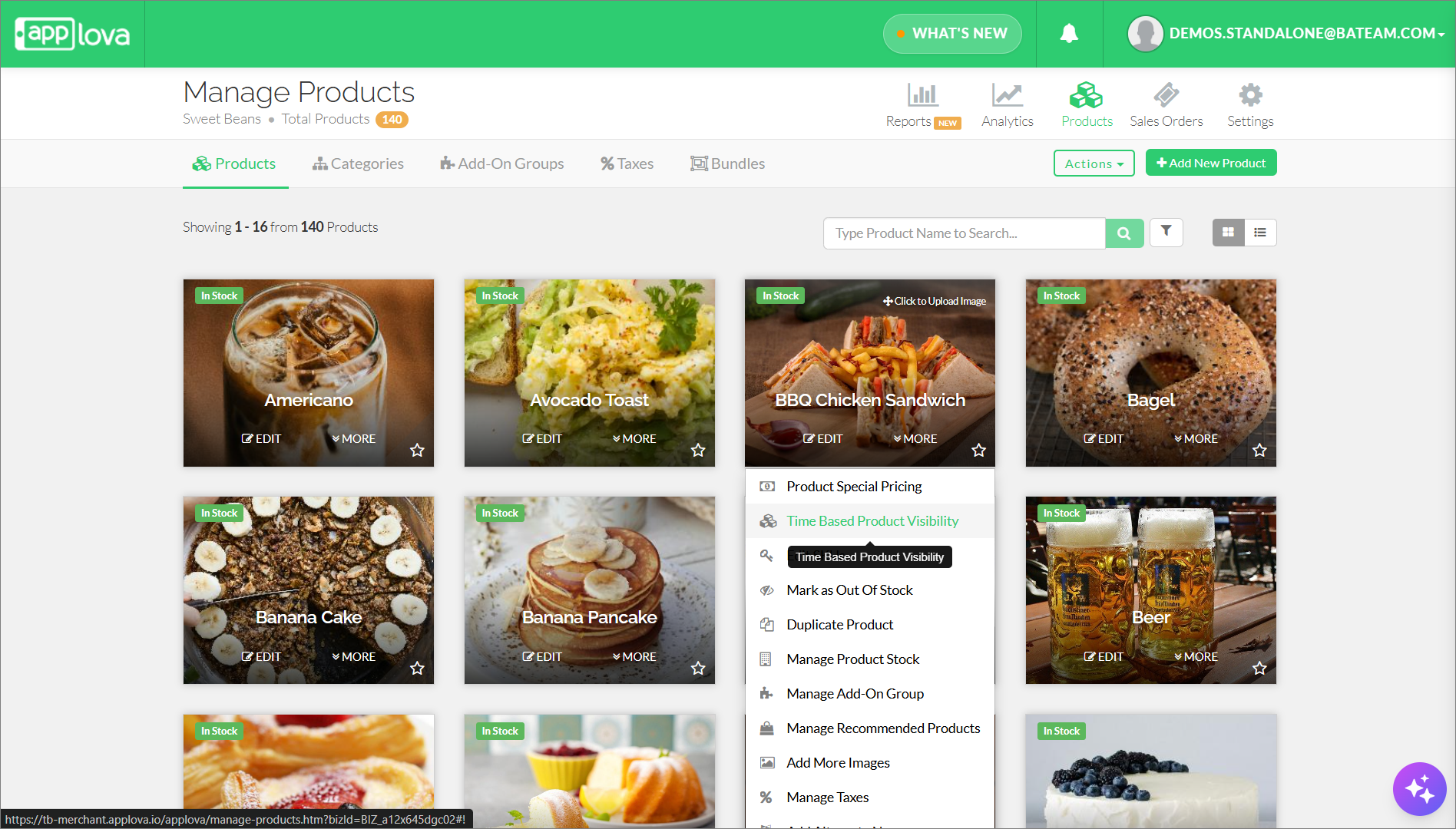
Go to "Products" and click "More" for the product you want.
Step 3
Then select "Time Based Product Visibility" and click "Add Time Based Product Visibility".
Step 5
If a time-based visibility has not been specified for the particular day, the variant will be visible for your customers.
Step 6
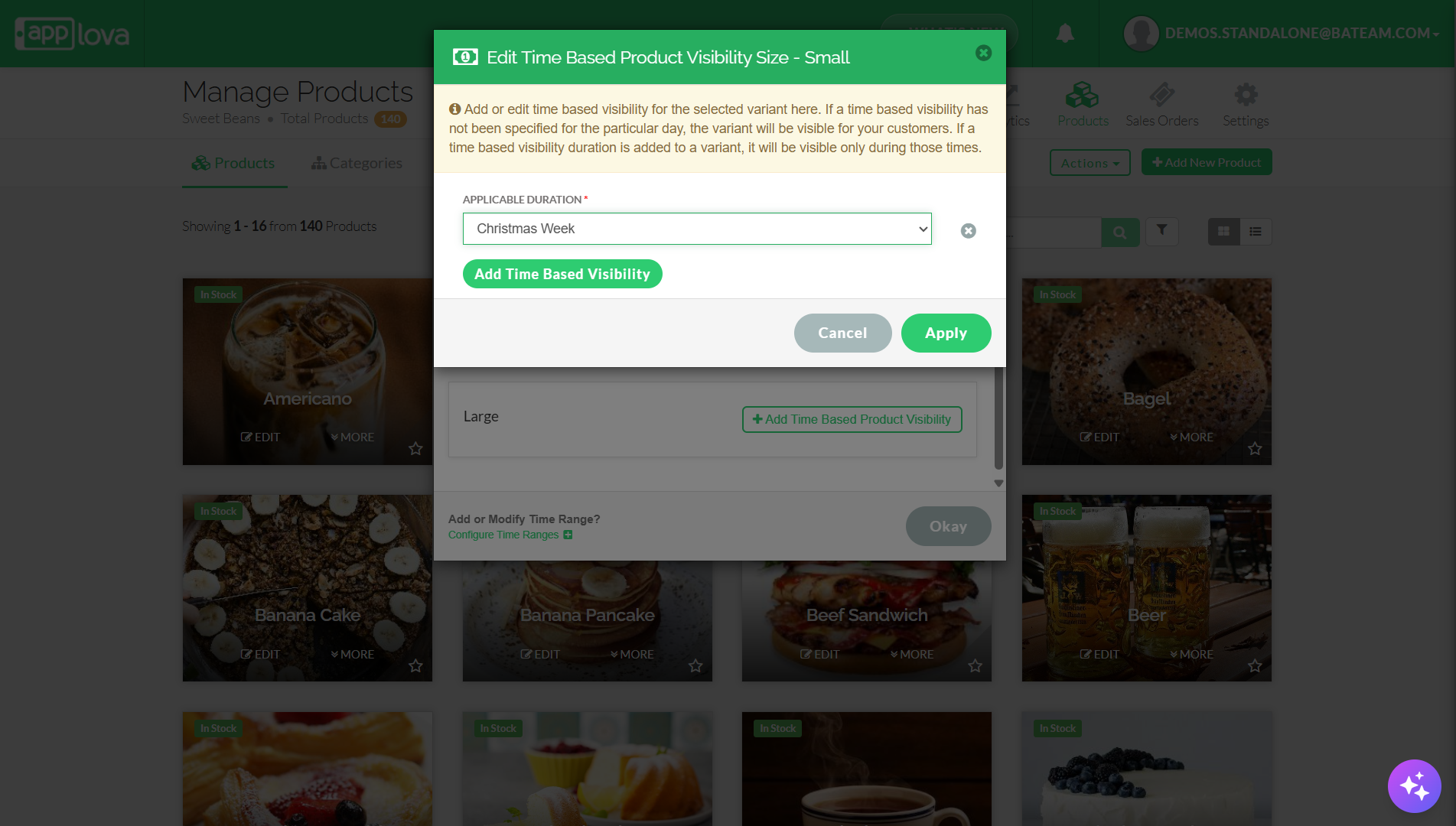
Click on "Add Time Based Visibility", select the preferred applicable duration, and click on "Apply".

If you haven't configured time ranges yet, follow the steps in the attached article: How to Configure Time Ranges?
Step 7
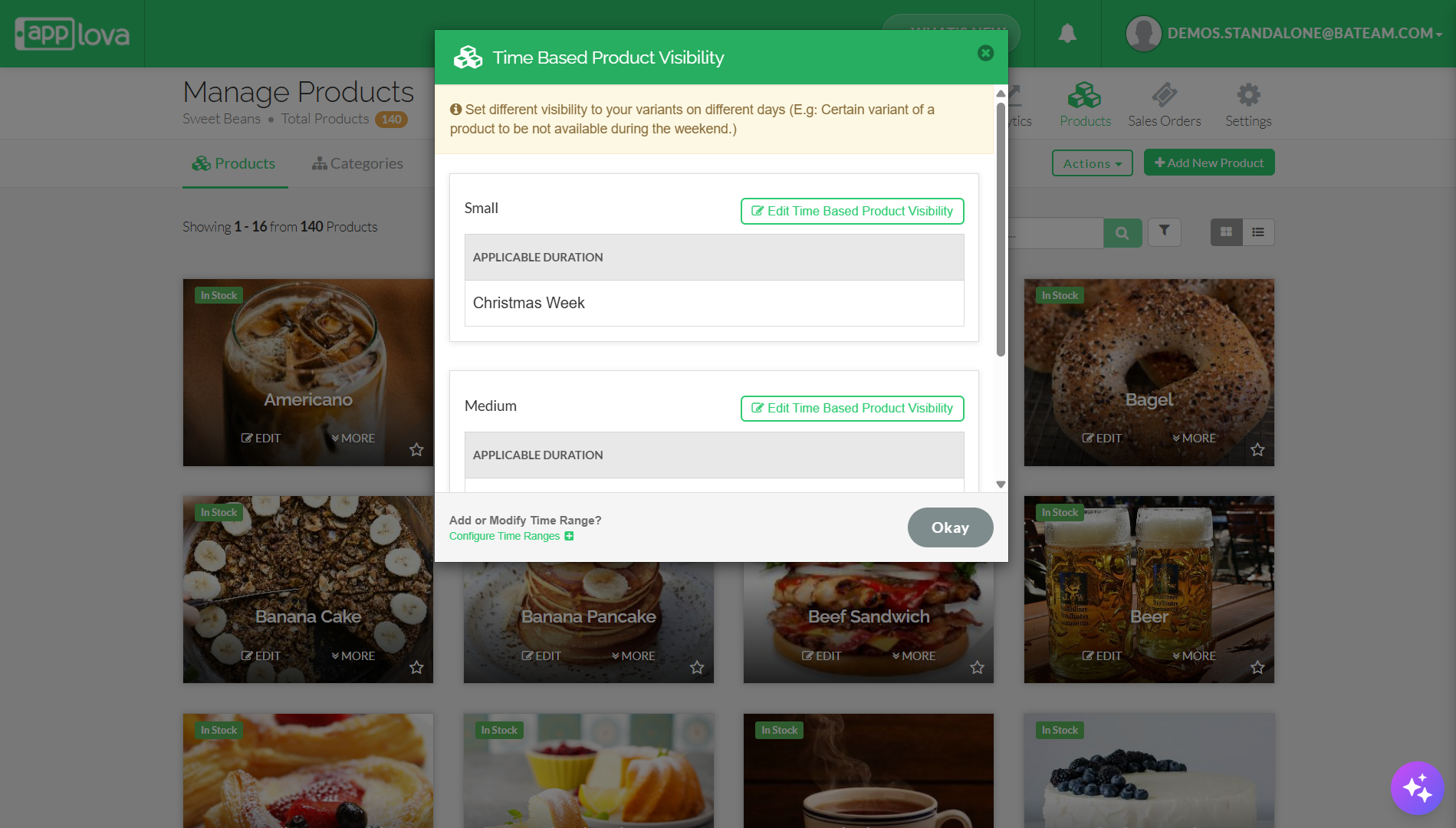
Finally, click "Okay" to save the configurations.
How it Reflects on Samsung Kiosk
In this example, special visibility have been applied to the Cheese Sandwich, allowing it to be shown exclusively during the Happy Hour.

How to Edit Product Special Visibility
Step 1
Login to "Applova Merchant Web".
Step 2
Go to "Products".
Step 3
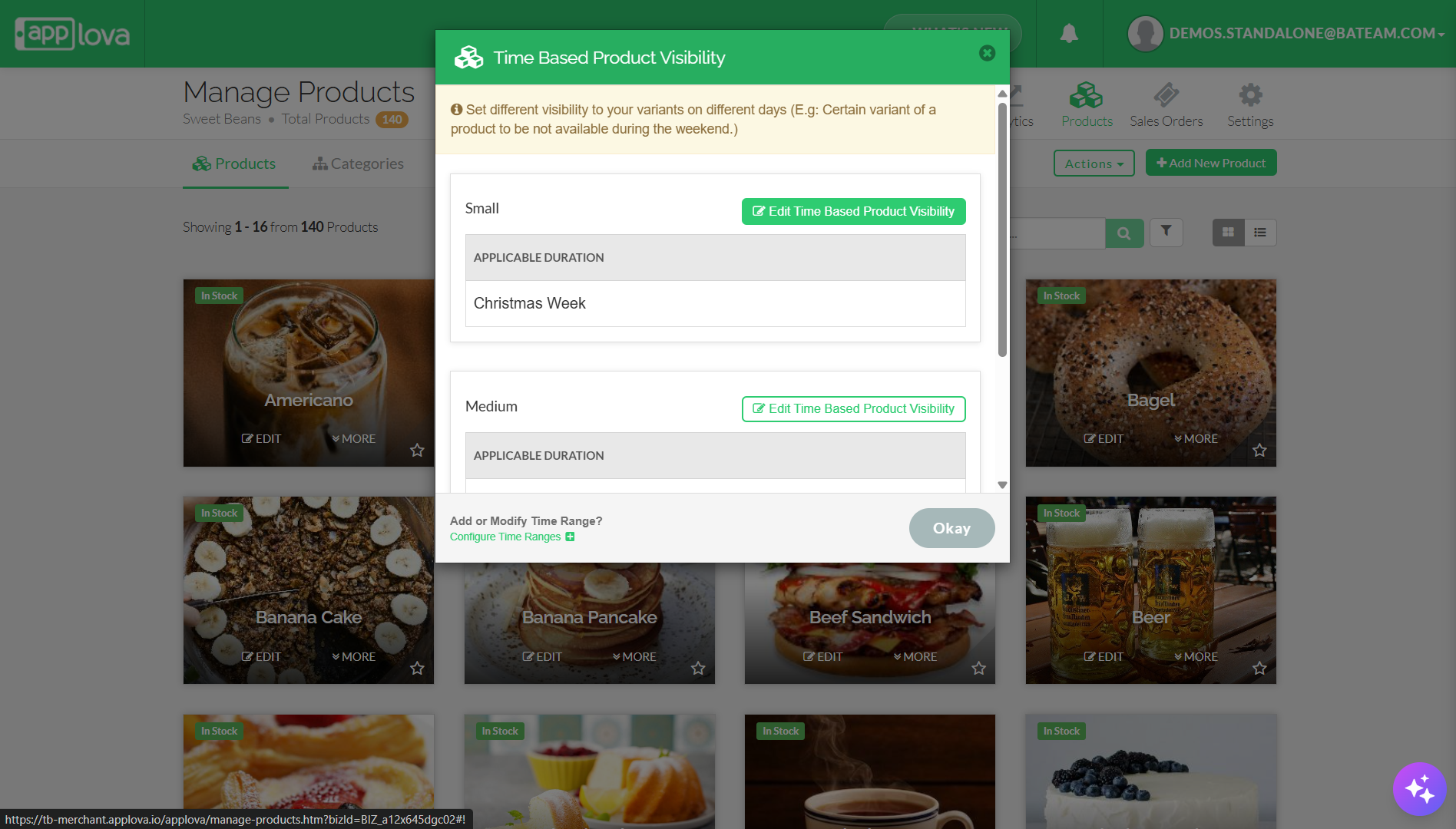
Click on "Edit Time Based Product Visibility".
Step 5
You can edit the already configured special visibility and add new special visibility, and click "Apply".
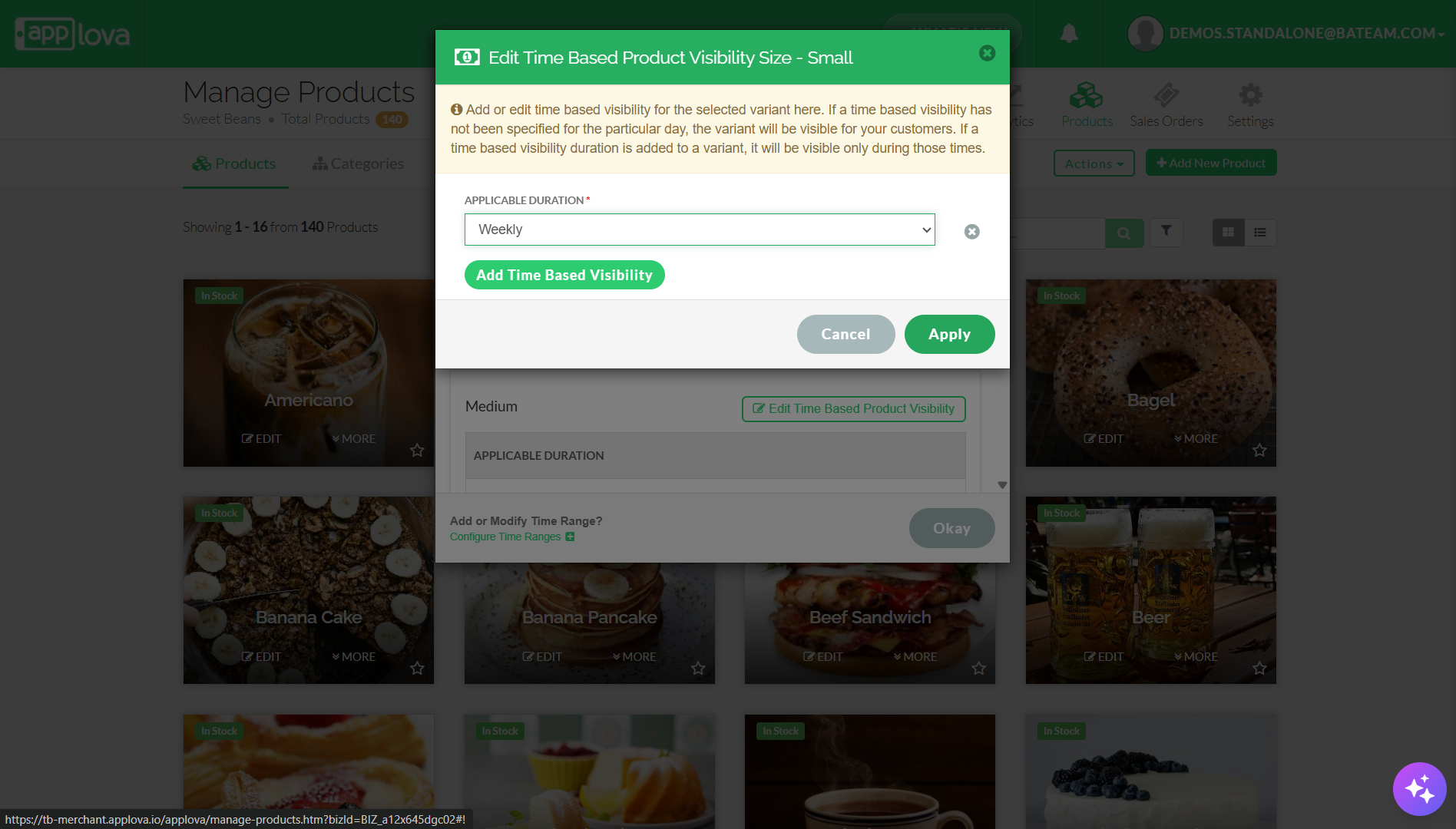
Step 6
Finally, click "Okay" to save changes.
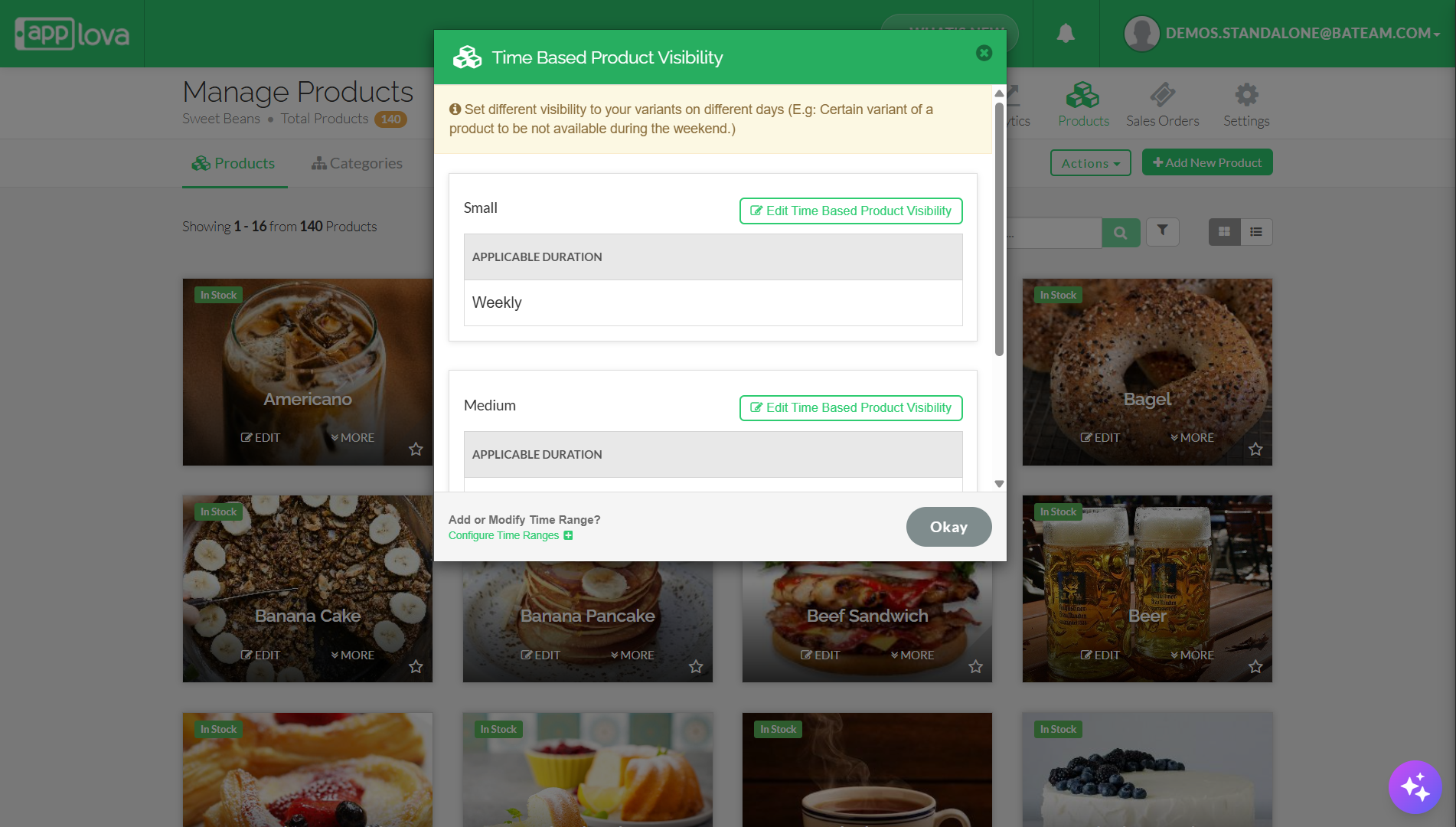
How to Add Category Special Visibility
Step 1
Login to the "Merchant Web Portal".
Step 2
Select "Products" and go to the "Categories" tab.
Step 3
Select "More" and go to "Time-Based Category Visibility" on the category you prefer.
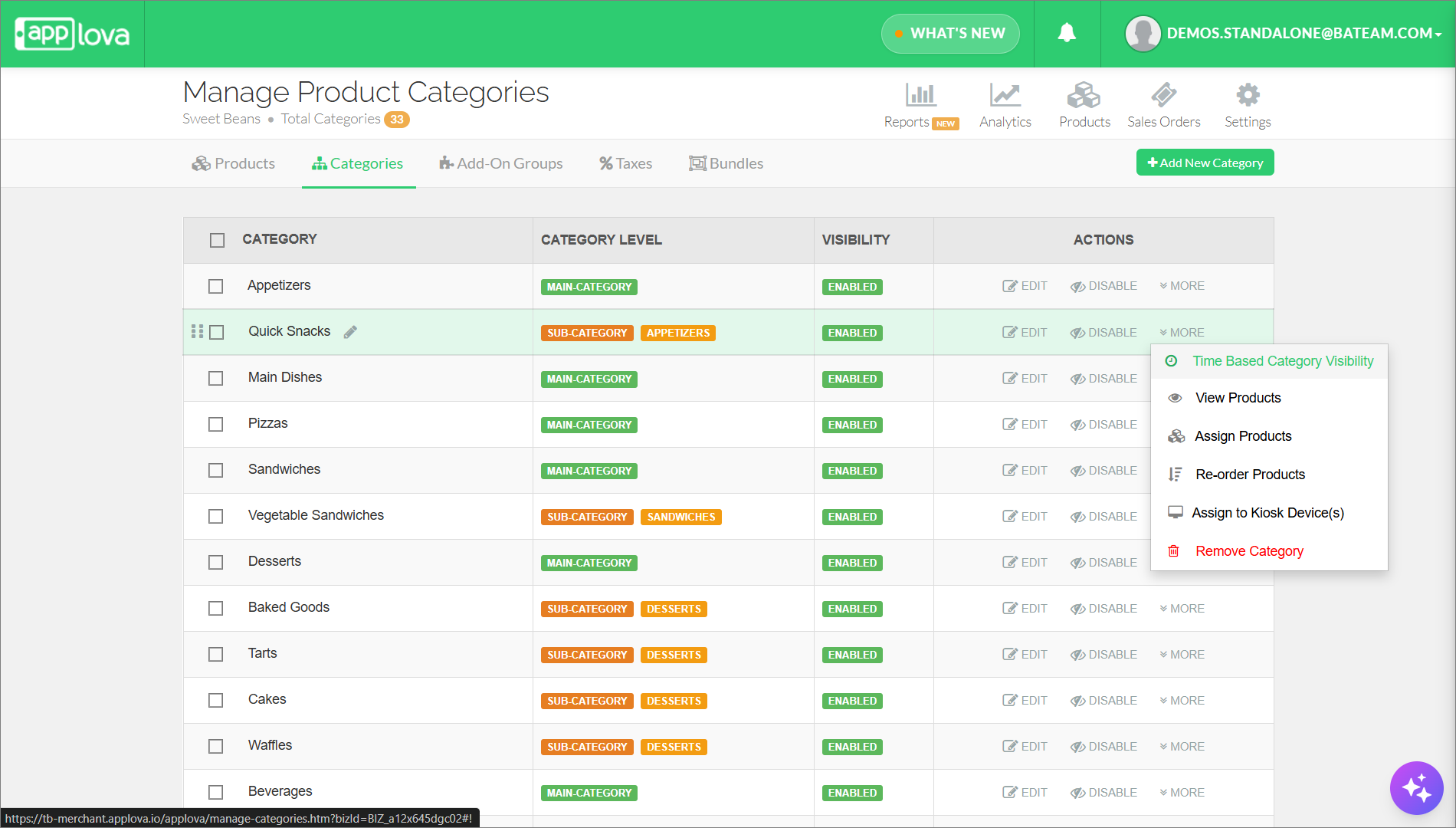
Step 4
If special visibility has not been specified for the particular day, the variant will be displayed for your customers.
Step 5
Click on "Edit Time-Based Category Visibility"
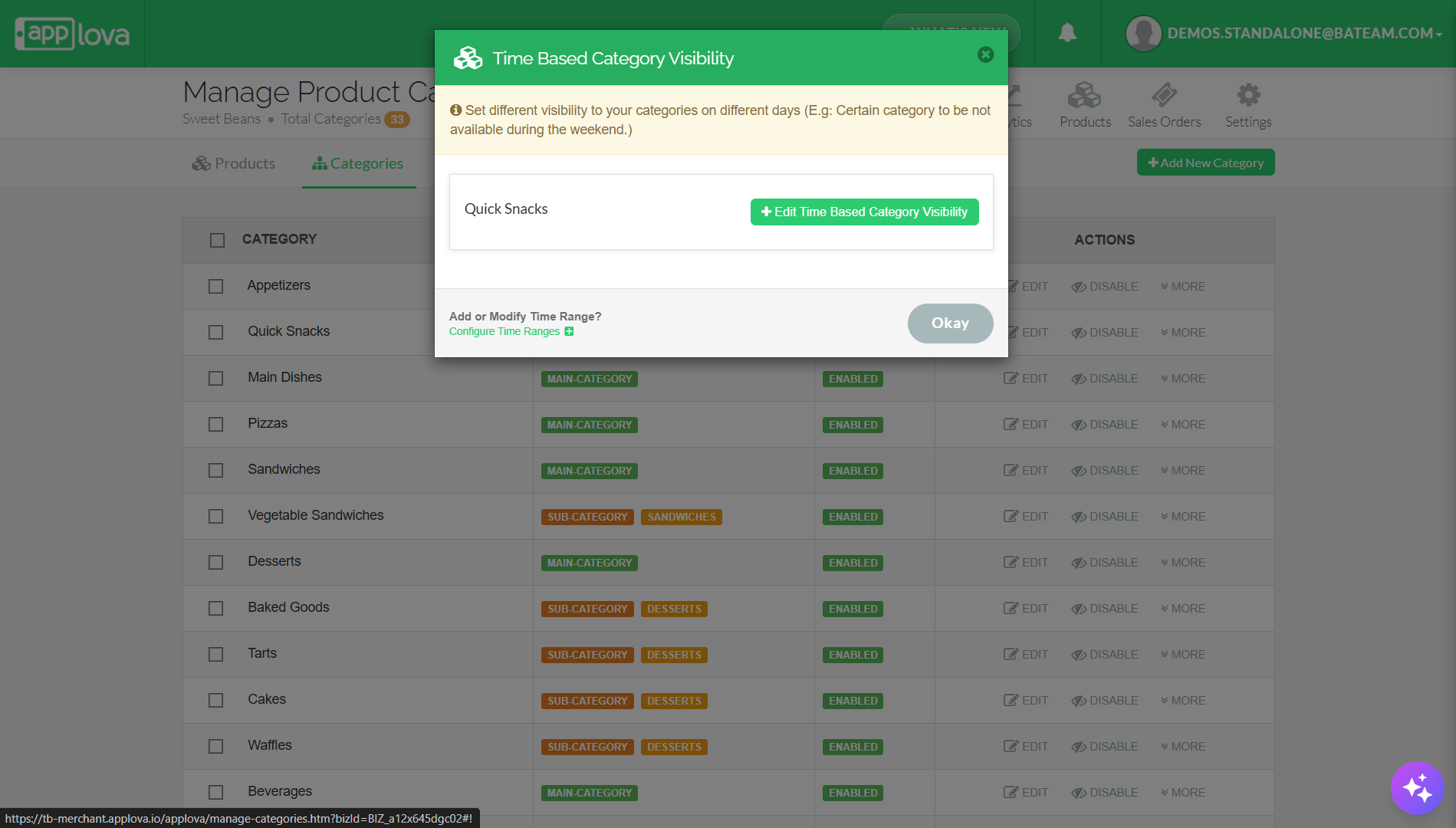
Step 6
Enter the price, select the Applicable Duration, and click on "Apply".
If you haven't configured time ranges yet, follow the steps in the attached article: How to Configure Time Ranges?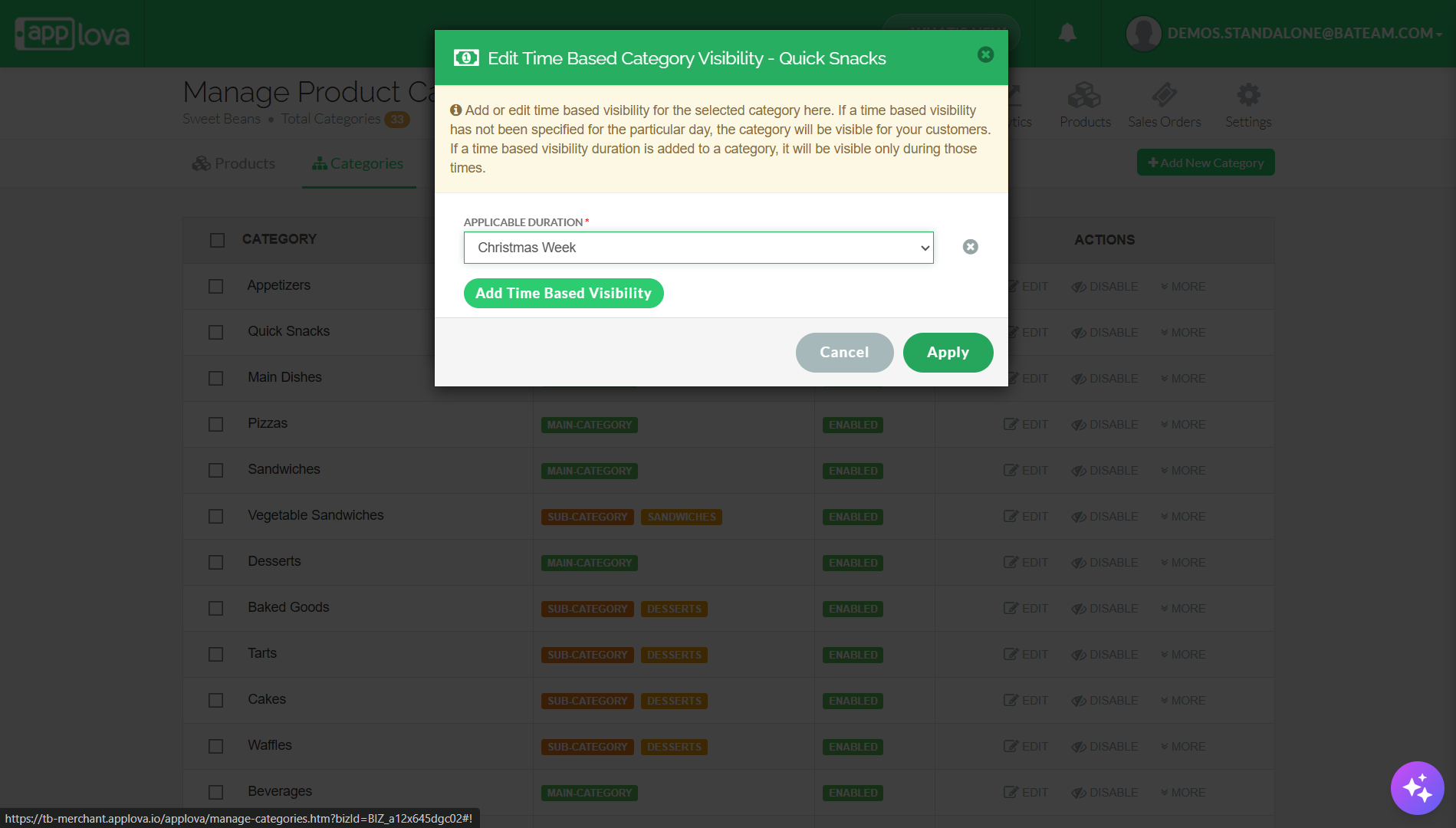
Step 8
Then, click "Okay" to save the configurations.
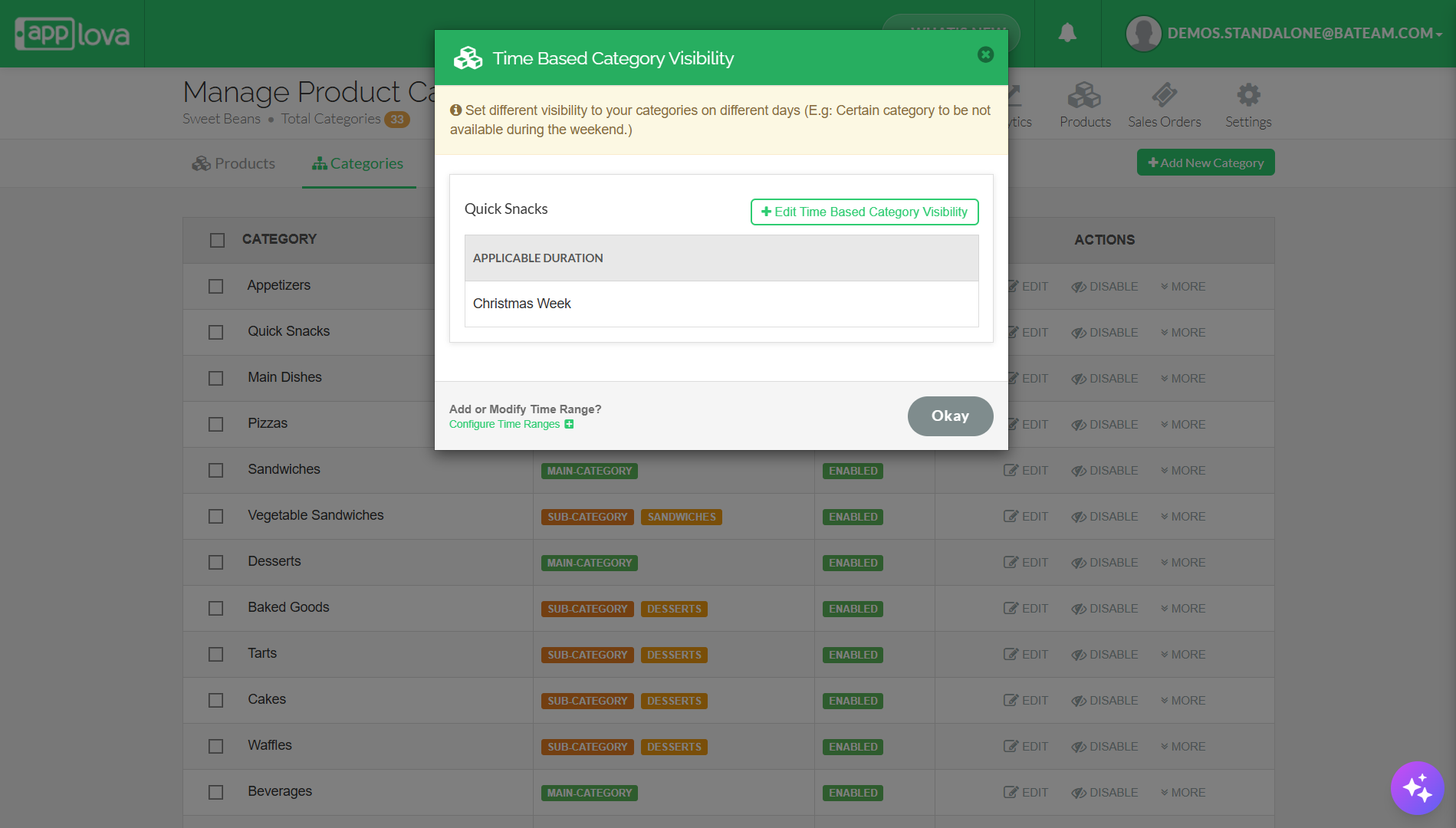
How It Reflects on Kiosk?
 (Category Visibility - American Category Not Visible)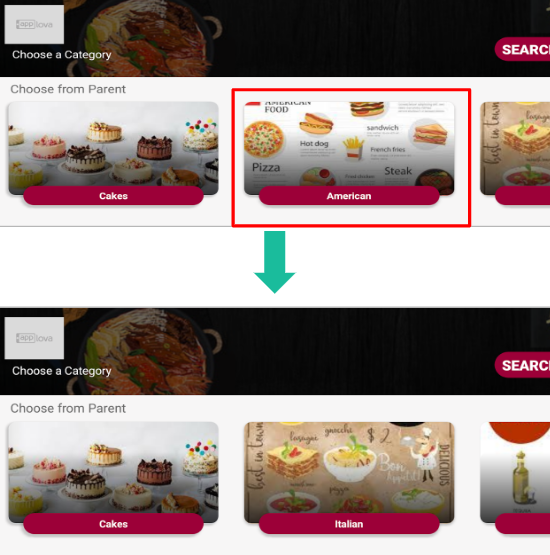
How It Reflects on Mobile App(Order Ahead)?
(Category Visibility - Cakes Category Not Visible)
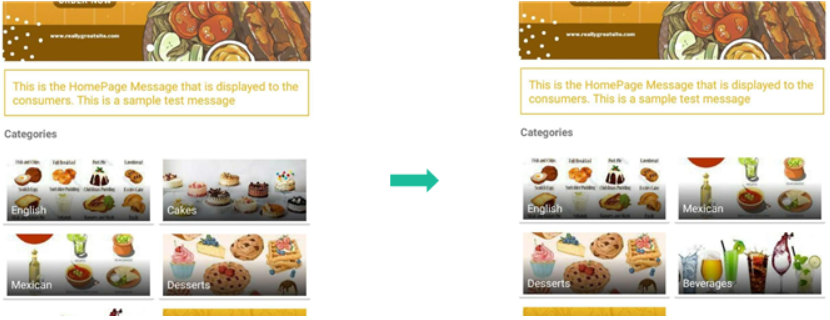
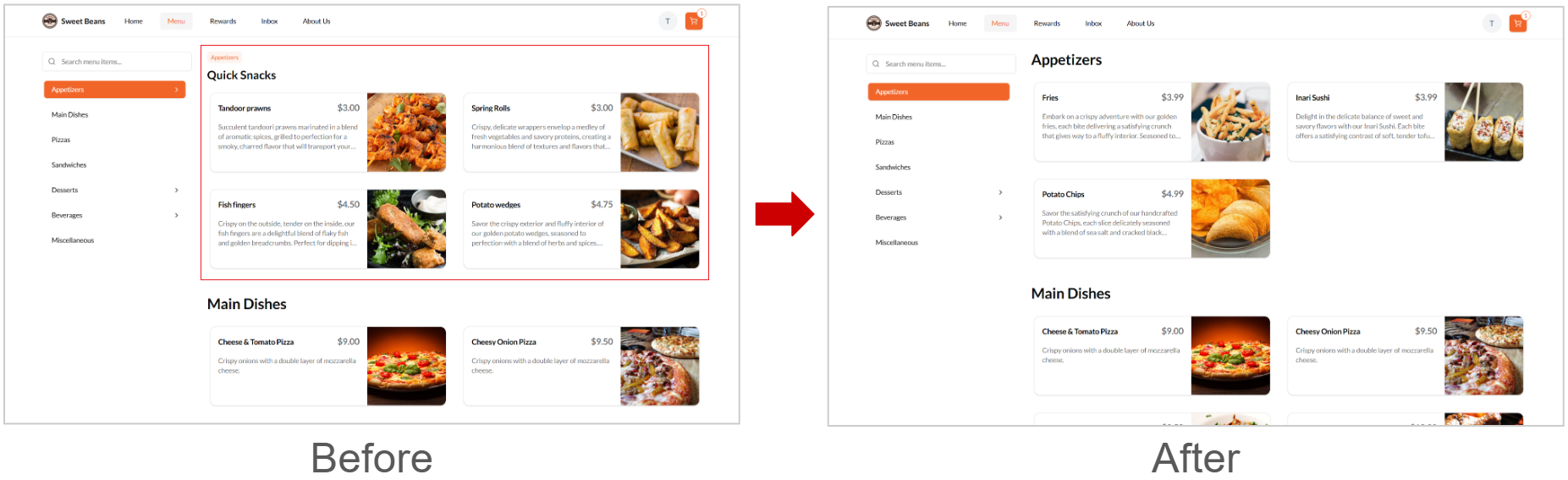
How it Reflects on the Webstore V3?
(Category Visibility - Quick Snacks Category Not Visible)
How to Edit Category Special Visibility
Step 1
Login to "Applova Merchant Web".
Step 2
Go to "Products".
Step 3
Click on "Edit Time Based Category Visibility".
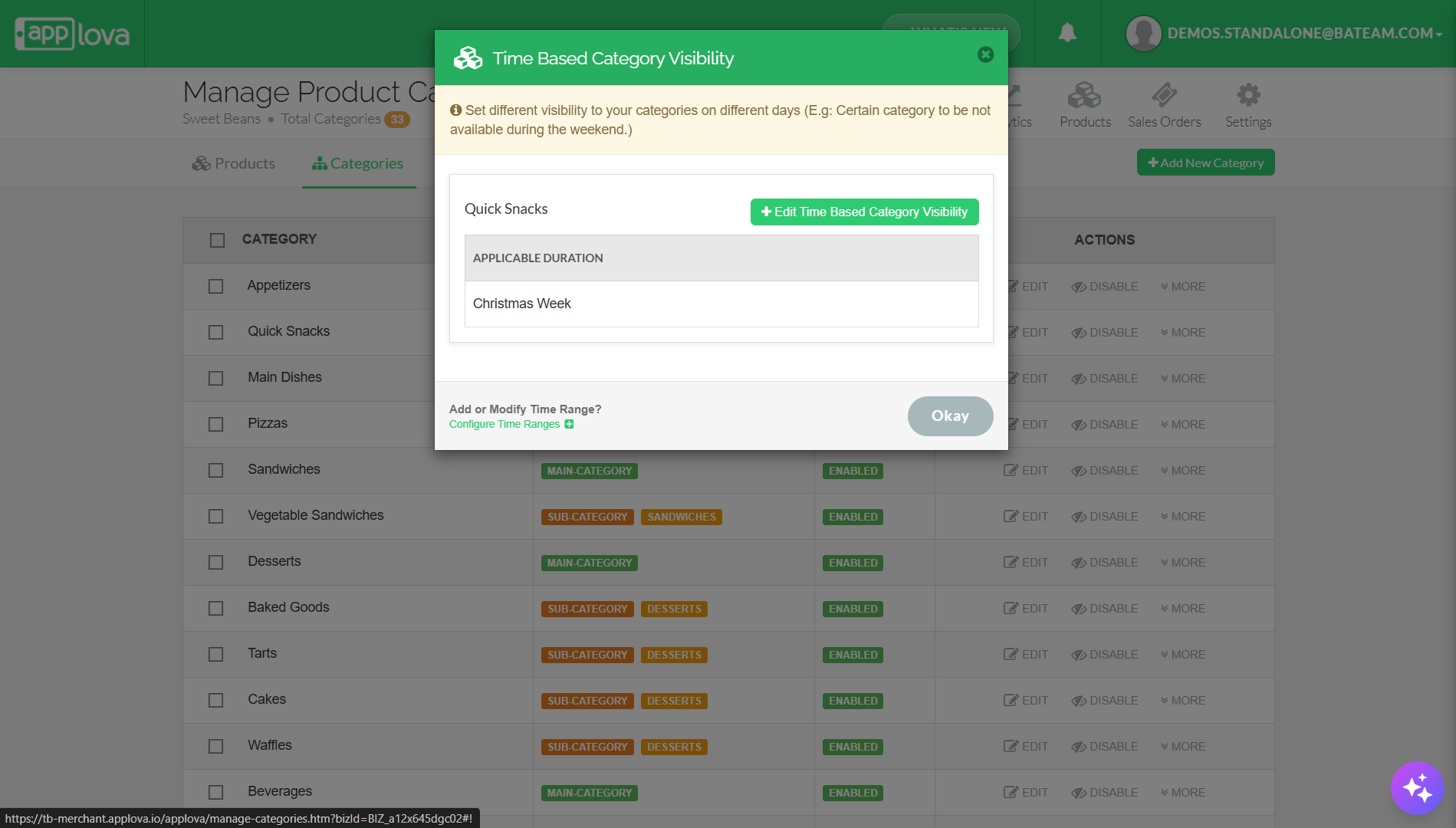
Step 5
You can edit the already configured special visibility and add new special visibility, and click "Apply".
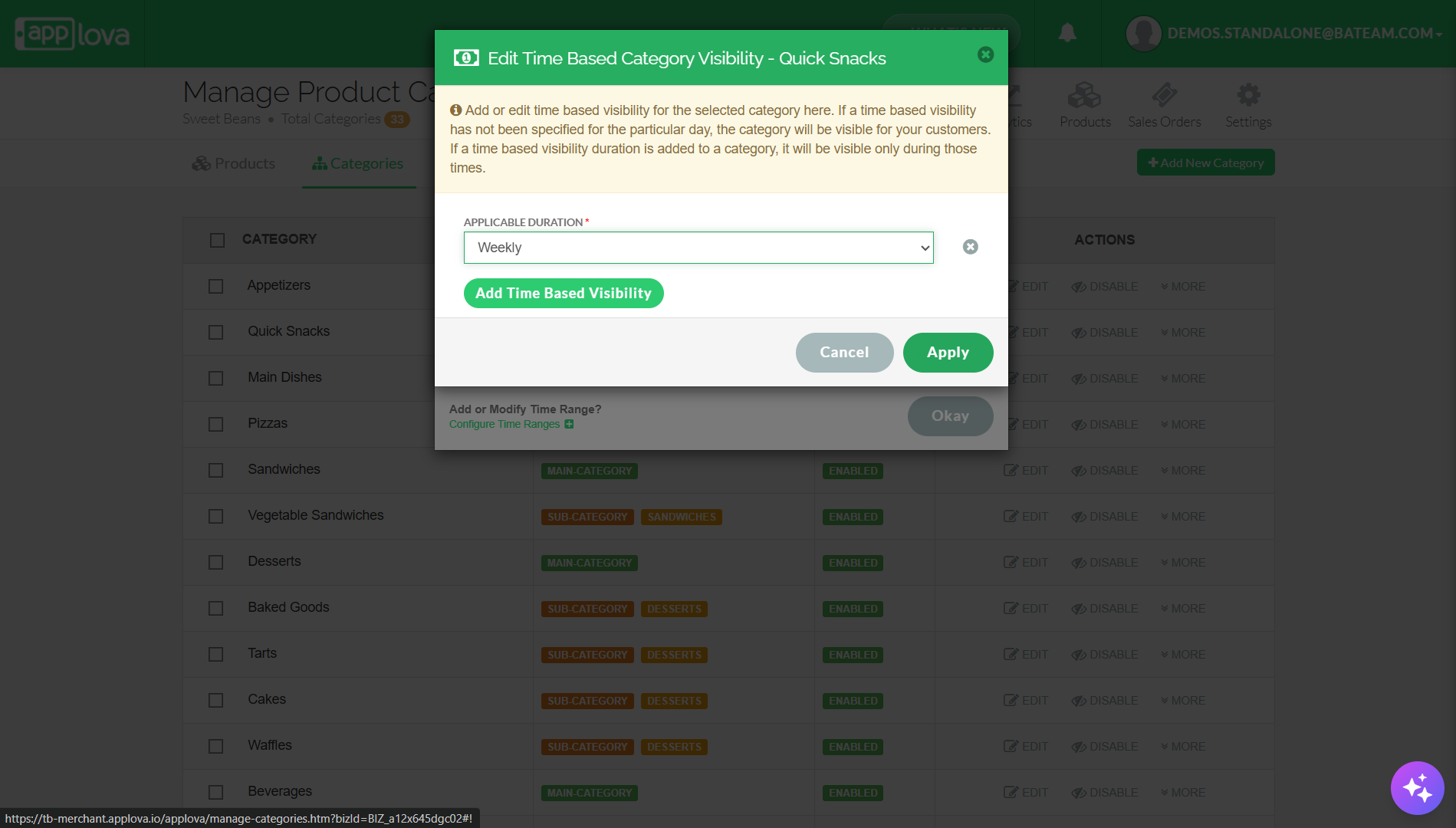
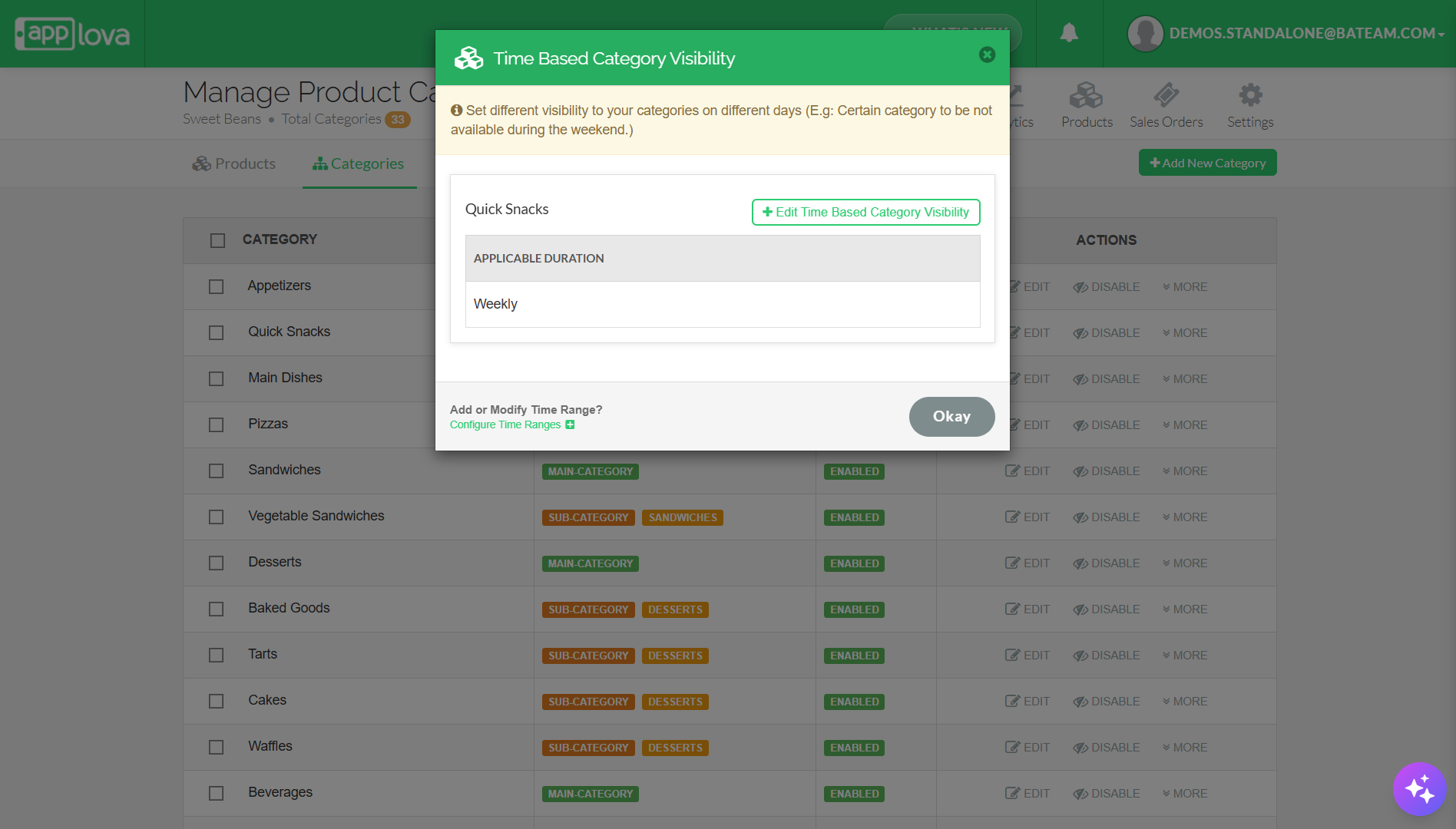
Step 6
Finally, click "Okay" to save changes.
Related Articles
How to Manage Product Image via Merchant Web?
This feature allows merchants to manage product images through the Merchant Portal. Merchants can use this feature to add, update, or remove product images, helping keep their online menu visually accurate and appealing to customers. How to Add ...How to Configure Time Ranges?
This feature allows merchants to configure time ranges that control when specific products or specials are visible. These time ranges can be used for both Product Special Visibility and Time-Based Visibility settings. How to Configure via Merchant ...How to Manage Products via Merchant Web?
This article explains how merchants can add, edit, duplicate, and delete products by following the steps provided. How to Add a Product? Step 1 Login to "Applova Merchant Web". Step 2 Go to "Products" and click on "Add New Product". Step 3 Fill in ...How to Manage Special Pricing via Merchant Portal?
What is Product Special Pricing? Product special pricing defines setting different pricing to your variants on different days (E.g: Lower prices on Holidays or Weekends) How to Add Product Special Pricing? Step 1 Login to the "Applova Merchant ...How to Manage Categories on Merchant Portal?
In this article, you will learn how to manage category-related settings in the Merchant Portal to keep products clearly organized and displayed correctly. How to Add Category? This feature allows the merchant to add a new product category. Step 1 ...