How to Manage Product Variants?
What is a Product Variant?
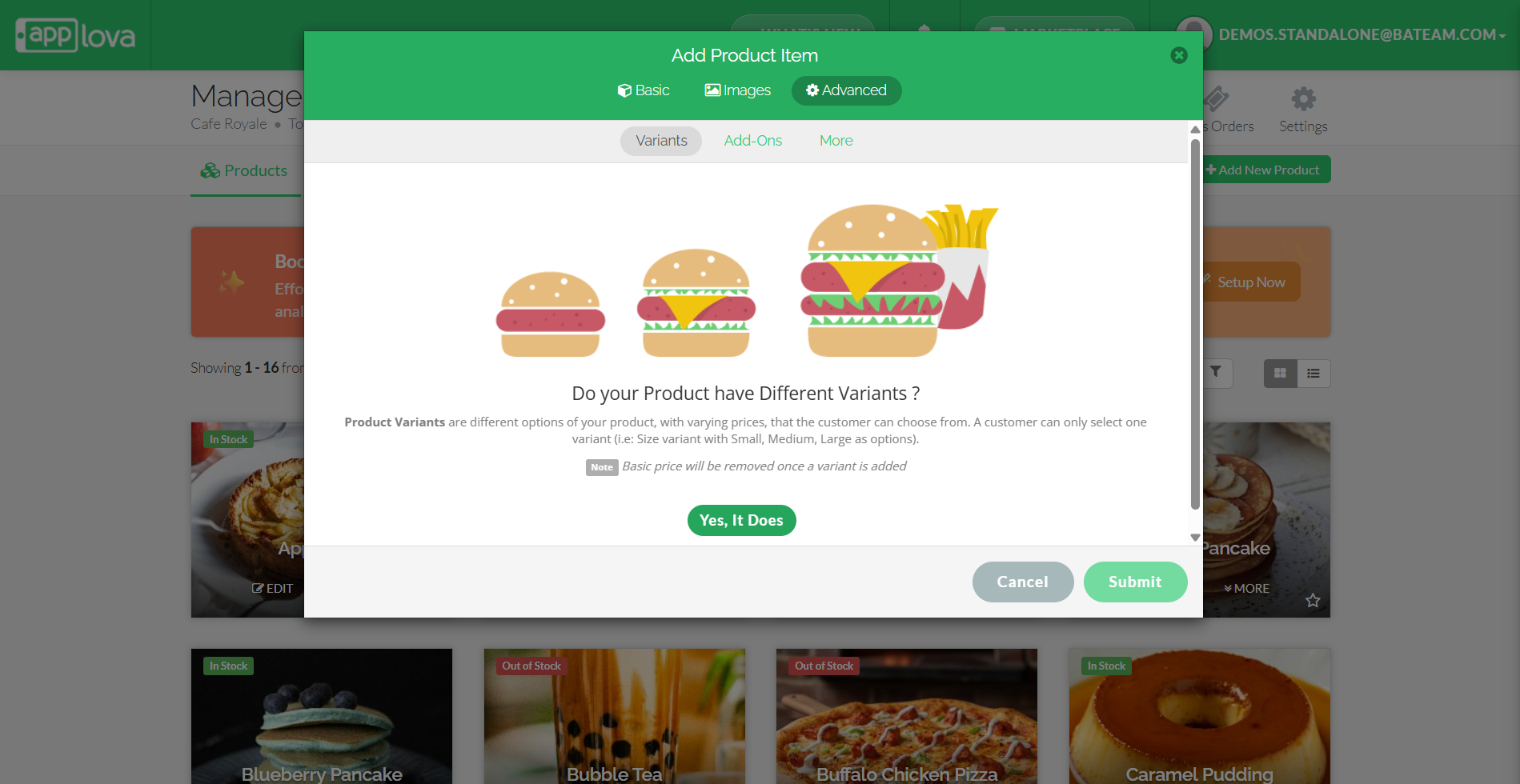
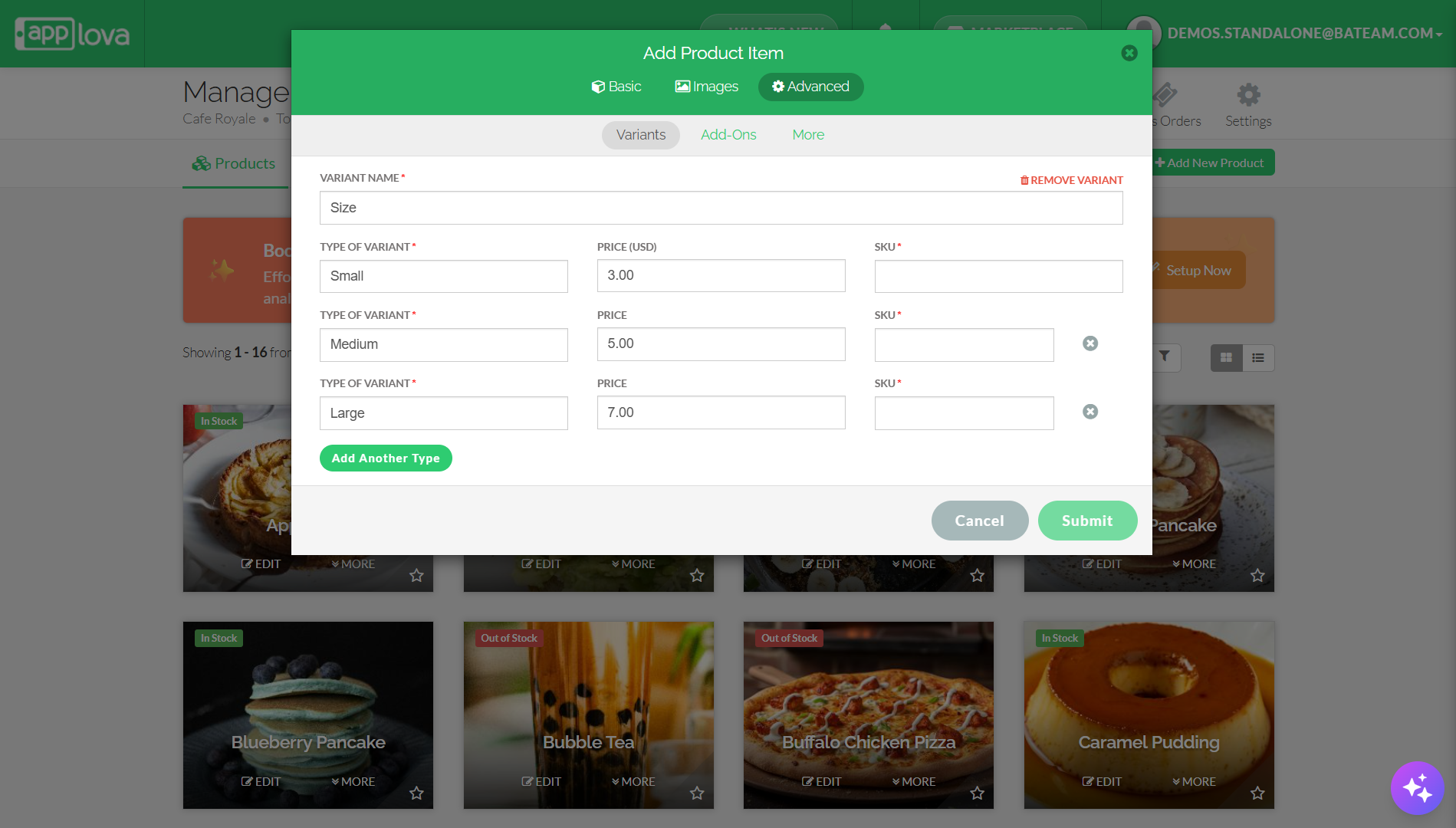
Product Variants are different options of your product such as varying sizes e.g. small, medium and large with the corresponding prices. The customer can only select one variant out of the listed options such as small/medium/large or 6 pack/12 pack etc.
How to Add Product Variants?
Step 1
Login to "Applova Merchant Web".
Step 2
Click "Products".
Step 3
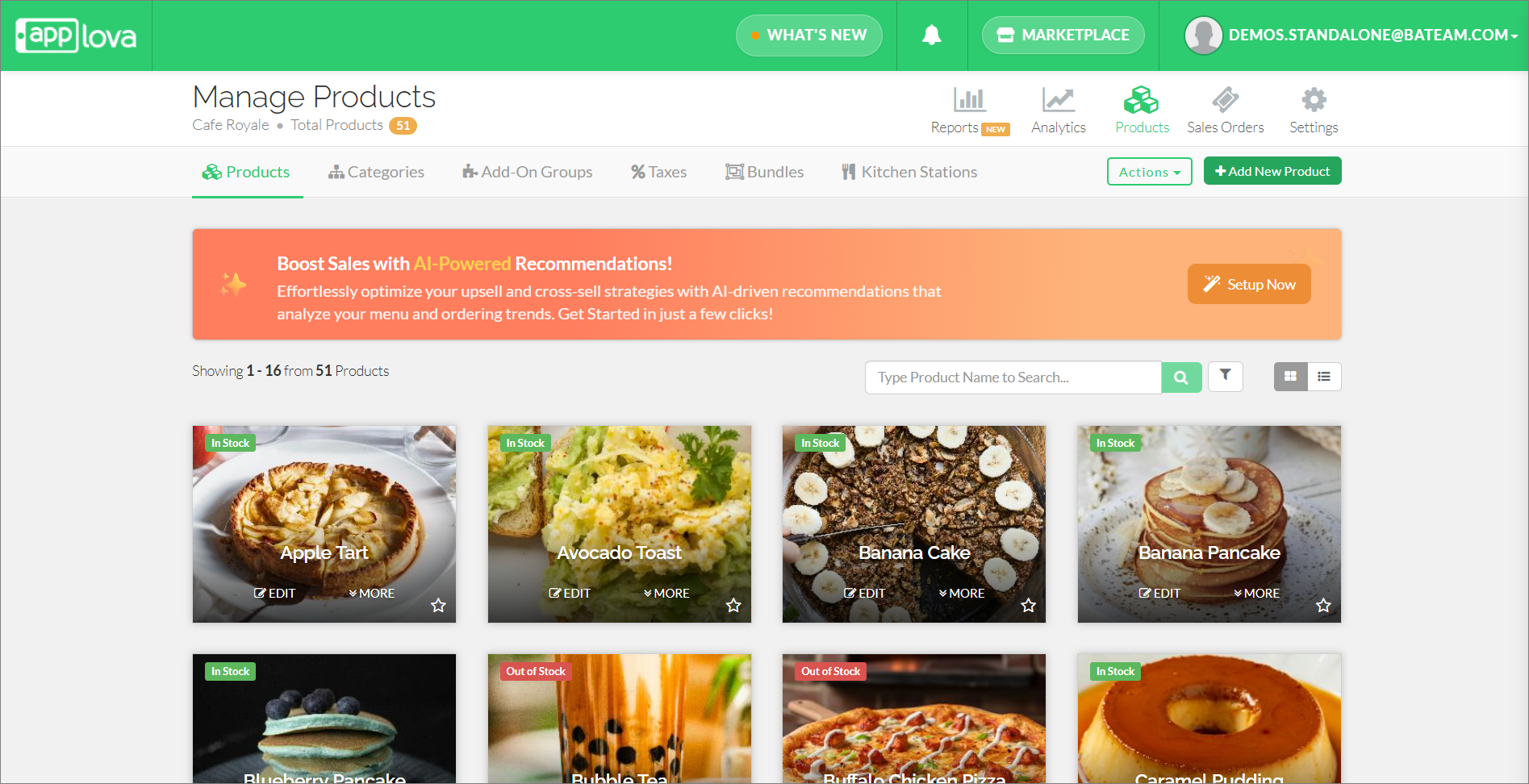
Click on the "Add New Product" button on the top right corner.
Step 3
From the "Advanced" tab, click on "Variants".

Feature in Action (Watch Video):
How to Edit Product Variants?
Step 1
Login to "Applova Merchant Web".
Step 2
Go to "Products" and click "Edit" on the product you want to edit variants.
Step 3
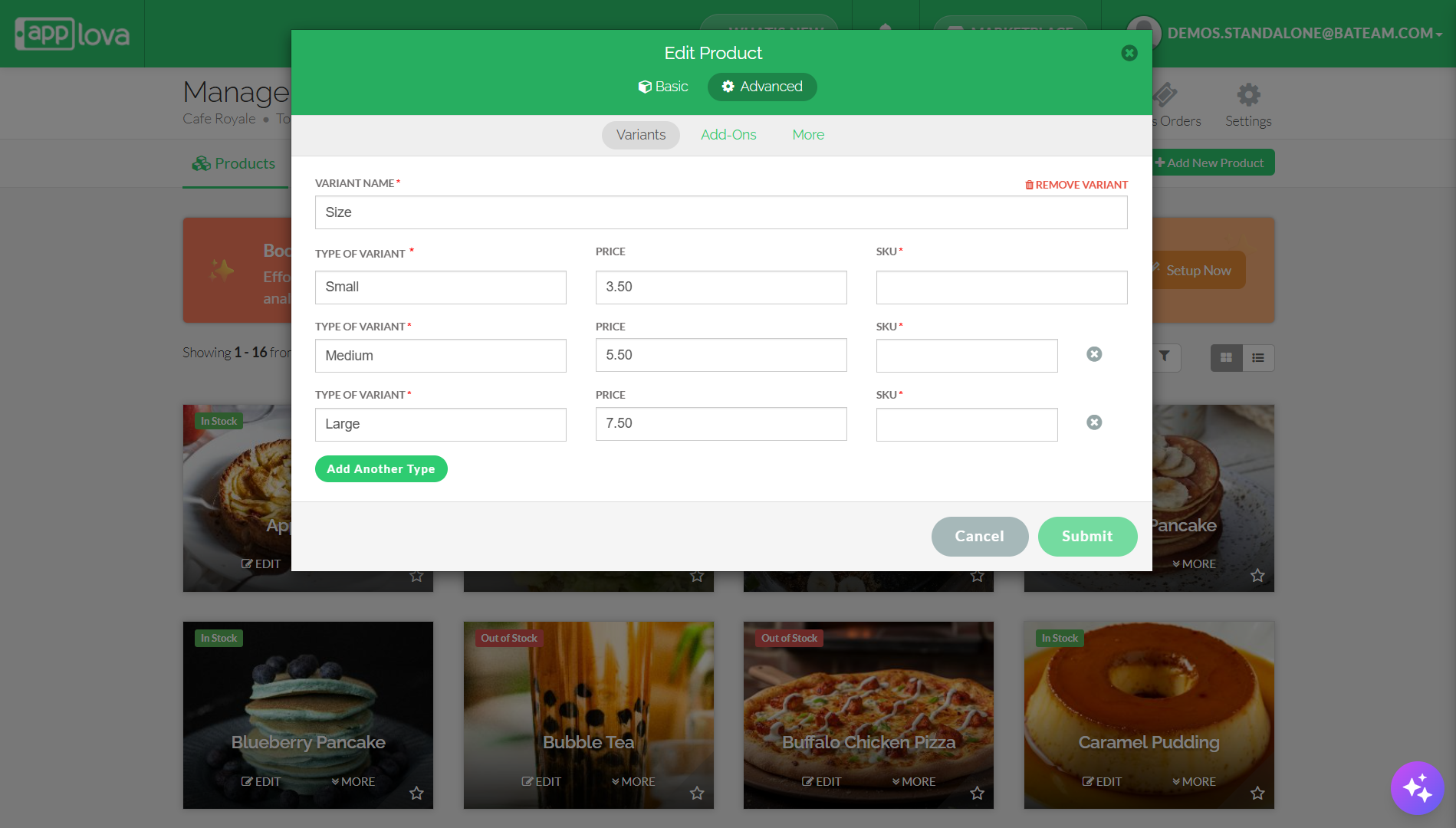
Go to the "Advanced" tab and click "Variants".
Step 4
Edit the required fields and click "Submit".
How to Remove Product Variants?
Step 1
Login to "Applova Merchant Web".
Step 2
Go to "Products" and click "Edit" on the product you want to remove variants.
Step 3
Go to the "Advanced" tab and click "Variants".
Related Articles
How to Manage Products via Merchant Web?
This article explains how merchants can add, edit, duplicate, and delete products by following the steps provided. How to Add a Product? Step 1 Login to "Applova Merchant Web". Step 2 Go to "Products" and click on "Add New Product". Step 3 Fill in ...How to Manage Product Image via Merchant Web?
This feature allows merchants to manage product images through the Merchant Portal. Merchants can use this feature to add, update, or remove product images, helping keep their online menu visually accurate and appealing to customers. How to Add ...How to Manage Time Based Product and Category Visibility?
Supported Domains: Standalone, Clover & Square businesses What is Time-Based Product and Category Visibility? Time-Based Product and Category Visibility allows merchants to control when specific products or categories are visible to customers across ...How to Setup SKU via Merchant Web?
This feature was introduced to cater a requirement for Round 1 merchant What is SKU? SKU, short for Stock Keeping Unit, is used by the merchant to track the business inventories. SKU is a unique code specific to products, variants and add-ons. The ...How to Manage Product Specific Add-Ons as a Stock Controller User on Merchant Web?
The Stock Controller User, a merchant role with limited privileges solely for stock management, now has the capability to enable or disable the display of product add-ons via the Merchant Web. Step 1 Login to the "Merchant Web Portal" and click on ...