How to Add Merchant Bank Details on Merchant Web?
This allows the merchant to add their bank details to the Merchant Web for billing purposes.
How to Add Bank Details?
Step 1
Login to "Applova Merchant Web".
Step 2
Click "Settings" and go to the "Billing" tab.
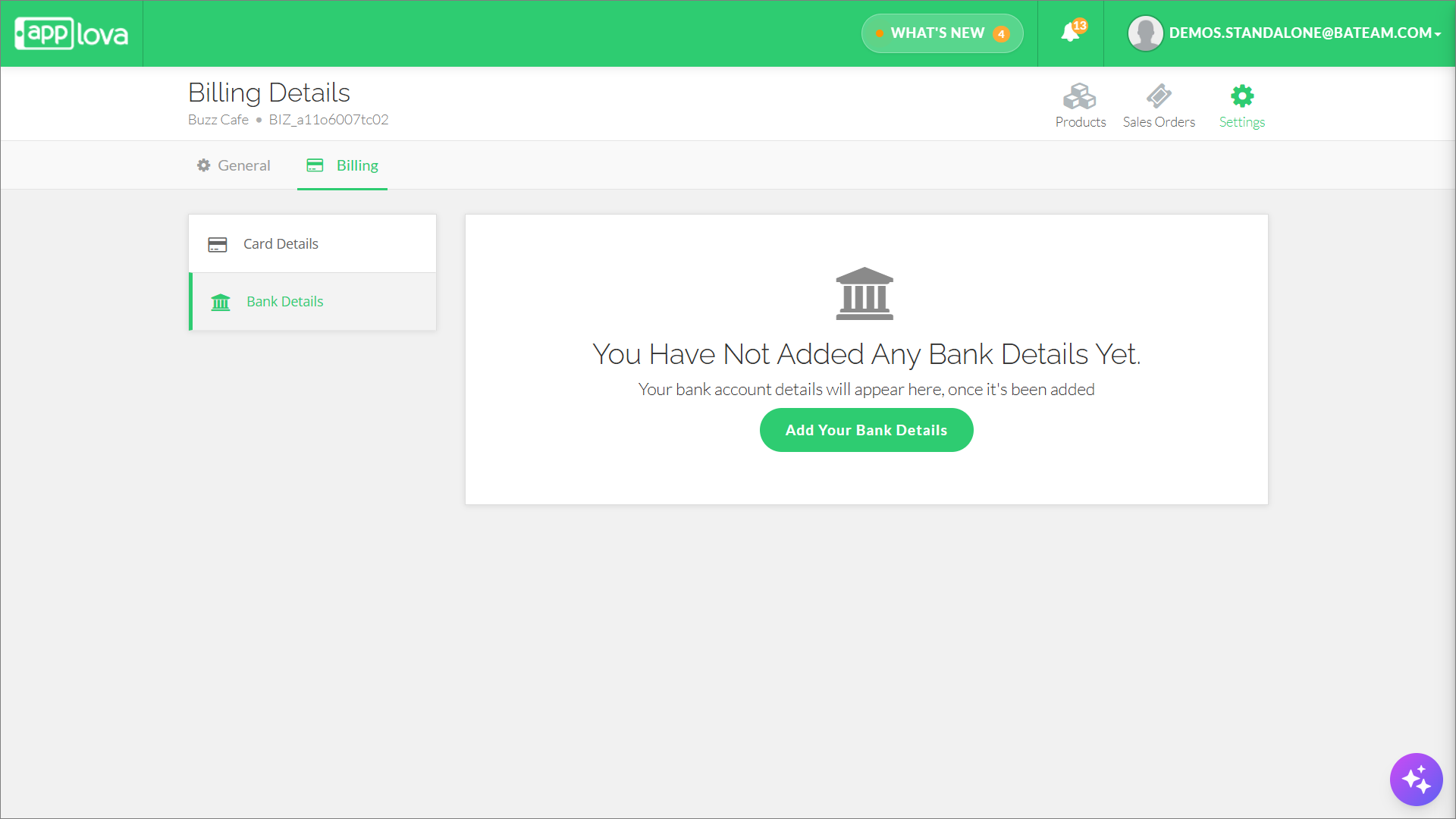
Step 4
The submission form is divided into two sections:
- Bank Details
- Additional Details
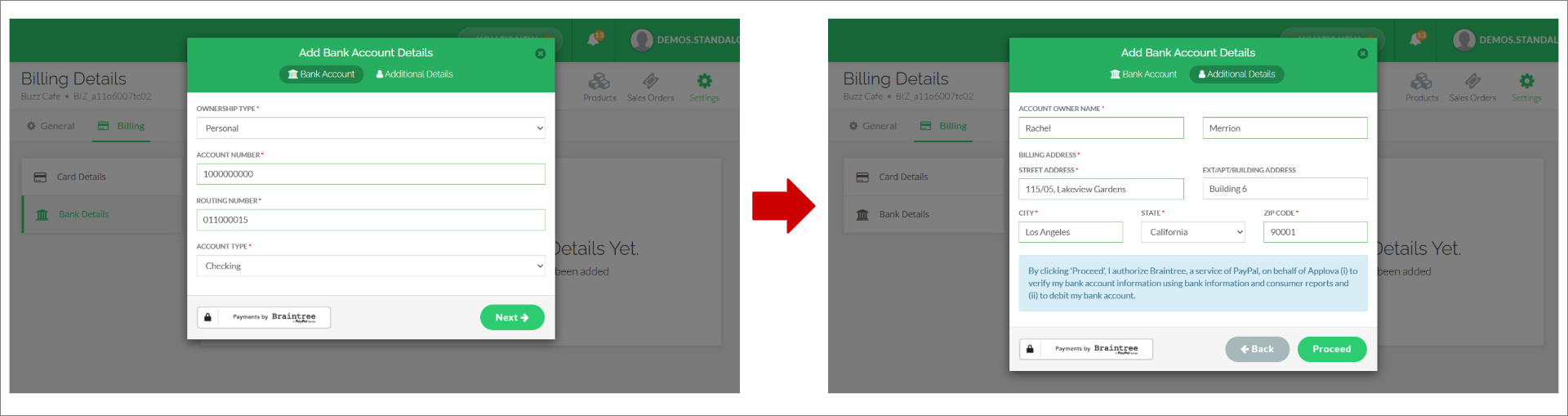
Bank Details Field Definitions
The merchant must complete the required fields in both the Bank Account tab and the Additional Details tab.
- Bank Account Tab
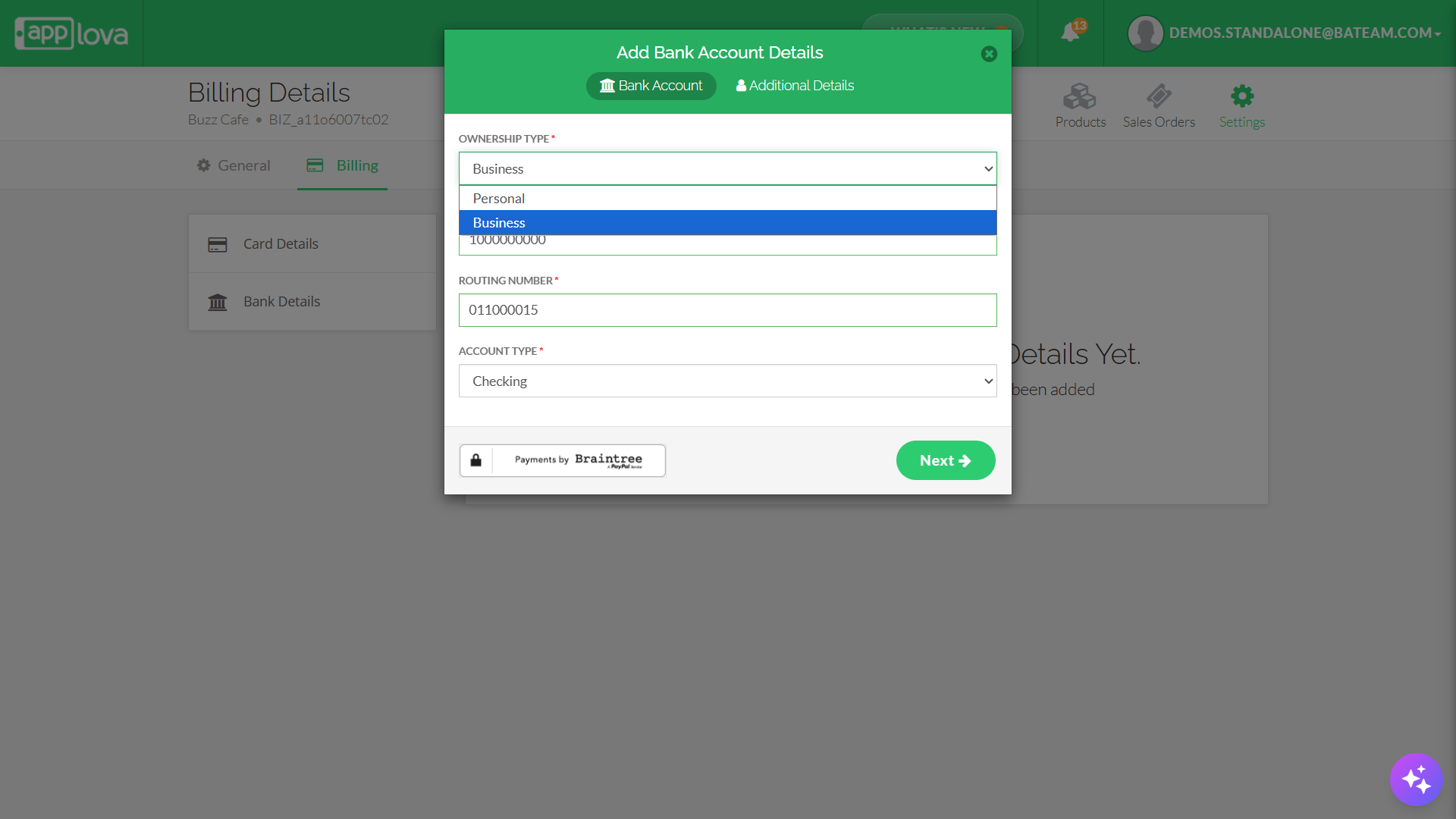
- Ownership Type
- Personal
- Business
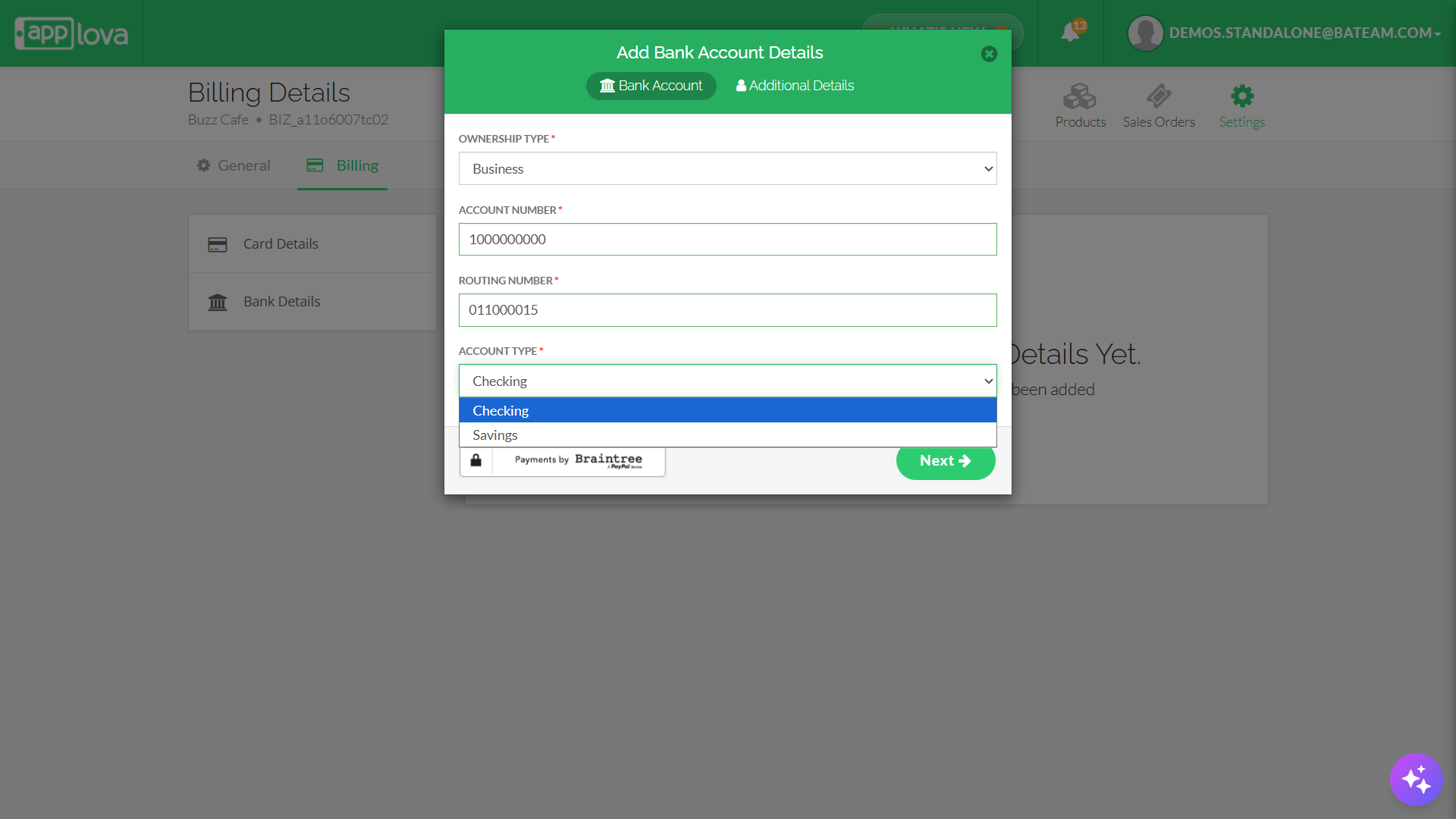
- Checking
- Savings
- Additional Details Tab
- Account Owner Name or Business Name
[This field changes based on the selected Ownership Type]
 Only if "Personal" Ownership is selected, the following fields will appear under "Account Owner Name":
- First Name
- Last Name
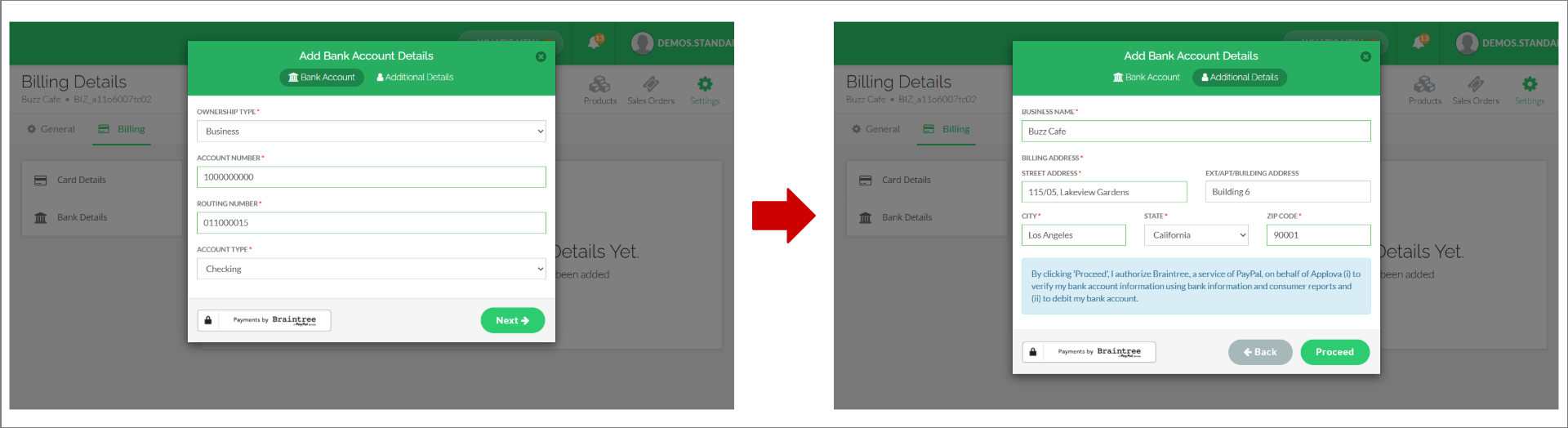
- Billing Address
- Street Address
- Ext/Apt/Building Address
- City
- State
- Zip Code
Step 5
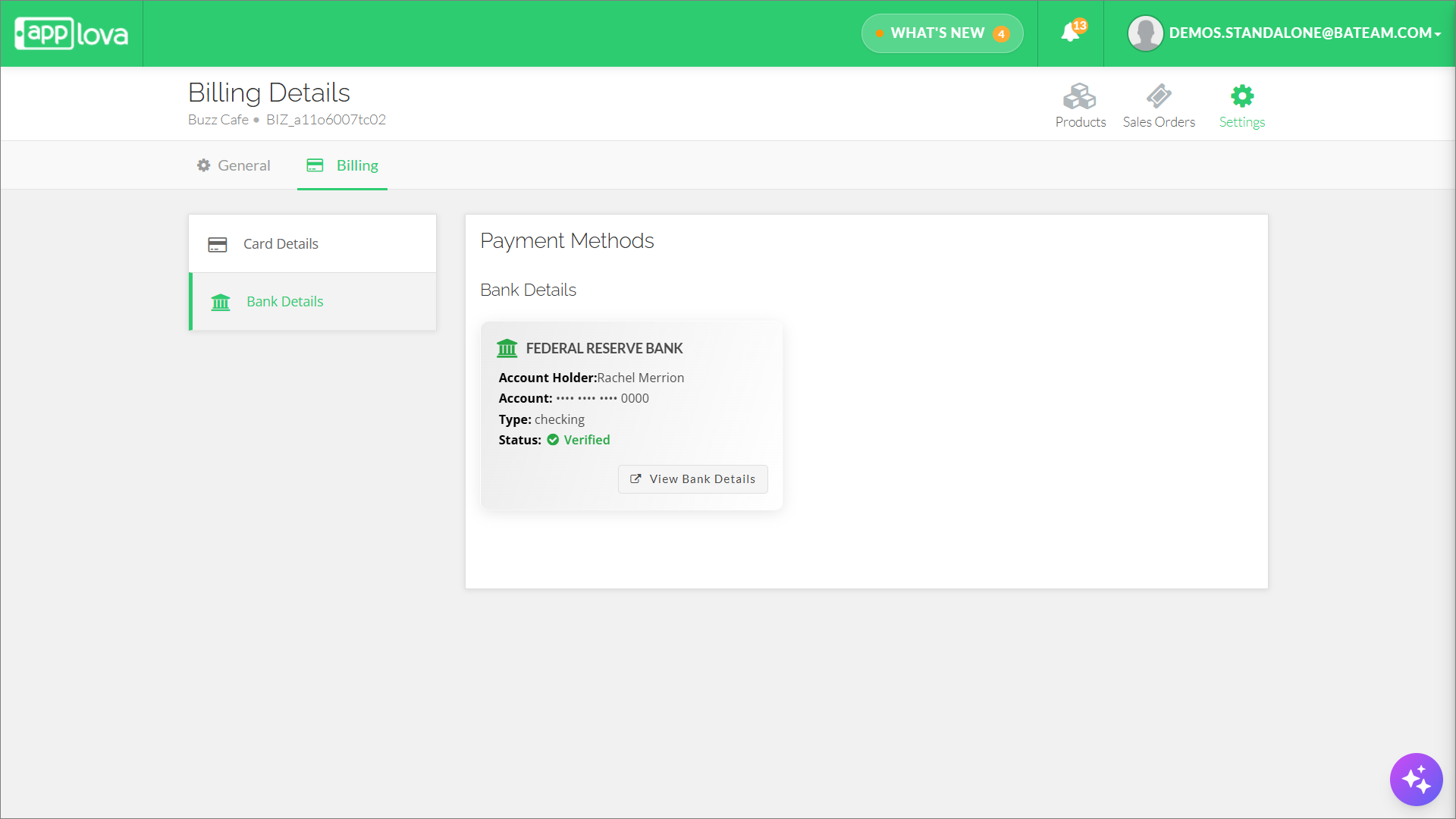
After the bank details are successfully added, the saved information will be displayed as shown below
Related Articles
Related Articles
Altering Business Details via Merchant Portal
This guide explains how to update your business information and manage the terms and conditions displayed to customers through Applova Merchant Portal. How to Update Business Details? Step 1 Login to "Applova Merchant Web". Step 2 Click "Settings" ...How to Add the Merchant's Credit Card on Merchant Web?
This allows the merchant to add multiple credit cards to the Merchant Web for billing purposes. How to Add a Credit Card? Step 1 Login to "Applova Merchant Web". Step 2 Click "Settings" and go to the "Billing" tab. Step 3 Under "Card Details" click ...How to Manage Product Add-On(s) via Merchant Web?
What are Product Add-On(s)? Product Add-Ons are extra customizations that can be added to a product to suit the customers' needs. (i.e., Sugar levels for Coffee, Toppings for a Pizza, Colors for a Shirt). The price of an Add-On product will be an ...How to Add Nutritional Information of Products on Merchant Web?
You can enable the nutritional information feature for your business if you want to display nutritional information for the products on your menu. You will be able to display nutritional information for each product on its product detail page by ...How to Manage Products via Merchant Web?
This article explains how merchants can add, edit, duplicate, and delete products by following the steps provided. How to Add a Product? Step 1 Login to "Applova Merchant Web". Step 2 Go to "Products" and click on "Add New Product". Step 3 Fill in ...