Merchant Login with Password Visibility Toggle on Applova POS
 Supported On: Standalone Businesses
Supported From: Applova POS(1.65.0.RELEASE)
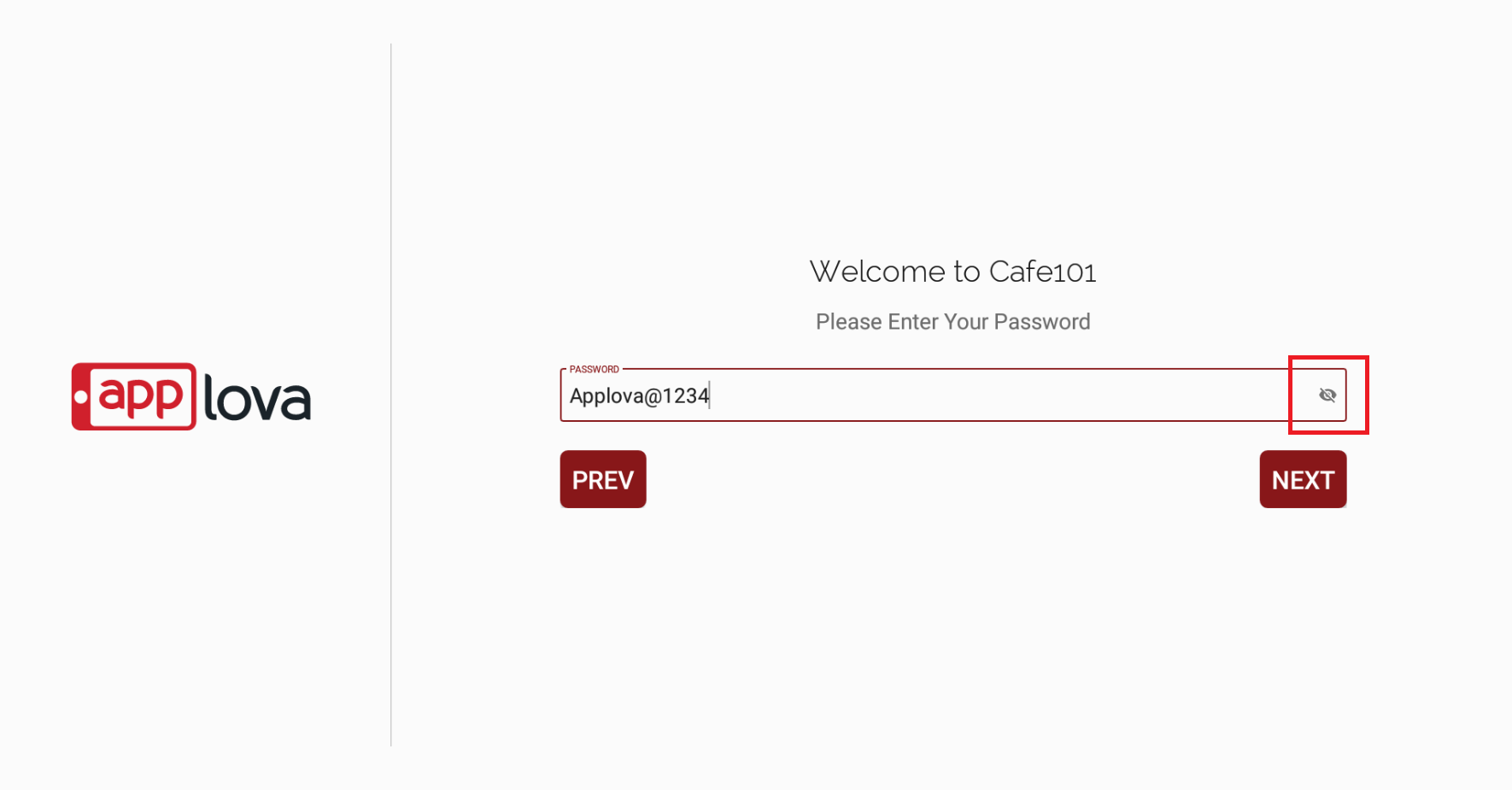
When the merchant login for the first time into the POS, there will be a password visibility toggle button to check whether the password is entered correctly.
How it Reflects on Applova POS
Related Articles
How to Add a Note Via Applova POS?
Supported Domains: Standalone Businesses With this feature, the merchant can add a note to view later on the order. Step 1 Sign into "Applova POS" with the credentials of your business. Step 2 Go to "Manage Sales Orders" and then select the preferred ...How to Add a Customer Mobile Number Via Applova POS?
Supported Domains: Standalone Businesses With this feature, the merchant can add the customer's mobile number to the order. This is mainly to notify the customer when the order is ready. Step 1 Sign into "Applova POS" with the credentials of your ...Cash Management on Applova POS
Supported On: Standalone Businesses Supported From: Applova POS (1.75.0.RELEASE) What is Cash Management? Cash management involves tracking and managing cash transactions in a business which includes handling cash sales, managing the initial cash ...Customer Profile on Applova POS
Supported Domains : Standalone Supported From : Applova POS (1.71.0.RELEASE) The "Customers" feature displayed on the POS dashboard displays the details of customers registered with the business. How to View a Customer's Details? Tap on a customer's ...AI Based Smart Product Recommendations on Applova POS
AI-driven product recommendations displays recommendations based on the customer's past purchases and the business's fast-moving products, when a customer is added to the order. This is a default feature available only for registered customers. Step ...