How to Register as a User via Webstore?
This feature allows unregistered users to get registered by creating an account.
Step 1
Go to "Webstore".
Step 2
Click on "Sign In" on the top right corner of the taskbar.

Step 3
Click on "Register Now" on the bottom of the Sign In to Your Account form.

Step 4
Fill the required fields and click on the "Create Account" button.
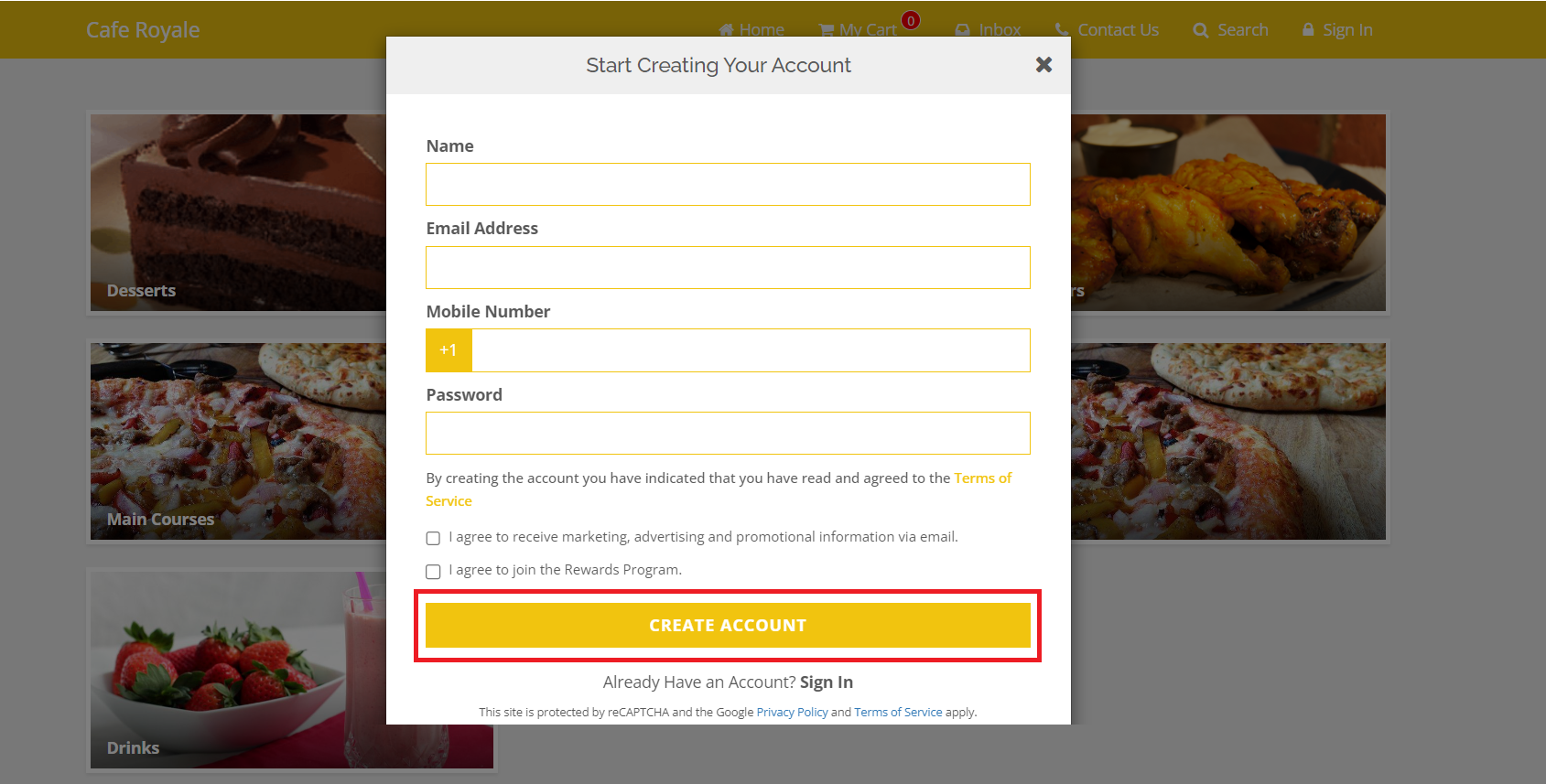
How it Reflects on Webstore

Related Articles
Search Products via Webstore
This allows to search a product typing a product name on the search bar in the taskbar instead of browsing through all the products. Step 1 Go to "Webstore". Step 2 Click on the "Search" button on the top right corner of the taskbar. Image Link Step ...How to Use OTP-Based Sign-in on Webstore V3?
The OTP Sign-In feature introduces a secure, password-free login flow where users authenticate themselves through a One-Time Password (OTP) sent via SMS. This feature enhances convenience and security by allowing both existing and new customers to ...Product Recommendations on Webstore V3
This feature allows the merchants to suggest products to customers when they place orders for specific items. Types of Product Recommendations There are two types of product recommendations. 1. Cross-Sell 2. Upsell What is Cross-Sell? Cross-sell is ...How to do Guest Checkout on Webstore?
Unregistered users can place orders through the Webstore without creating a user account. Step 1 Go to "Webstore". Step 2 Click on "My Cart". Image Link Step 3 Click on "Proceed to Checkout". Image Link Step 4 Then click on "Continue as a Guest". ...How to Use Promo Codes on Webstore V3?
With Webstore V3, customers can easily apply promo codes during checkout to receive discounts or special offers on their purchases. By entering a valid promo code in the “Have a Promo Code?” field and clicking Apply, eligible discounts are ...