How to Add a Custom Line Item on the Applova POS Register?

Supported Domains: Standalone
Supported From: Applova POS (1.53.0.RELEASE)
With this feature, the merchant is allowed to add a custom product along with a custom price for an item that is not listed in the Register menu.
How it Works?
Step 1
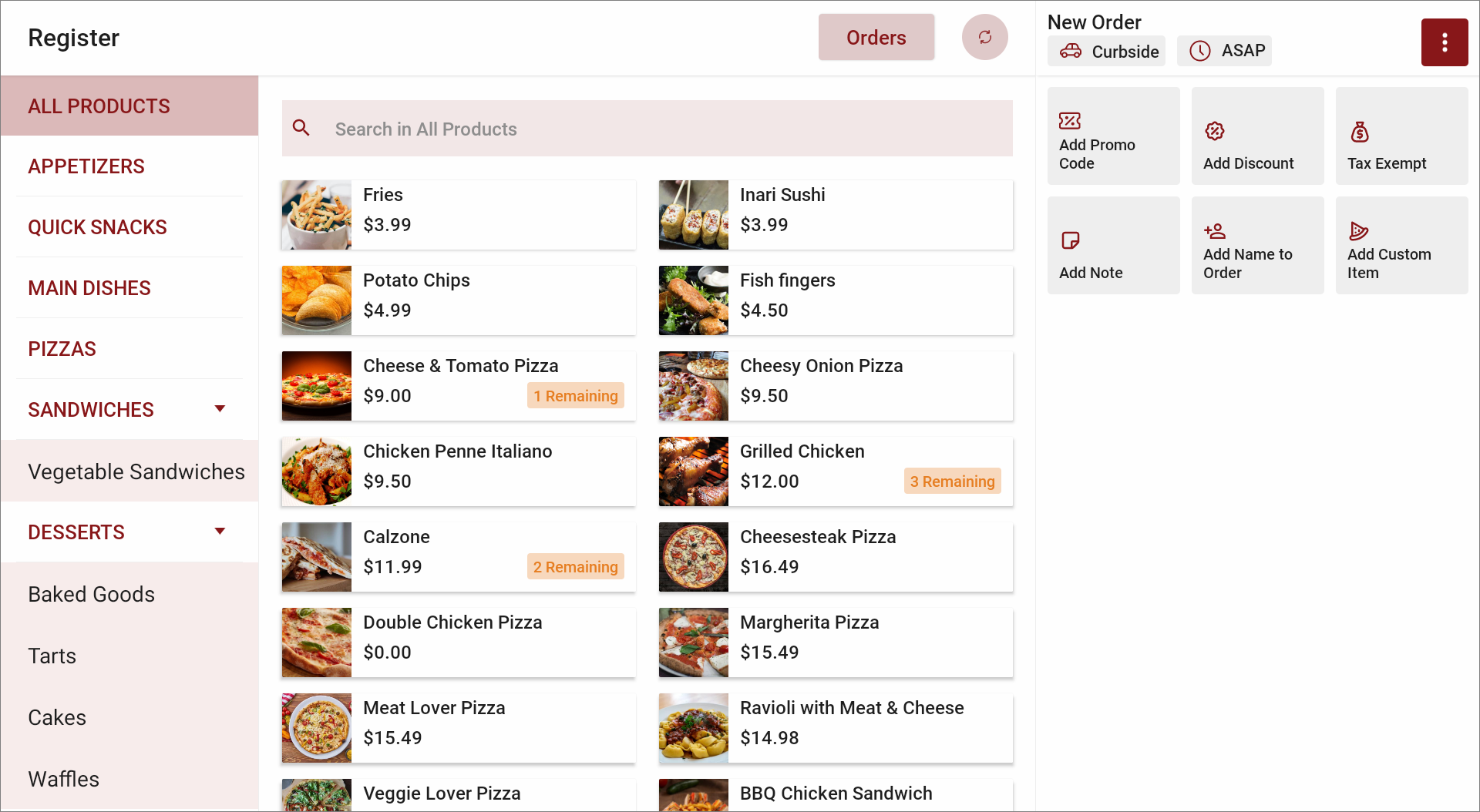
Tap on the '⋮' icon on the top right corner and select “Add Custom Item to Order”.
Step 2
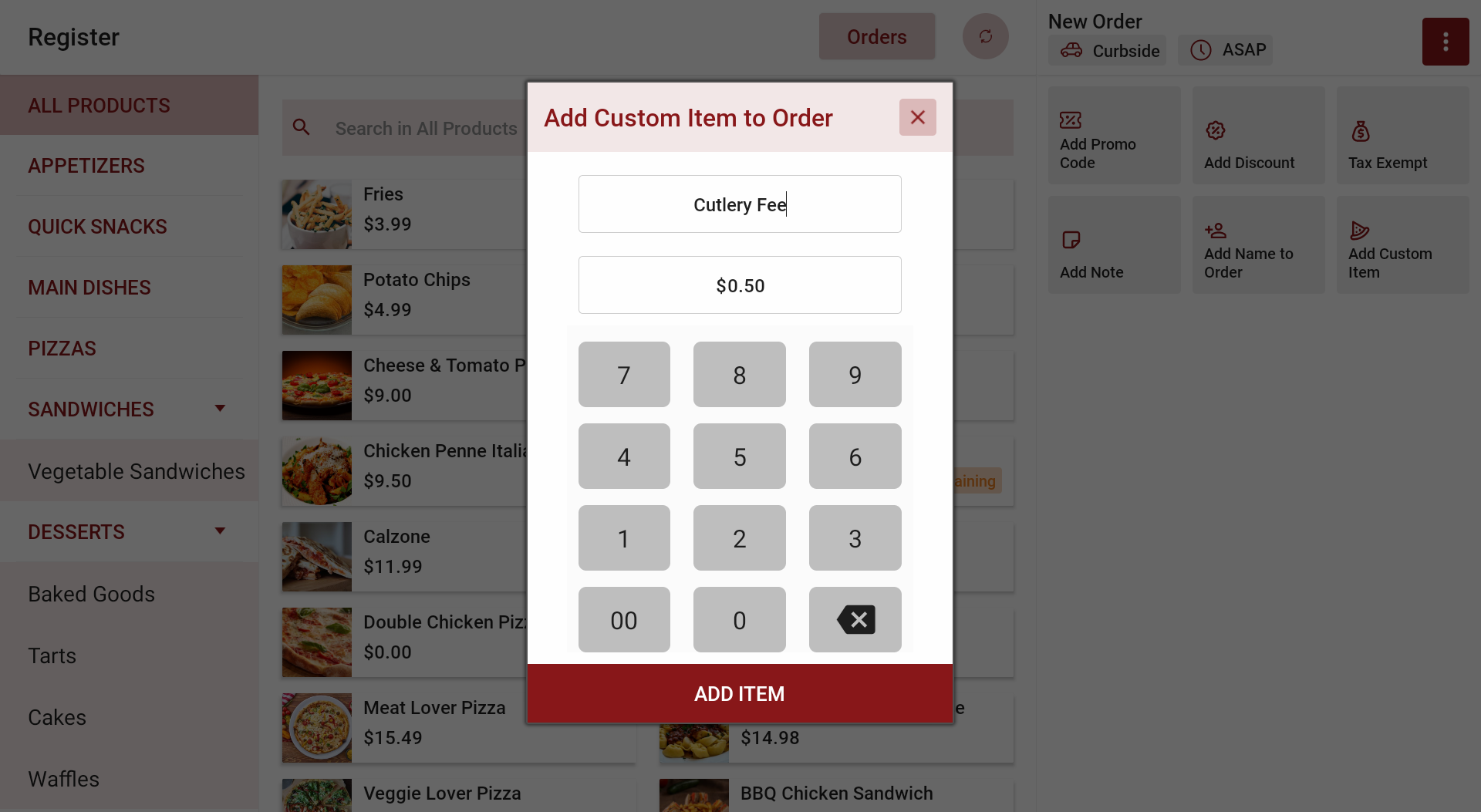
Give the "Item Name" and the "price".
Example: Give “Cutlery Fee” as the Item Name and “$0.50” as the price.
Step 3
Tap “Add Item” and proceed.

Feature in Action (Watch Video):
Related Articles
How to Apply Discounts to an Order via Register?
Supported on : Standalone Supported From : Applova POS (1.79.0.RELEASE) This feature allows cashiers to apply manual discounts either as a percentage or a fixed dollar amount directly through the register. Use Case Scenario A customer is purchasing ...How to Add a Note Via Applova POS?
Supported Domains: Standalone Businesses With this feature, the merchant can add a note to view later on the order. Step 1 Sign into "Applova POS" with the credentials of your business. Step 2 Go to "Manage Sales Orders" and then select the preferred ...Cash Management on Applova POS
Supported On: Standalone Businesses Supported From: Applova POS (1.75.0.RELEASE) What is Cash Management? Cash management involves tracking and managing cash transactions in a business which includes handling cash sales, managing the initial cash ...How to Add a Customer Mobile Number Via Applova POS?
Supported Domains: Standalone Businesses With this feature, the merchant can add the customer's mobile number to the order. This is mainly to notify the customer when the order is ready. Step 1 Sign into "Applova POS" with the credentials of your ...Daily Sales Summary Feature on Standalone Business Manager
This feature allows you to view summary reports on the daily sales. Following are the different types of sales summary reports that can be viewed via the Standalone Business Manager: 1. Daily Sales Summary Report – This report summarizes the total ...