Customer Insights in Applova Analytics
The Customers section helps merchants review customer activity and engagement.
Merchants can use this section to understand new customer signups, new customers served, returning customers, guest users, top customers, and all-time active customer details.
How to Access the Customers Section?
Step 1
Log in to Applova Analytics.
Step 2
Click Customers from the left-side navigation bar.
Step 3
Select the required reporting period from the date filter.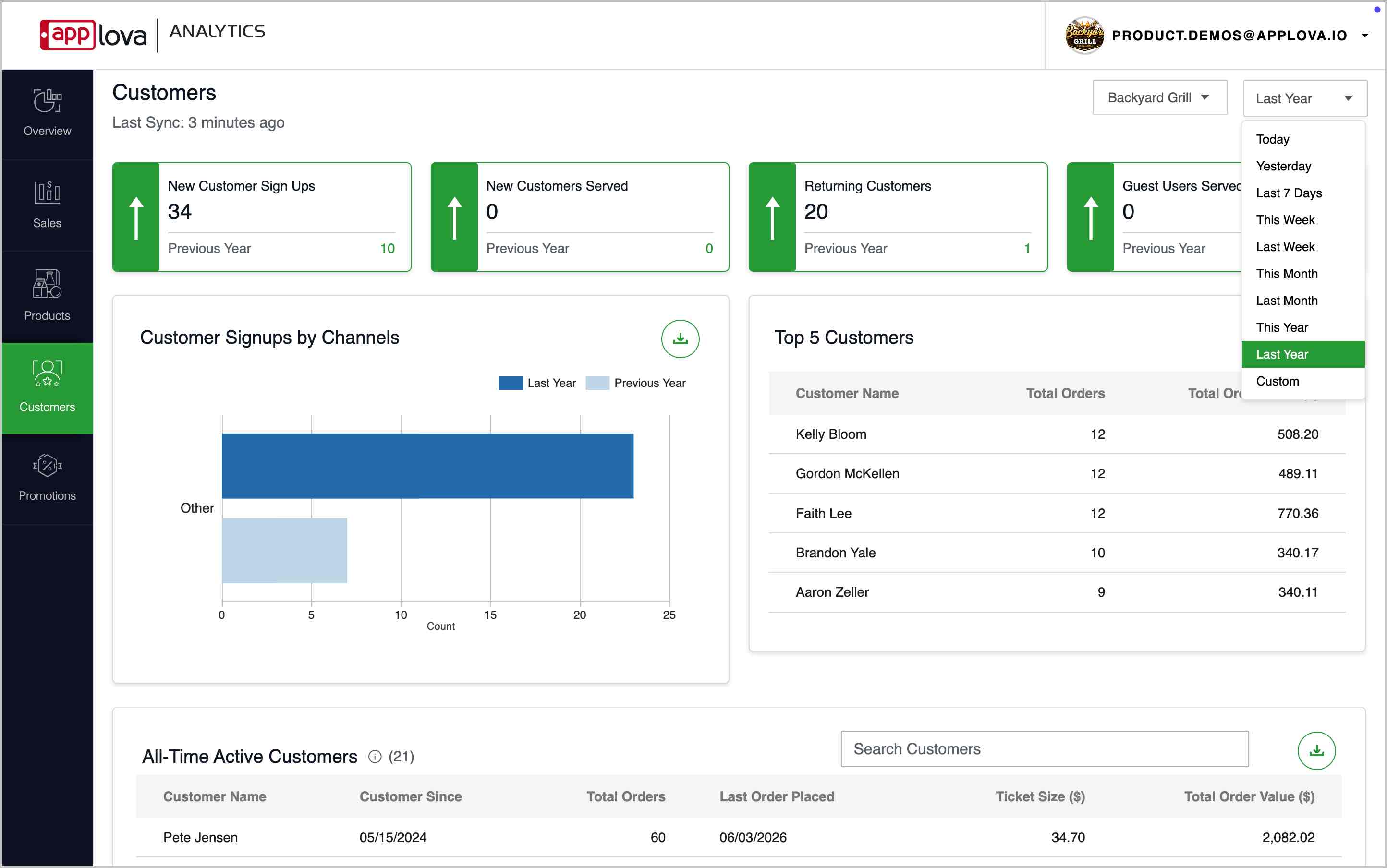
Image Link
Customer Reports
The summary cards provide a quick overview of customer activity during the selected reporting period.
New Customer Sign Ups
Shows the number of customers who signed up during the selected reporting period.
This card can be used to review customer registration activity.
New Customers Served
Shows the number of new customers who placed orders during the selected reporting period.
This card can be used to understand how many new customers were served.
Returning Customers
Shows the number of customers who placed orders again.
This card can be used to understand repeat customer activity.
Guest Users Served
Shows the number of guest users who placed orders.
This card can be used to review guest ordering activity.
Image Link
The Customer Signups by Channels chart shows where customer signups came from.
Merchants can use this chart to understand which channel is contributing to customer registrations.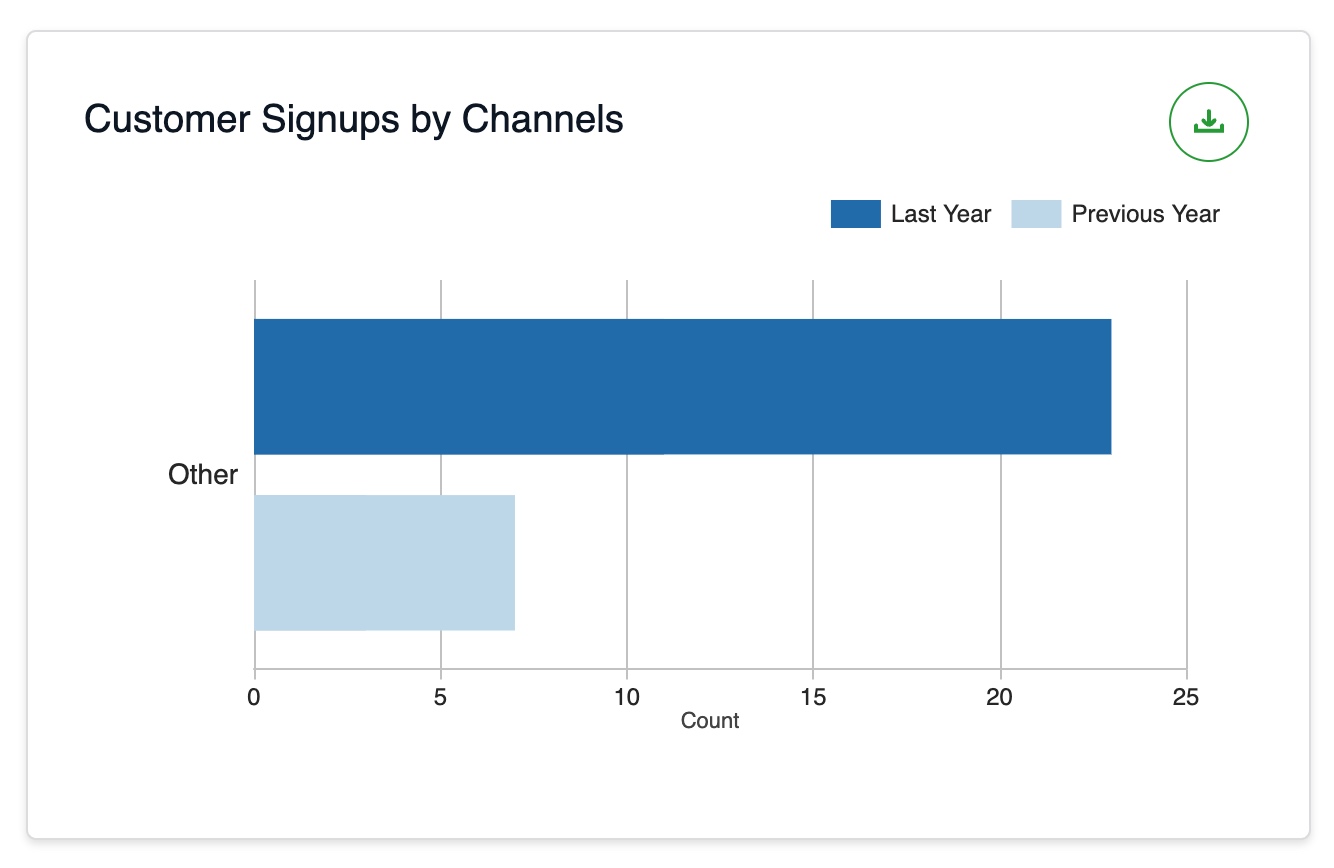
Image Link
The Top 5 Customers table shows the highest-value customers based on order activity.
Merchants can use this table to identify loyal or high-value customers.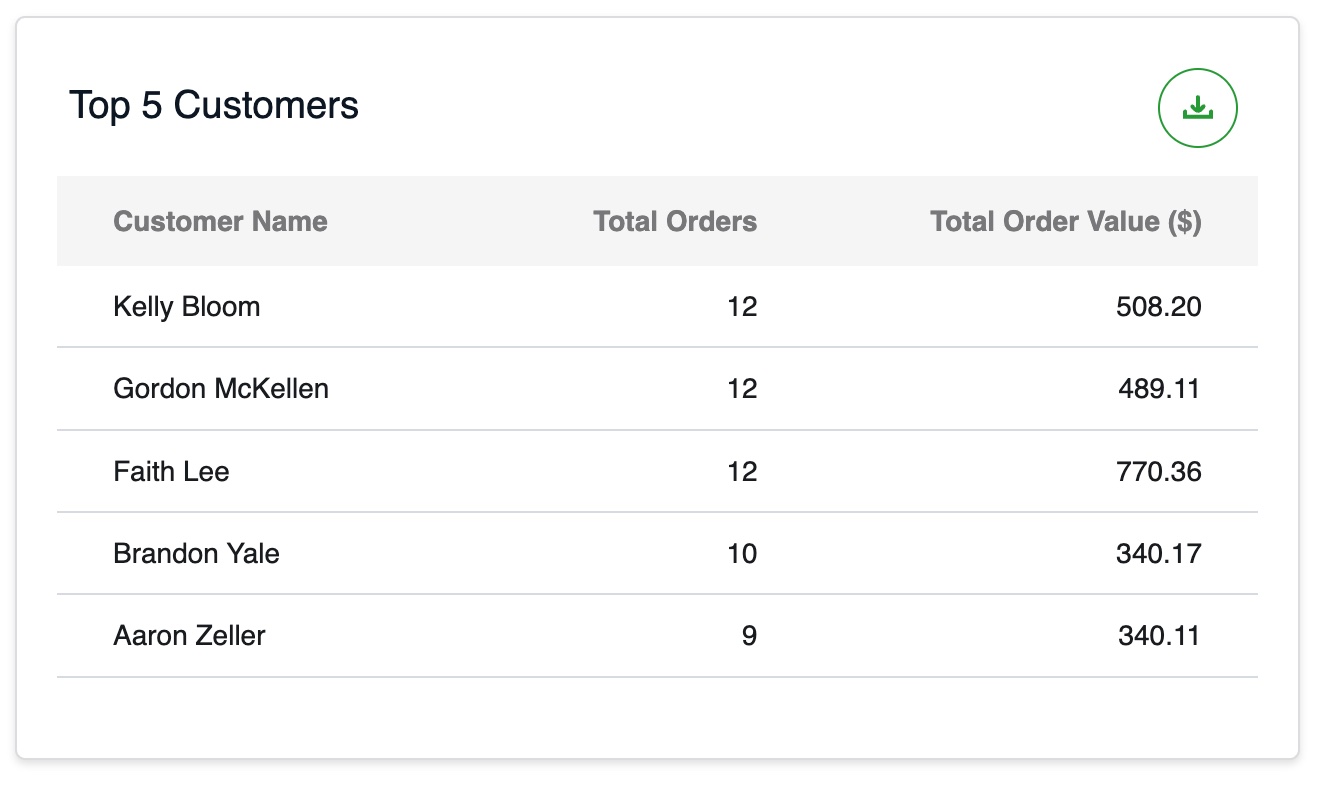
Image Link
The All-Time Active Customers table shows customer-level activity across the business.
This table includes customer details such as customer name, customer since date, total orders, last order placed, ticket size, and total order value.
Merchants can use this table to review customer history and overall customer value.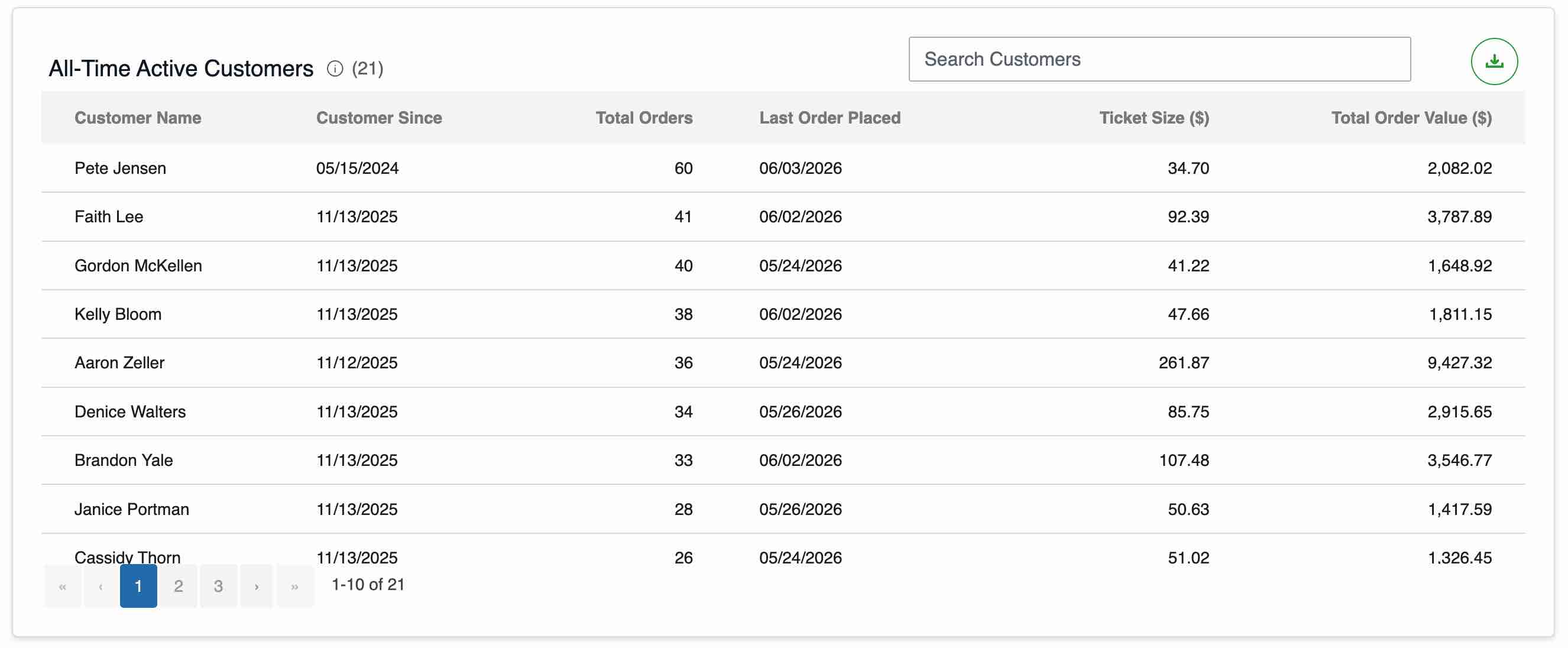
Image Link
Related Articles
Overview Insights in Applova Analytics
Sales Insights in Applova Analytics
Related Articles
Promotion Insights in Applova Analytics
The Promotions section helps merchants review promotion usage and promotional sales. Merchants can use this section to understand how many customers used promotions, how many orders included promotions, which promotions are active, and how much sales ...Product Insights in Applova Analytics
The Products section helps merchants review product and addon performance. Merchants can use this section to identify top-selling products, least-selling products, product sales totals, addon sales, and detailed performance for individual products. ...Overview Insights in Applova Analytics
The Overview section helps merchants quickly review overall business performance. Merchants can use this section to understand total orders, total sales, average ticket size, refunds, sales trends, top-selling products, top-selling categories, ...Sales Insights in Applova Analytics
The Sales section helps merchants review sales performance in more detail. Merchants can use this section to understand sales trends, sales by channel, product and category performance, tax details, payment methods, and collected amounts. How to ...What is Applova Analytics?
Applova Analytics helps merchants monitor store performance, track sales trends, analyze product and customer activity, review promotion performance, compare results with previous periods, identify top-selling products and categories, and export ...