Product Subscriptions on the Order Ahead App
Product Subscription allows restaurants to offer membership-style plans for specific menu items. Instead of customers buying the same item every time they visit, they can subscribe to a plan and redeem that item during a set time period. Restaurants can choose how often the customer is billed (for example monthly, quarterly, or yearly) and decide which products are included in the subscription. They can also control how often the item can be redeemed, such as limiting it to once per day or after a certain amount of time.
Customers can subscribe, redeem their items, view their subscription details, or cancel their plan directly from the ordering app. This helps restaurants encourage repeat visits while giving customers a convenient way to enjoy their favorite items regularly.

Only products without add-ons can be used in subscription plans

Use Case Scenario
A neighborhood bakery notices that many of its regular customers stop by every morning to buy a chocolate croissant with their coffee. Since this is one of their most popular items and customers purchase it frequently, the bakery decides to introduce a Chocolate Croissant Subscription. With this subscription, customers can sign up for a monthly plan that allows them to redeem a chocolate croissant during each eligible redemption period. Regular customers who visit often find this convenient because they already buy the same item repeatedly. Instead of placing a separate purchase every time, they simply redeem their croissant through the subscription when they place their order.
When customers come to pick up their croissant, they usually don’t stop there. Many still add a coffee, latte, or another pastry to their order. This means the bakery not only secures predictable monthly subscription revenue, but it also continues to generate additional sales from add-on items during each visit. Over time, the subscription encourages customers to return to the bakery more consistently, strengthens customer loyalty, and helps the business build a steady base of repeat customers who visit regularly throughout the month.
How to Subscribe to a Product Subscription?
Step 1
Sign In to the Order Ahead App using your registered customer credentials.
Sign In to the Order Ahead App using your registered customer credentials.
Step 2
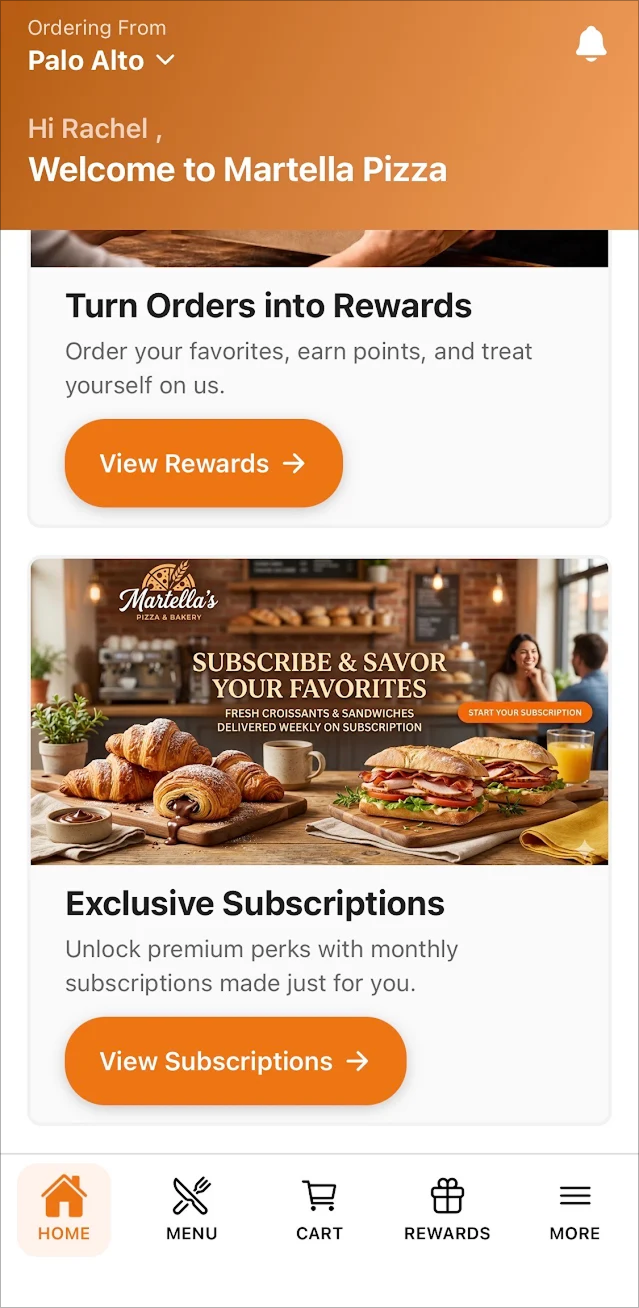
Once you land on the Home Page you will see a card for a Product Subscription.
Step 3
Next click on the "View Subscriptions" button to view all the list of product subscriptions available.
The button text, banner image, primary and secondary texts can be customized based on your preference.
Step 4
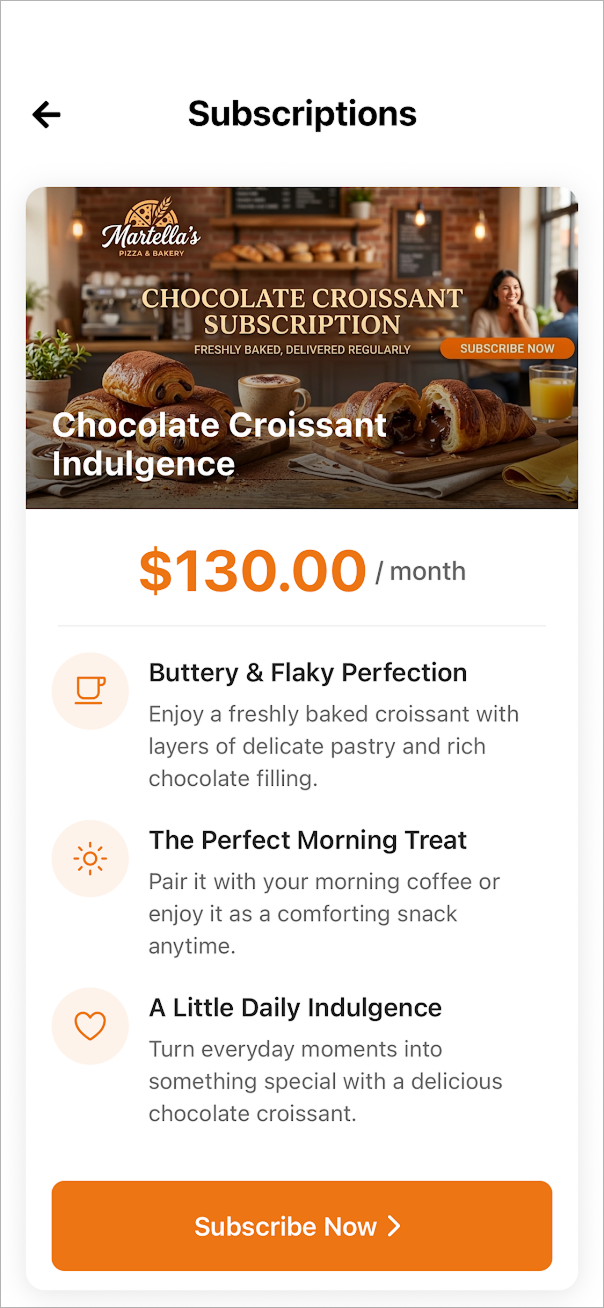
Select the Product Subscription of your choice and click on "Subscribe Now".
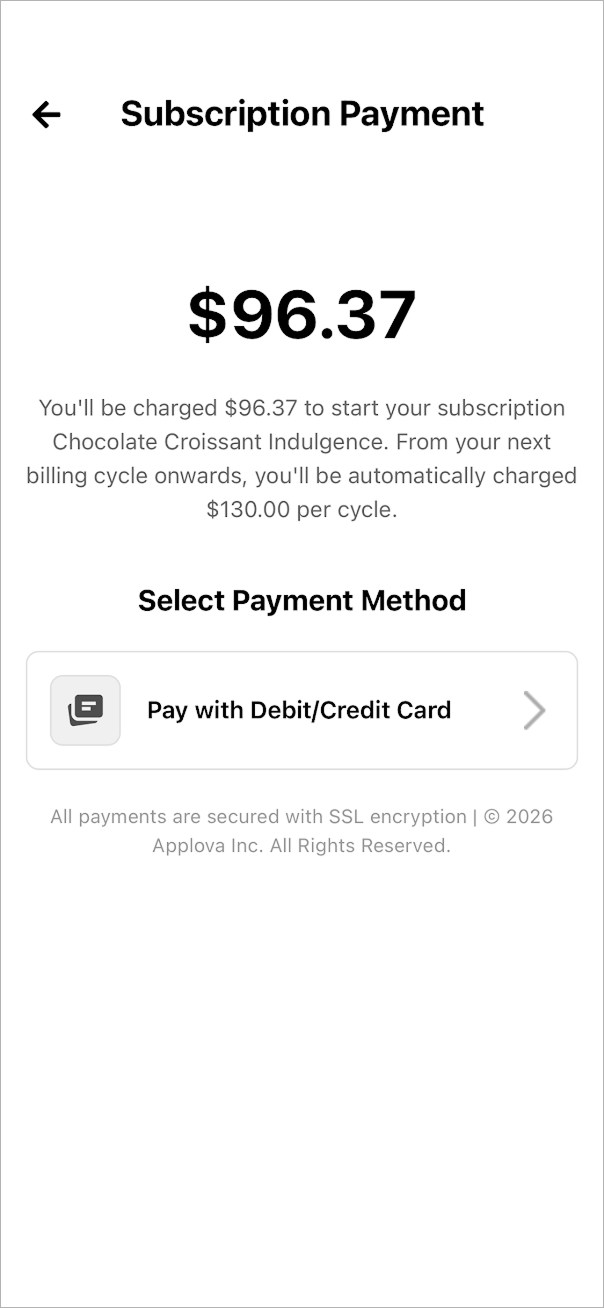
Customers are billed at the beginning of each month for their active subscription plan. If a customer subscribes in the middle of the month, the first billing cycle is prorated and only charges for the remaining days in that month. Starting from the following month, the customer will be billed the full subscription amount at the beginning of the billing cycle.
Step 6
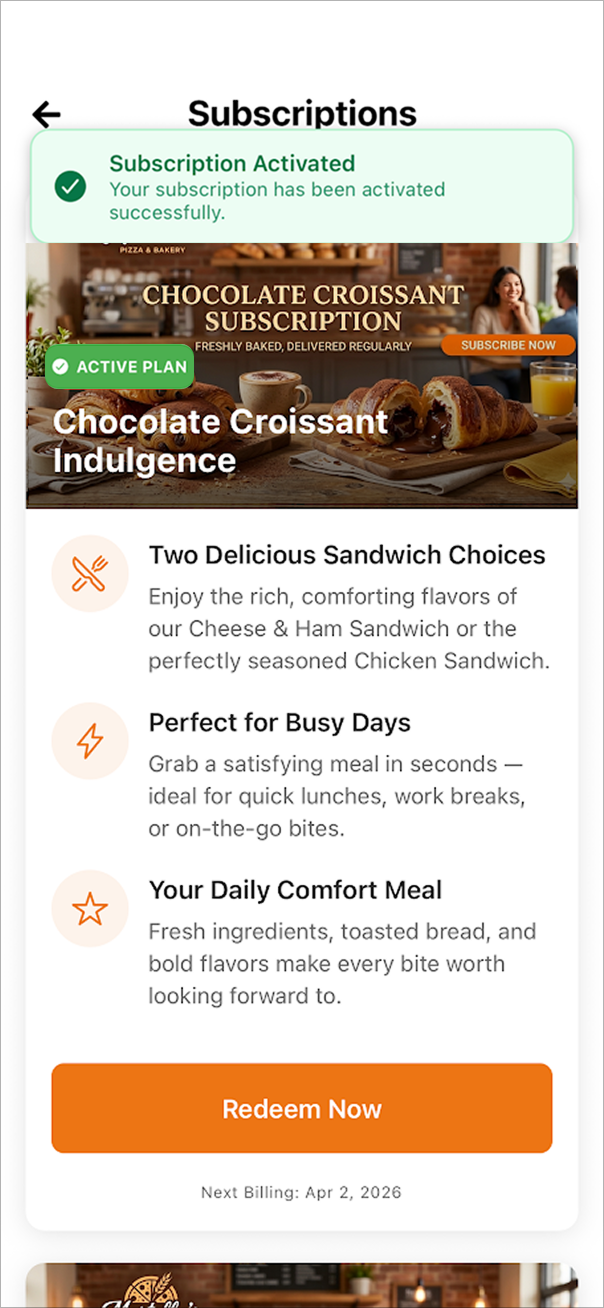
After successful payment the subscription becomes active. The screen shows an Active Plan status and a “Redeem Now” button indicating the customer can begin redeeming items.
How to Redeem Subscription Items?
Step 1
Tap “Redeem Now”.
Tap “Redeem Now”.
Step 2
The redemption panel displays the products included in the subscription. Tap “Add.”
The redemption panel displays the products included in the subscription. Tap “Add.”
Depending on the merchant’s configuration, a subscription can include either a single product or multiple product options. Merchants can also define how many items a customer is allowed to redeem in a single order based on their subscription rules.
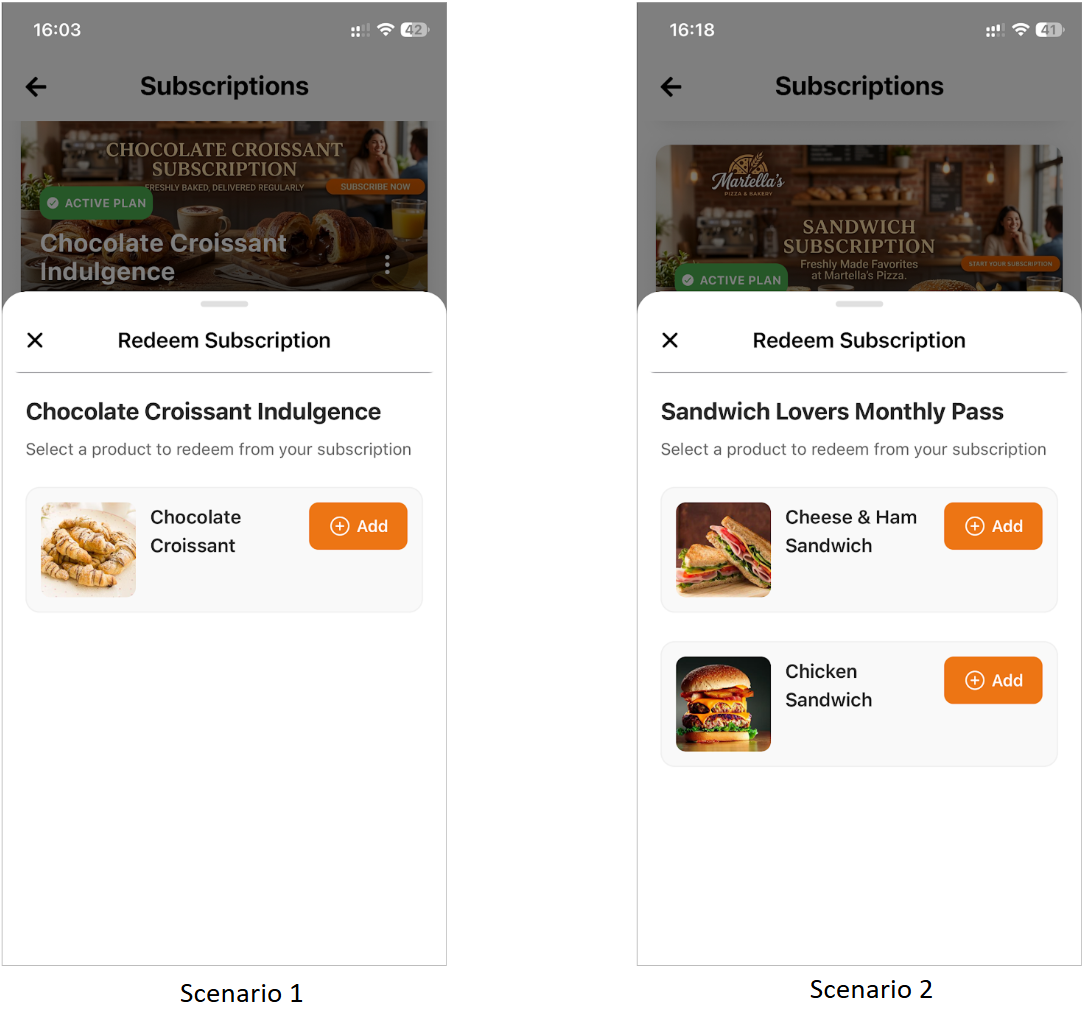
If the customer decides not to redeem the item, they can remove it by tapping the “Remove” icon next to the added item.
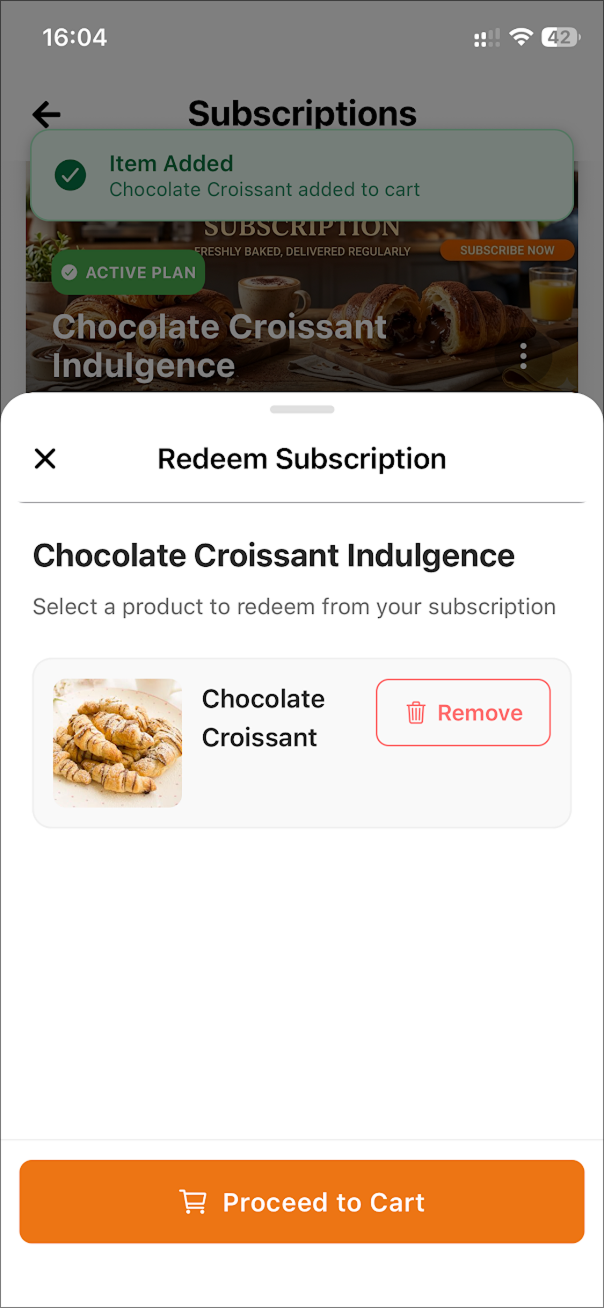
Step 3
Tap on the “Proceed to Cart” button.
Tap on the “Proceed to Cart” button.
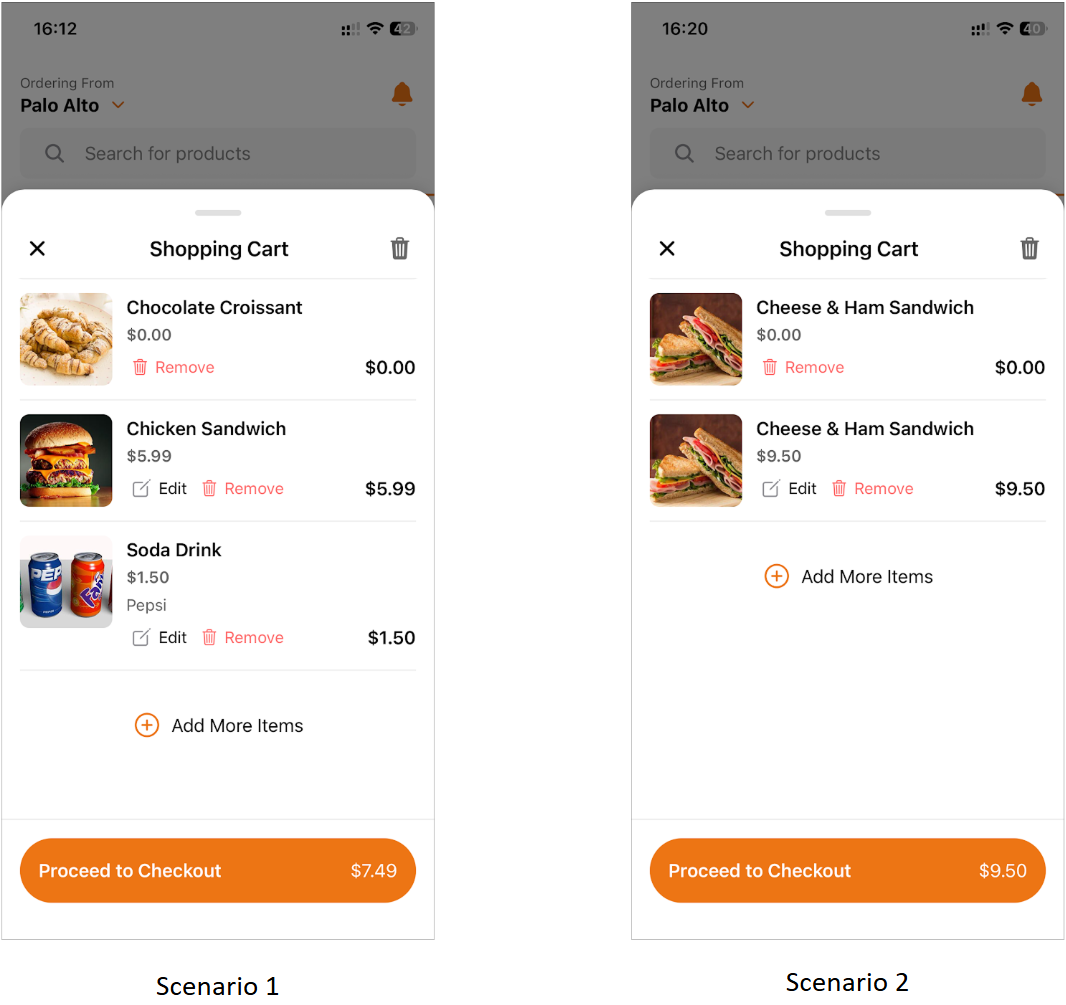
The cart displays the redeemed item
with $0.00 price. Additional items added normally will keep their regular price.
If the same item is added through the regular menu flow, it appears separately with normal pricing while the subscription item remains $0.00.
If the same item is added through the regular menu flow, it appears separately with normal pricing while the subscription item remains $0.00.
Step 4
Complete checkout to place the order.
Complete checkout to place the order.
Step 5
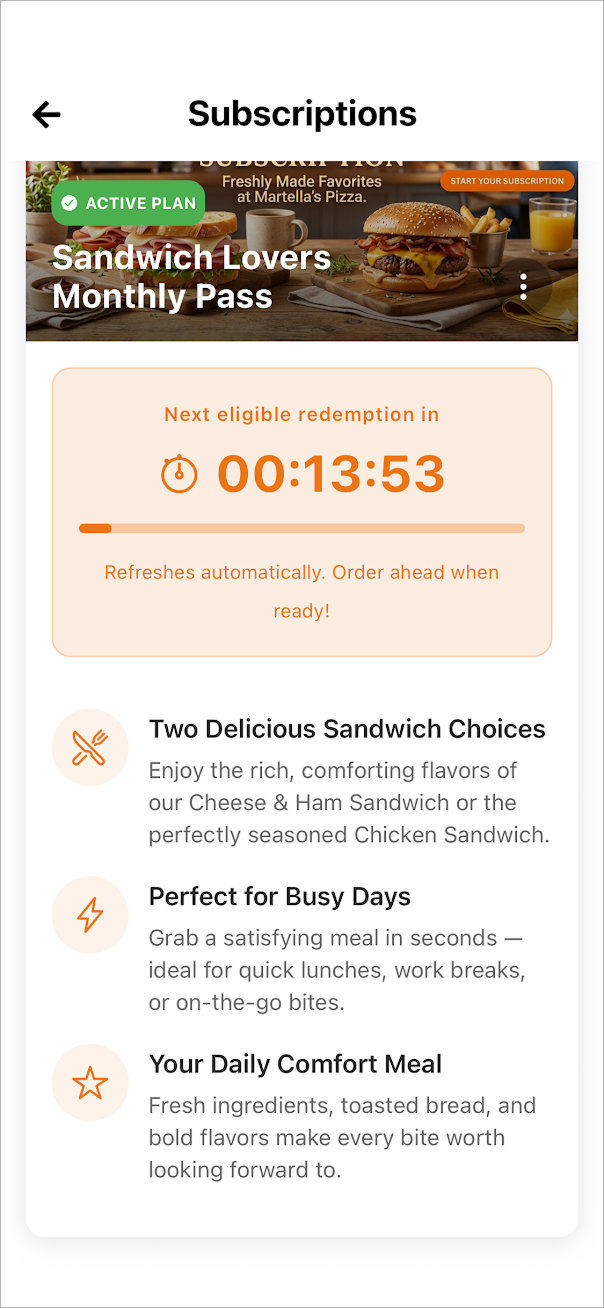
After the order is successfully placed, the system starts a countdown timer on the subscription page. This timer shows how long the customer must wait before they can redeem the subscription item again. The timer duration depends on the redemption rules configured for the subscription.
How to Cancel a Subscription?
Step 1
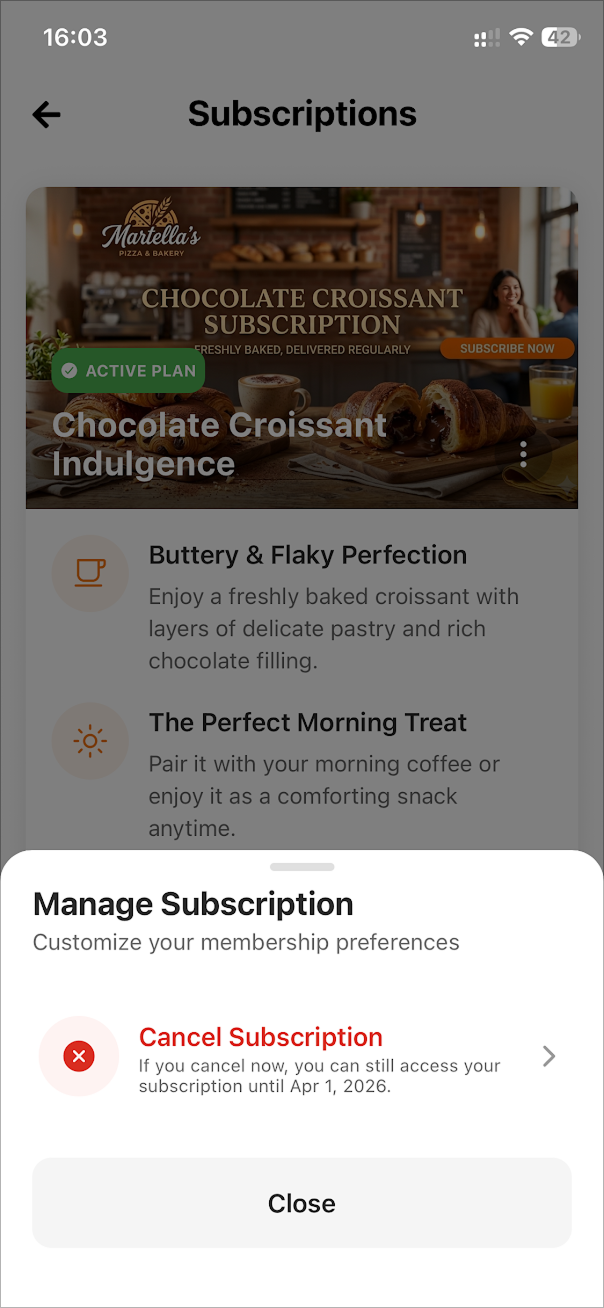
Open the Subscriptions page and tap on the menu icon on the subscription banner.
Step 2
Then under “Manage Subscription" tap on “Cancel Subscription”. The system
displays the date until which the subscription will remain valid.
Step 3
A popup will appear to confirm the cancellation where the the date until which the subscription will remain valid is displayed. Tap “Confirm” to cancel. Future billing
cycles will stop but the subscription remains usable until the expiration date.
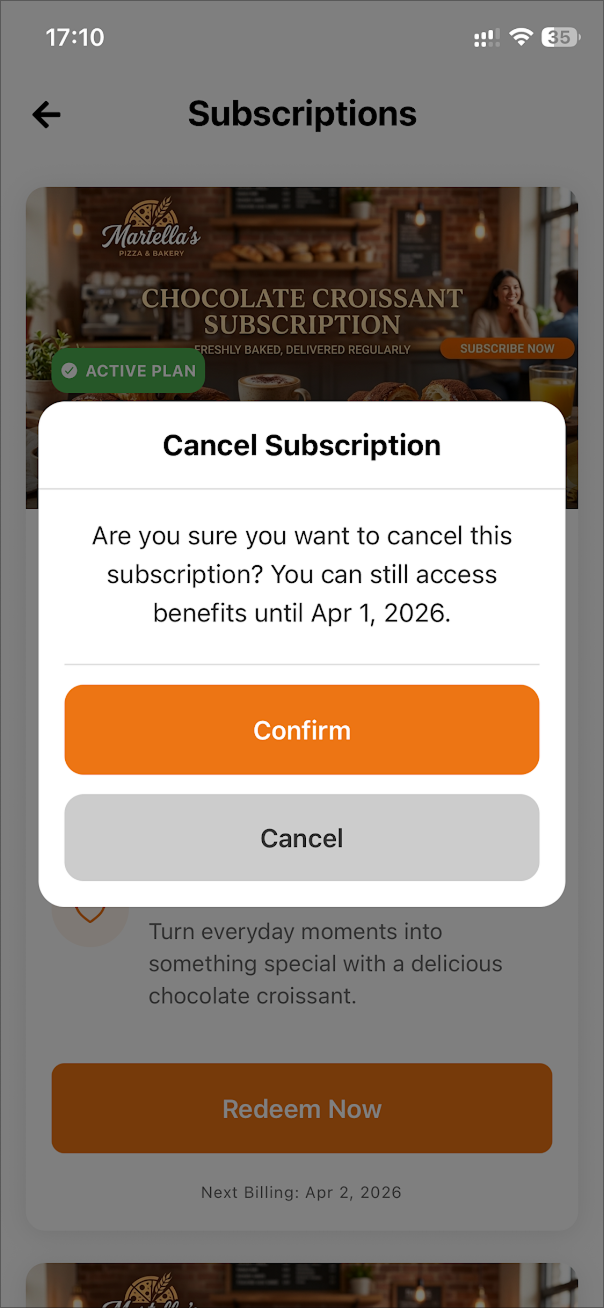
Image Link
Image Link
Step 4
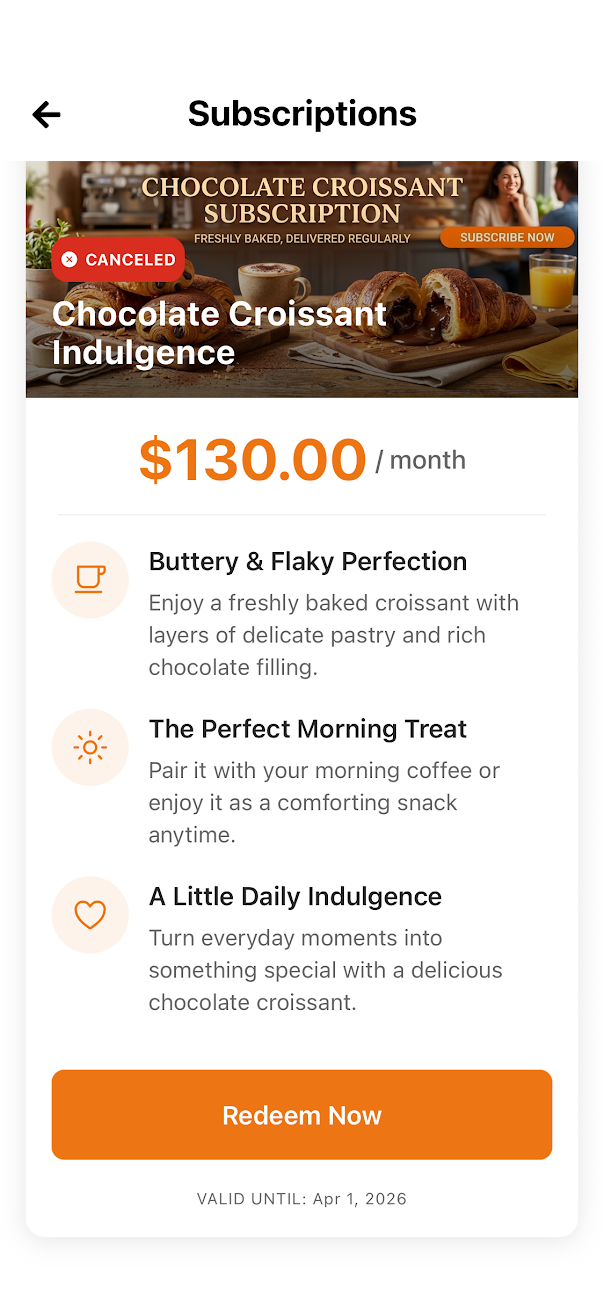
The subscription status changes to
Canceled and displays the Valid Until date. Customers can redeem items until
that date.
Related Articles
Smart Product Recommendations on the Order Ahead App
This is a default feature available only for registered customers. Smart Picks brings a personalized ordering experience by using AI to highlight products they’re most likely to enjoy based on their past purchase history. This feature helps repeat ...Displaying Dynamic Fields on Order Ahead App
Business Dynamic Fields give merchants a flexible way to collect and manage custom information inside the Order Ahead app. Instead of being limited to standard, system-defined fields, merchants can create their own inputs to match their operational ...Top Sellers on Order Ahead App
The Top Sellers feature on the Mobile App highlights a restaurant’s most frequently purchased items. This allows customers to quickly identify and order trending products without needing to browse through the entire menu. By automatically showcasing ...How to Delete the Customer Account on the Order Ahead App?
Follow the steps given below to delete the customer account on the Order Ahead App. Once a customer account is deleted, all associated information will be permanently lost and cannot be recovered. Step 1 Tap on the app to open it and click on "Sign ...How to Use OTP-Based Sign-in on Order Ahead App?
The OTP Sign-In feature introduces a secure, password-free login flow where users authenticate themselves through a One-Time Password (OTP) sent via SMS. This feature enhances convenience and security by allowing both existing and new customers to ...