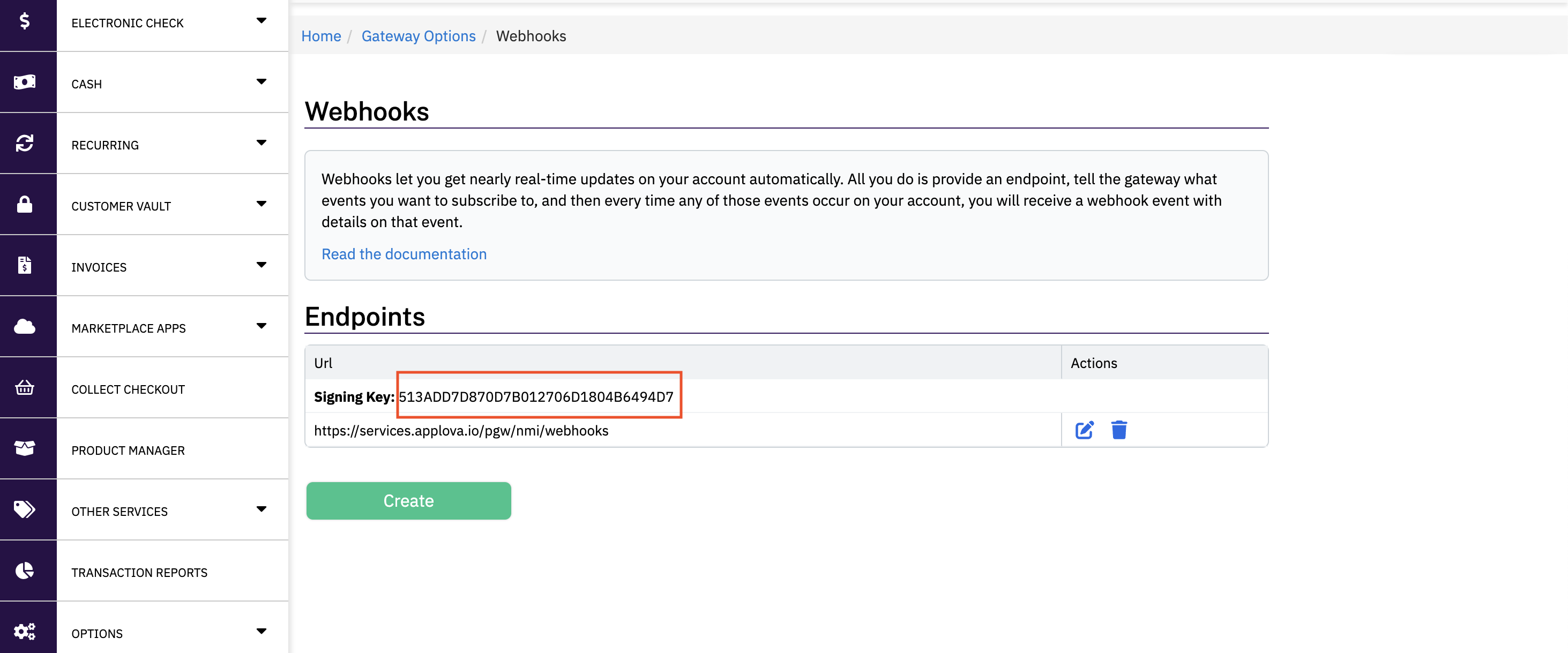
How to Find NMI Webhook Signing Key?
Step 1: Log on to your NMI portal
Below is an example URL format of how your NMI Reseller Portal login would look like.

https://yourcompany.transactiongateway.com/resellers
Step 2: Log on to the Specific Merchant Account
Once you're in the NMI portal, click on 'List Accounts' section and navigate to the particular merchant account you want to retrieve the Webhook Signing Key from, and click 'Sign In'.

Step 3: Go to Webhooks Section
Once you're in the particular merchant account, click on 'Settings'.

In the next page, under 'Transaction Options', click on 'Webhooks'.
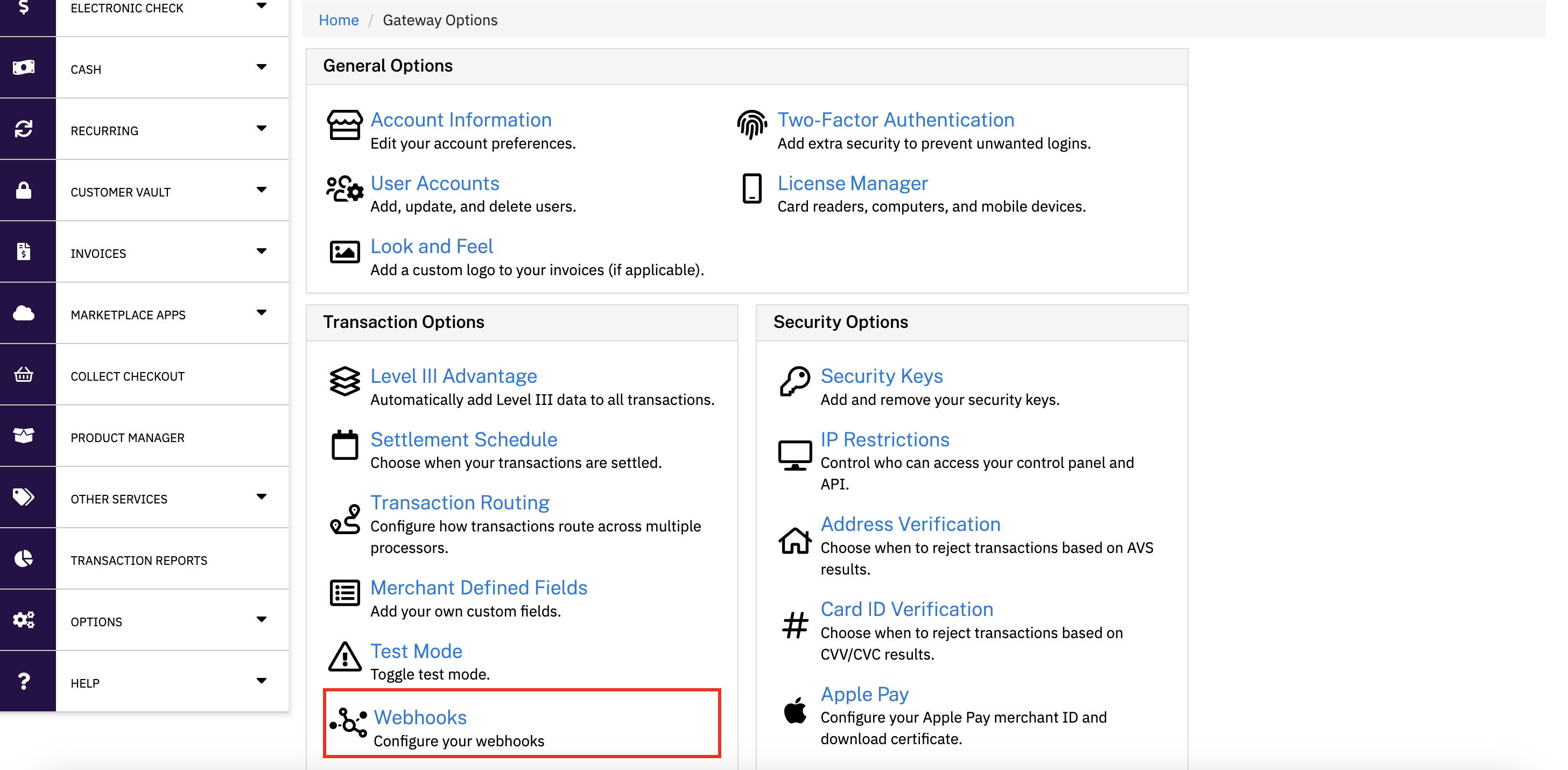
Step 4: Creating the Webhook
In the next screen, click on 'Create'.
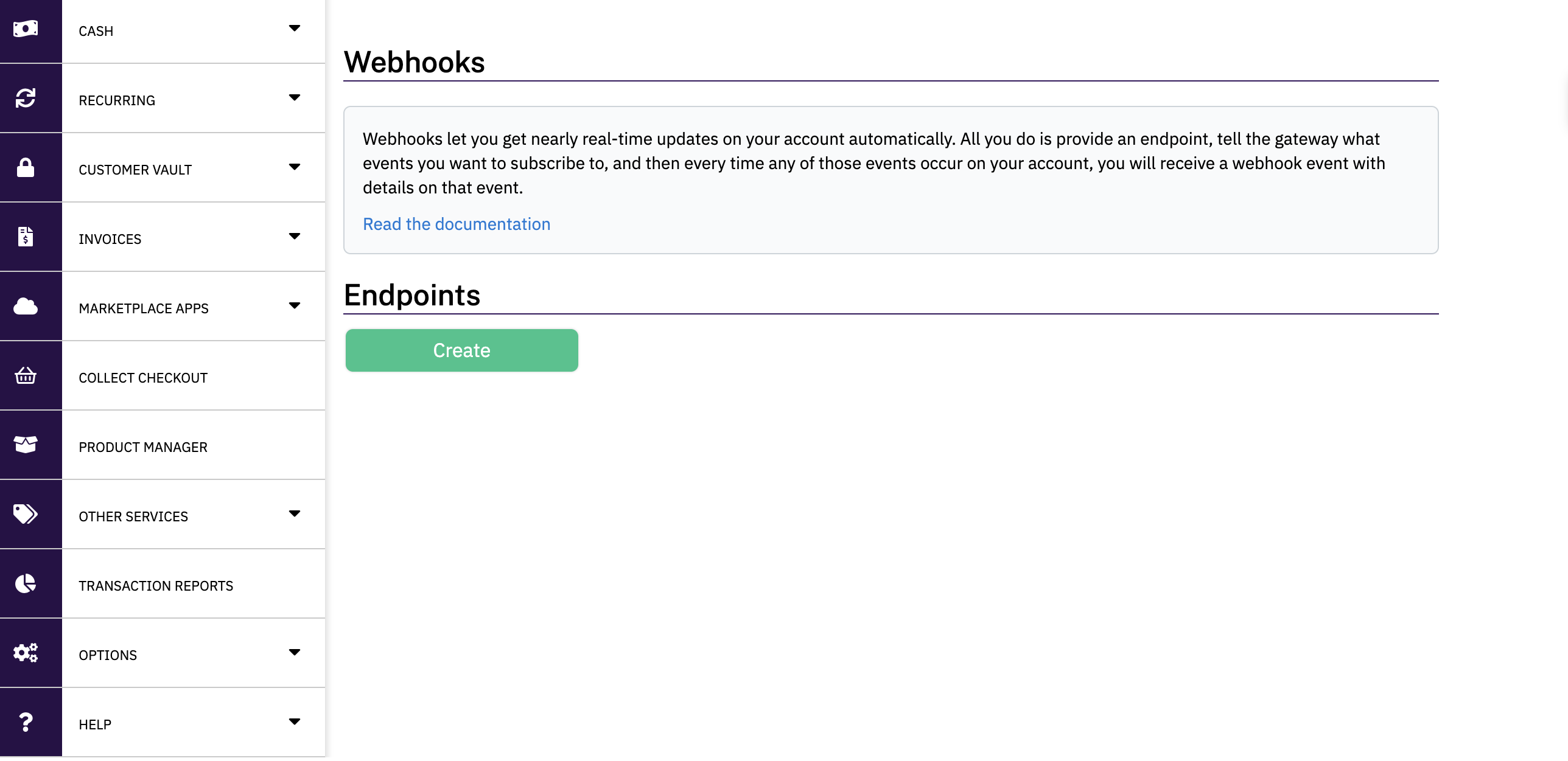
Step 5: Adding the Webhook URL
In the next screen, for the URL input field, use the below as the value.
https://services.applova.

Step 6: Subscribing to the Required Webhook Events
Next, under the 'Available Events' scroll down to the below 3 Webhook events, and click on the arrow icon next to them in order to add them to the 'Subscribed Events' list.
- transaction.sale.succes- transaction.sale.failure
- transaction.sale.unknown


Finally, click on the 'Save Changes' button.
Step 7: Retrieve the Webhook Signing Key
You will be redirected to the previous screen, where you can now see a generated value for the Webhook Signing Key.