How to Add or Remove a Square Merchant from the Merchant Registry via Admin Web?

This article explains how to add or remove a Square merchant from the Merchant Registry via Admin Web. This is done from the Business Basic Details section of the selected business.
Step 1
Login to the Admin web portal and search for the business using the Business ID or Business Name.
Step 2
Go to the Business Basic Details section.
Step 3
In the Merchant ID, click the "More Options" button and select "Add Business to Merchant Registry".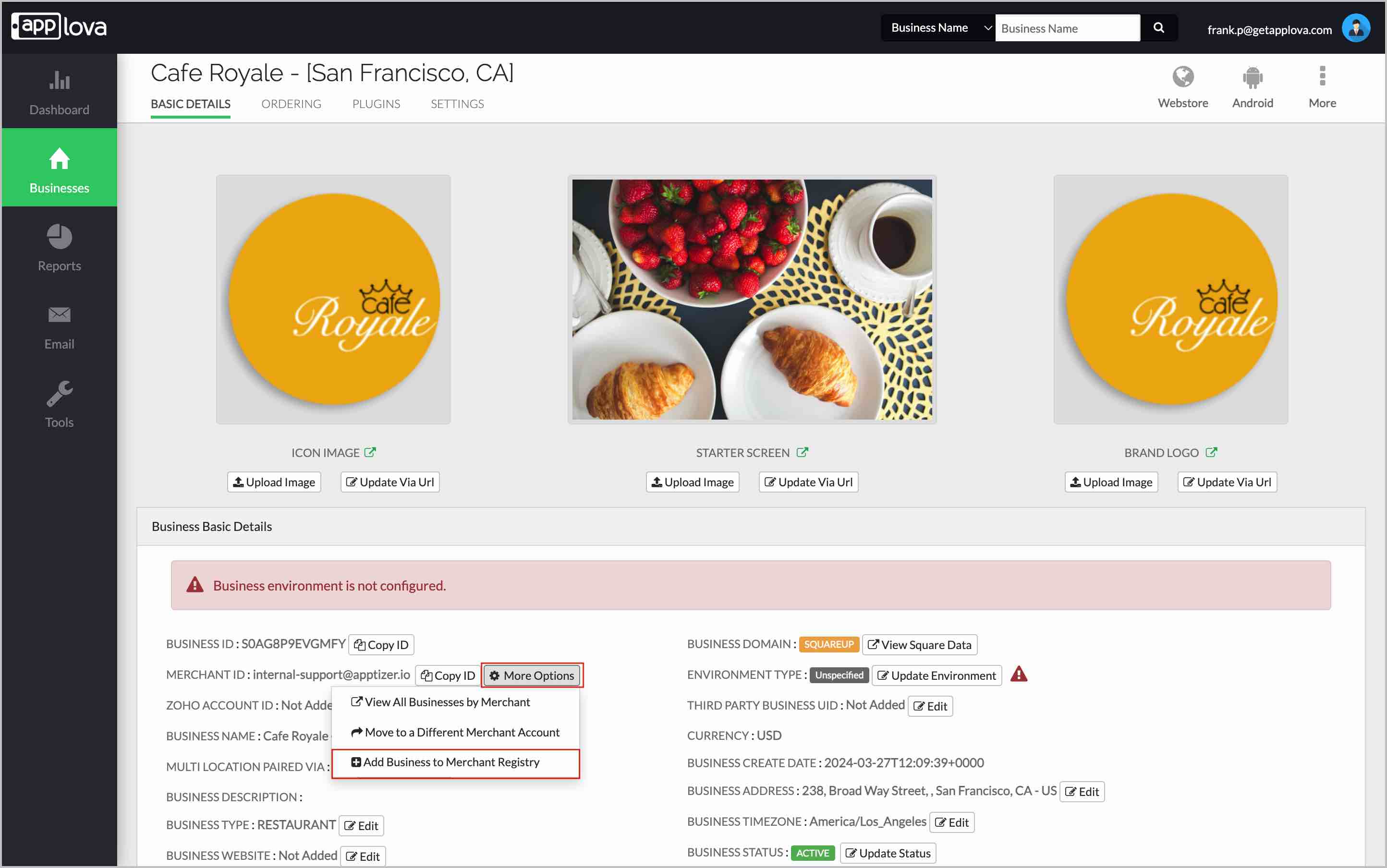
Image Link
Step 4
Then the following popup will open.
 The following details are prefilled for the selected business and cannot be edited. Review the details before registering the merchant:
- Business Name
- Business ID
- Merchant Username/Email
- Service URL
- User Group
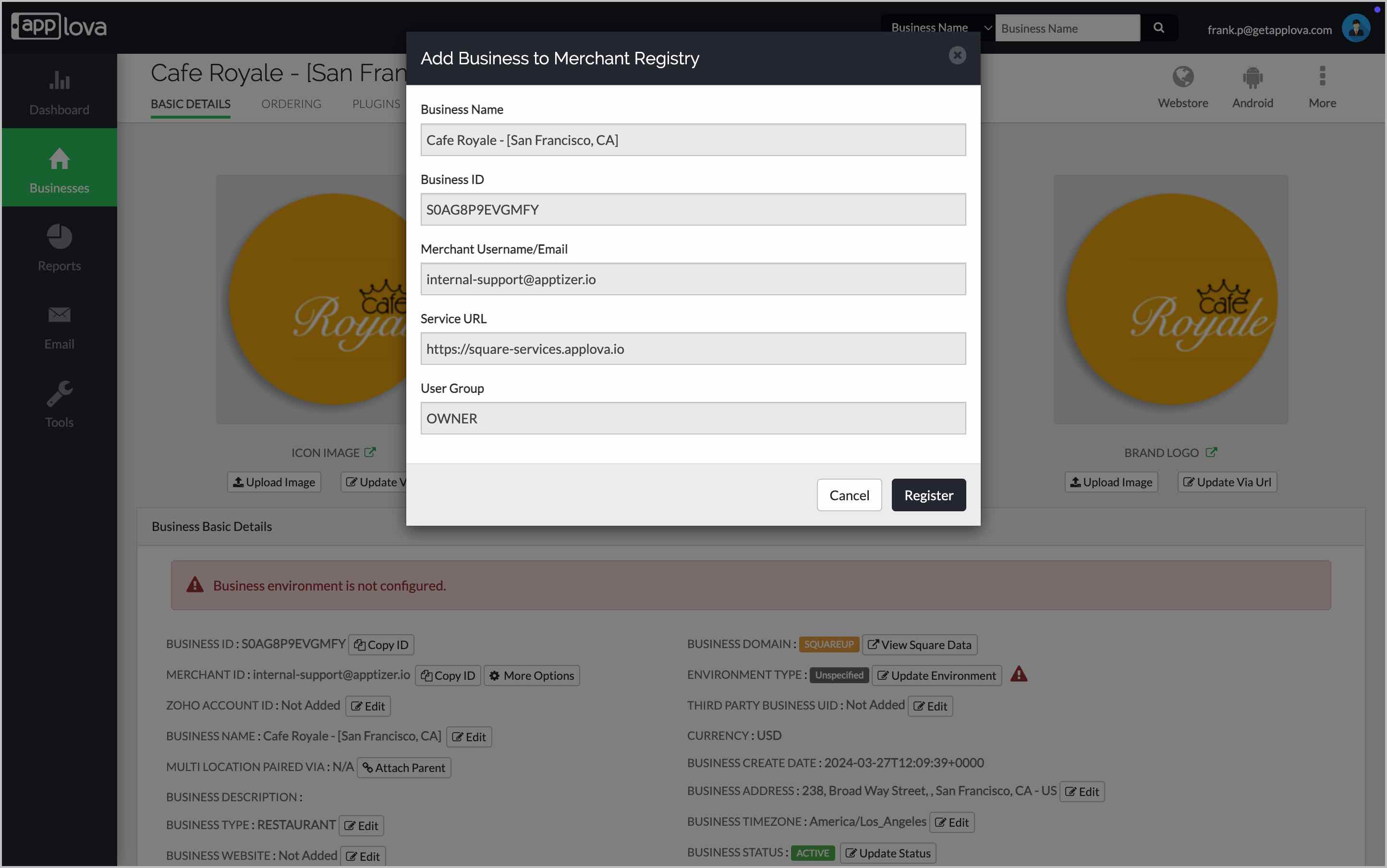
Then, click on "Register"
Step 6
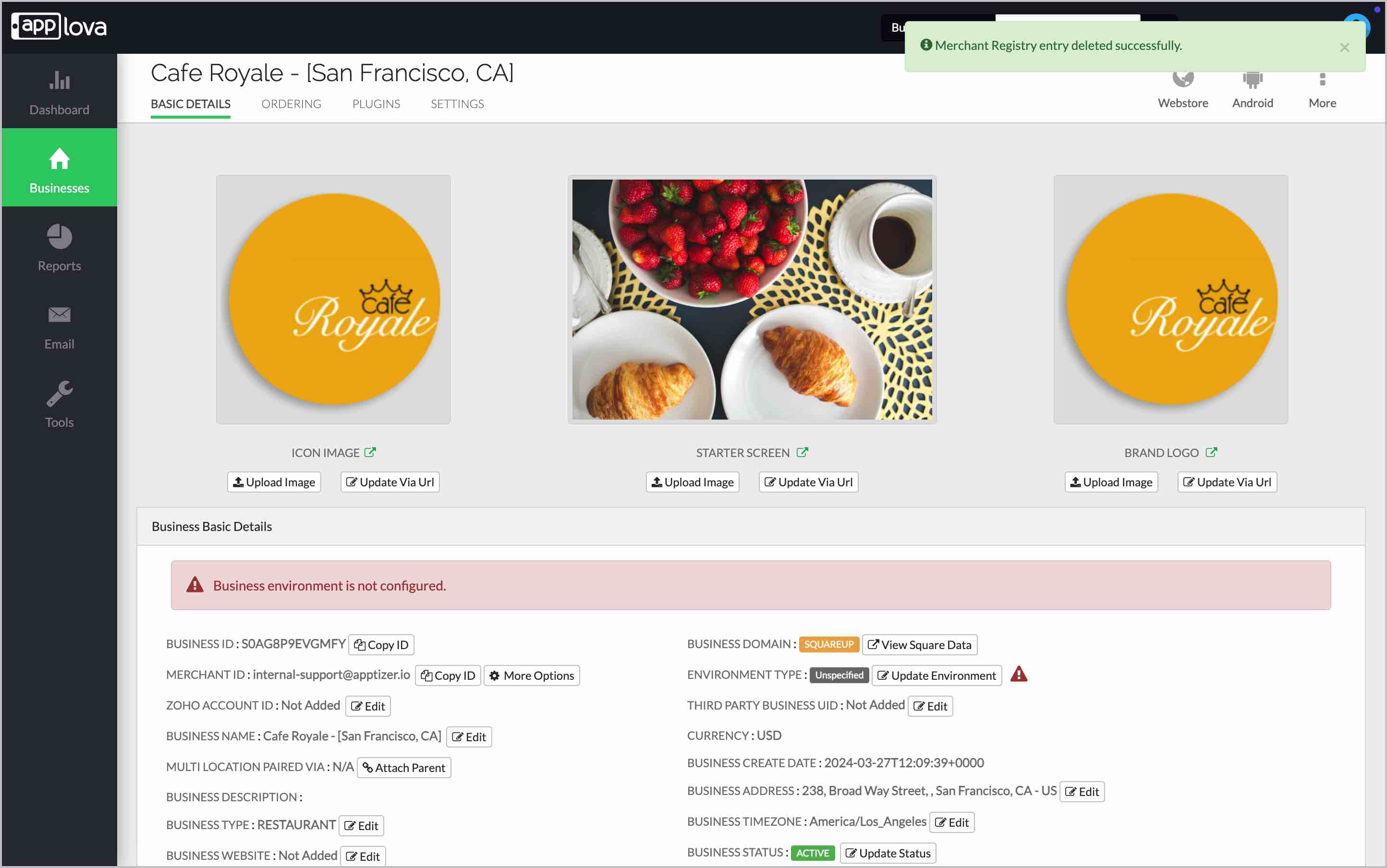
Once the merchant is added successfully, a confirmation message will be displayed.
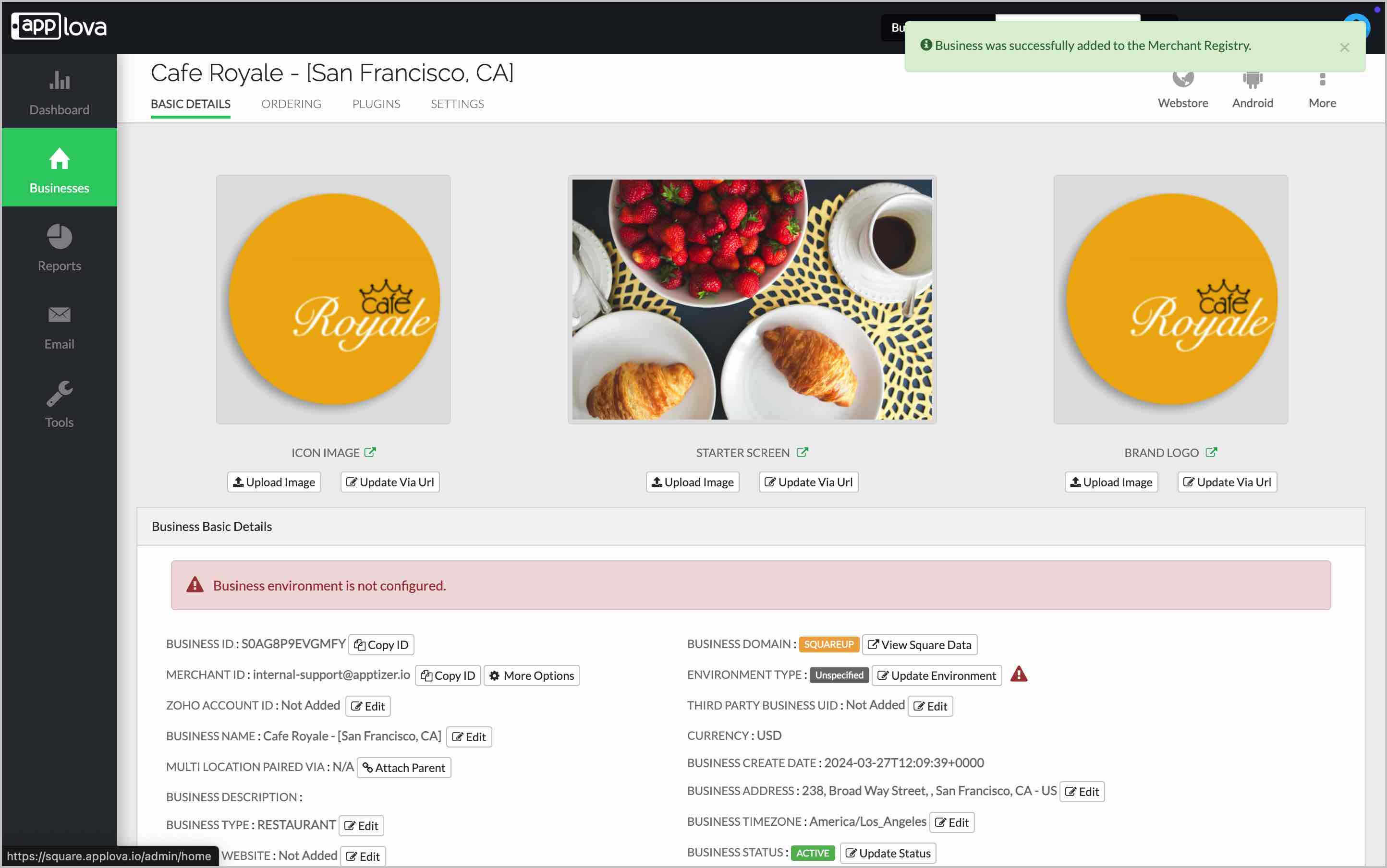
Image Link
Step 1
Login to the Admin web portal and search for the business using the Business ID or Business Name.
Step 2
Go to the Business Basic Details section.
Step 3
In the Merchant ID, click the "More Options" button and select "Add Business to Merchant Registry".
Image Link
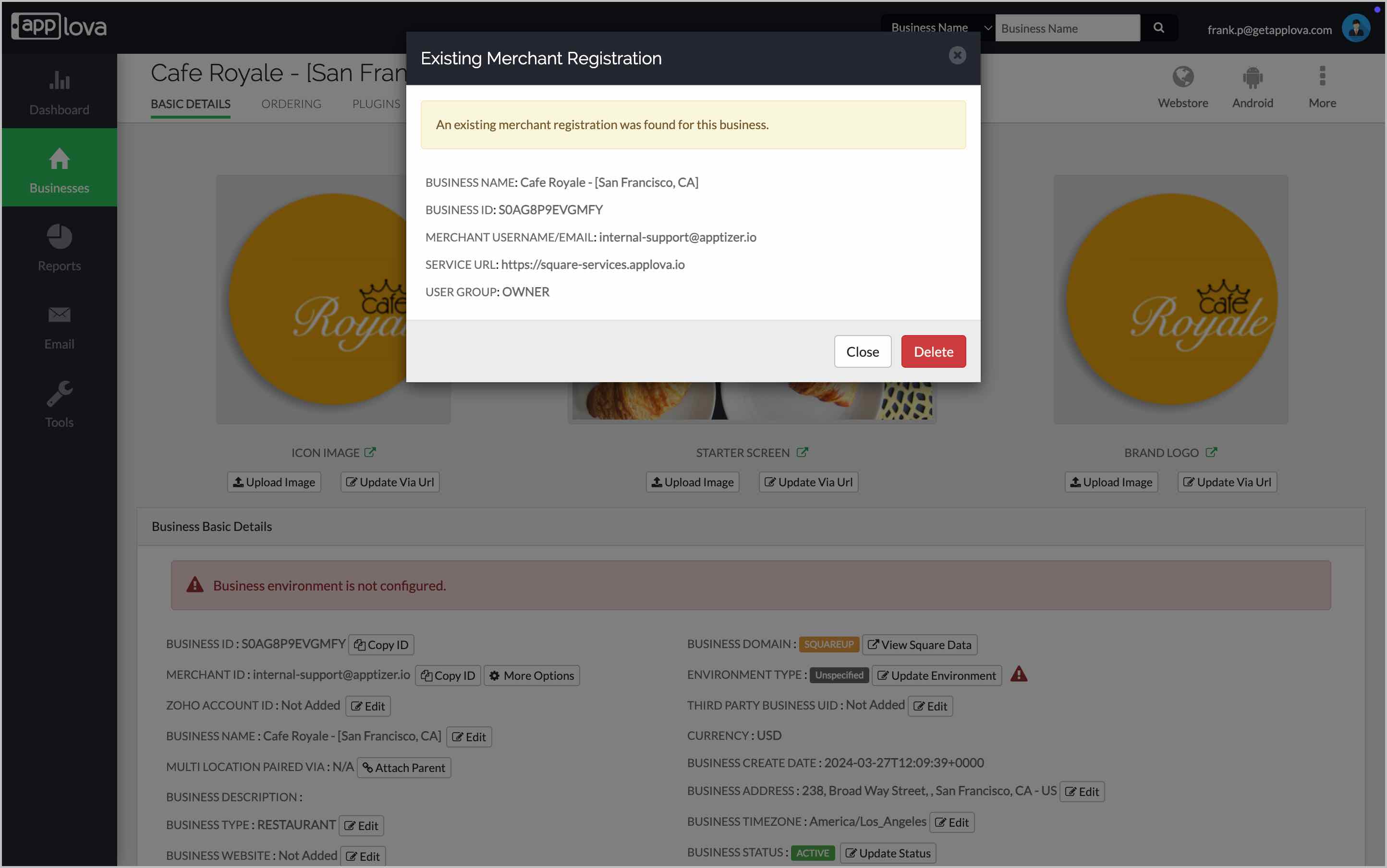
Then, click "Delete" to remove the Square merchant from the Merchant Registry.
Related Articles
How to Add Product Descriptions?
Similar to how you added the item image to your Square menu, you have the option of adding the product description as well. Please see below screenshot on where to add the description on your Square Dashboard. Once you add the description, you can ...How to update Applova side when I update Square menu?
When you do an update to your Square inventory, you can log into our Square Merchant Web Portal and do a data sync to sync up the inventory to our side. Follow the below steps; 1. Visit https://square.applova.io/ 2. Login with your Square ...Enabling Multi Print Feature for a Square Business
1. Open the Navigation in the Square Dashboard and Click on Settings. Image Link 2. Select the Printers option. Image Link 3. Create a New Printer Station or Edit the One that is created currently. Image Link 4. Choose the Online order tickets ...Where does the information collected from the customer sign up, goes to? Do we have any access to this data?
When a customer creates an account on your Webstore, we create a Customer profile on your Square system side as well, using the details that he submitted (Name, Email address and Phone number). You can view these customers via your Square dashboard ...