Applova Marketplace

Products are core Applova solutions that help merchants run, manage, or expand their restaurant operations. Use the Products section to explore Applova’s main offerings and identify which solutions best fit current business needs.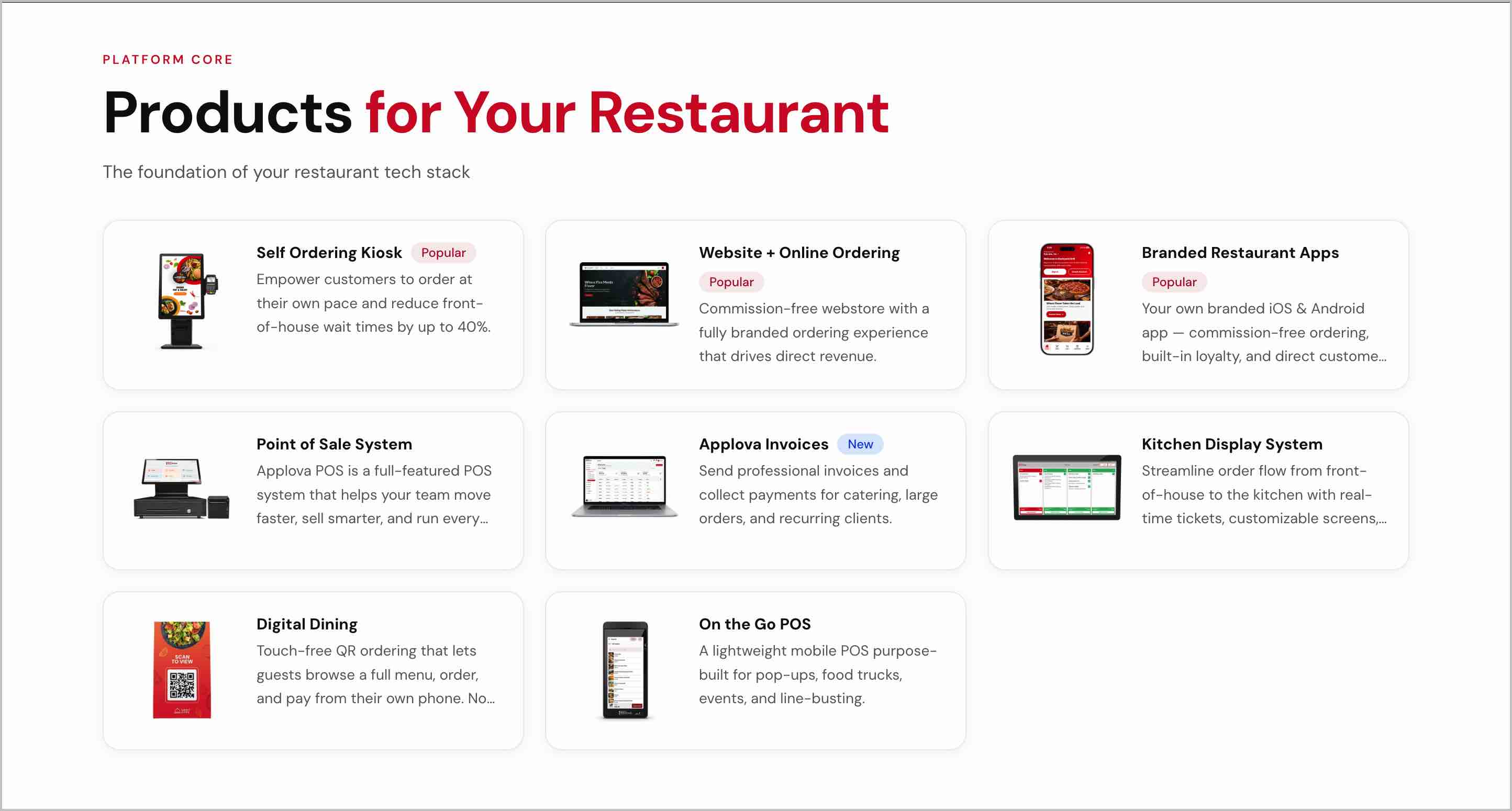
Image Link
Self Ordering Kiosk
Website + Online Ordering
Branded Restaurant Apps
Point of Sale System
Applova Invoices
Kitchen Display System
Digital Dining
On the Go POS

Add-ons are additional tools that enhance or extend existing Applova features. These can help merchants improve customer engagement, increase order value, or add extra capabilities to their current setup.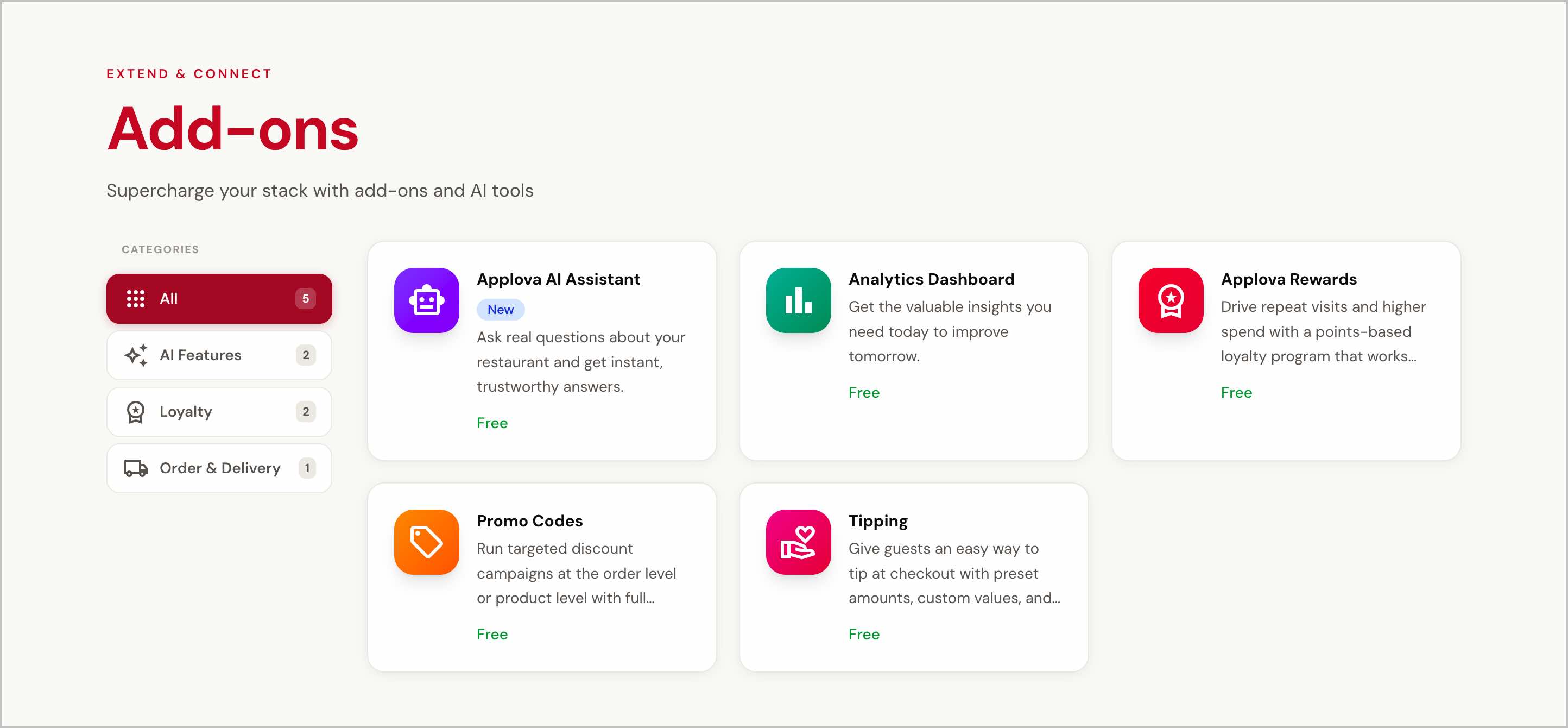
Image Link
Rewards - Gets enabled directly in the Merchant Portal as a plugin.
Promo Codes - Gets enabled directly in the Merchant Portal as a plugin.
Analytics Dashboard - Accessible through the Applova Analytics site, a shortcut is enabled in the Merchant Portal.
AI Chat Assistant - Gets enabled directly in the Merchant Portal, where a conversation can be started.
Tipping - Gets enabled directly in the Merchant Portal as a plugin.
Marketplace also allows merchants to explore solutions based on their restaurant type. This helps find products and add-ons that are more relevant to different business operates.
When a restaurant type is selected, a dedicated page opens with a recommended Applova setup for that business type. This page includes a personalized product stack, recommended add-ons, common business challenges for the selected type of restaurant.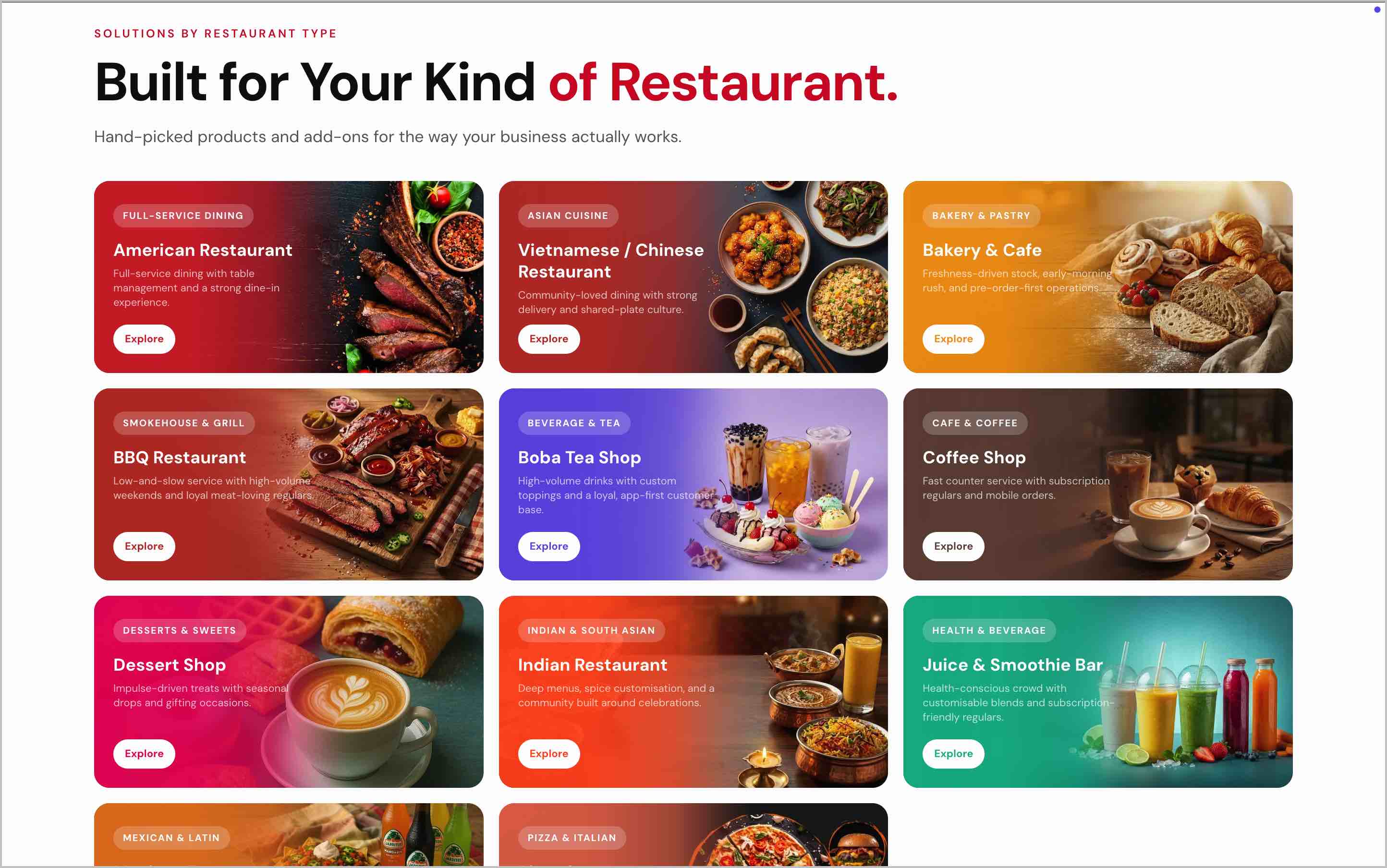
Image Link
Restaurant types available in Marketplace include:
American Restaurant
Vietnamese / Chinese Restaurant
Bakery & Cafe
BBQ Restaurant
Boba Tea Shop
Coffee Shop
Dessert Shop
Indian Restaurant
Juice & Smoothie Bar
Mexican Restaurant
Pizzeria
Related Articles
How to Access the Applova Marketplace via Merchant Portal?
This feature allows merchants to quickly access the Applova Marketplace directly from the Merchant Portal. Step 1 Log in to the Merchant Portal. Step 2 Click on “Marketplace” from the top navigation bar. Image Link Step 3 You will be redirected to ...